

What Is Core Lightning?
Core Lightning, often shortened to CLN, is a Lightning Network client built to interact with Bitcoin’s layer-2 payment system. It’s written in C, which gives it a reputation for speed and efficiency. Among Bitcoin and Lightning power users, CLN stands out for being lightweight and easy to run even on limited hardware like Raspberry Pi or small VPS setups.
It's one of the earliest implementations of the Lightning protocol and is maintained by Blockstream. Over time, CLN has earned trust for its stability, clarity of design, and developer-friendly architecture. Unlike some other clients, CLN is structured around simplicity and direct control. Whether you're routing payments, managing liquidity, or experimenting with Lightning features, CLN offers the kind of performance and transparency that appeals to both developers and operators.
Because of its open plugin system and strong support for community tools, CLN has also become a go-to choice for those building more advanced or customized Lightning setups. It's well-suited to projects that require flexibility, fast processing, and compatibility with the broader Lightning ecosystem.
| DESCRIPTION | DETAILS |
|---|---|
| 💻 Name | Core Lightning (CLN) |
| 🌐 Website | https://corelightning.org |
| 🗓 Release Year | 2018 |
| 💰 Coins Supported | Bitcoin (BTC) via the Lightning Network |
| 💸 Price | Free |
| 🔒 Security Features | Non-Custodial, Self-Hosted, Tor Support, Encrypted Backups (via plugin) |
| 💻 Compatibility | Linux, macOS, Raspberry Pi, VPS |
| 🔄 Connectivity | Peer-to-Peer over Gossip Protocol |
| 📜 Software License | GPL-2.0 |
| 📜 Warranty | No Warranty |
Who Created Core Lightning?
Core Lightning was created and is actively maintained by Blockstream, one of the most respected companies in the Bitcoin ecosystem. Known for their work on the Liquid Network, Blockstream Satellite, and the Blockstream Jade hardware wallet, the team has deep roots in Bitcoin development and infrastructure.
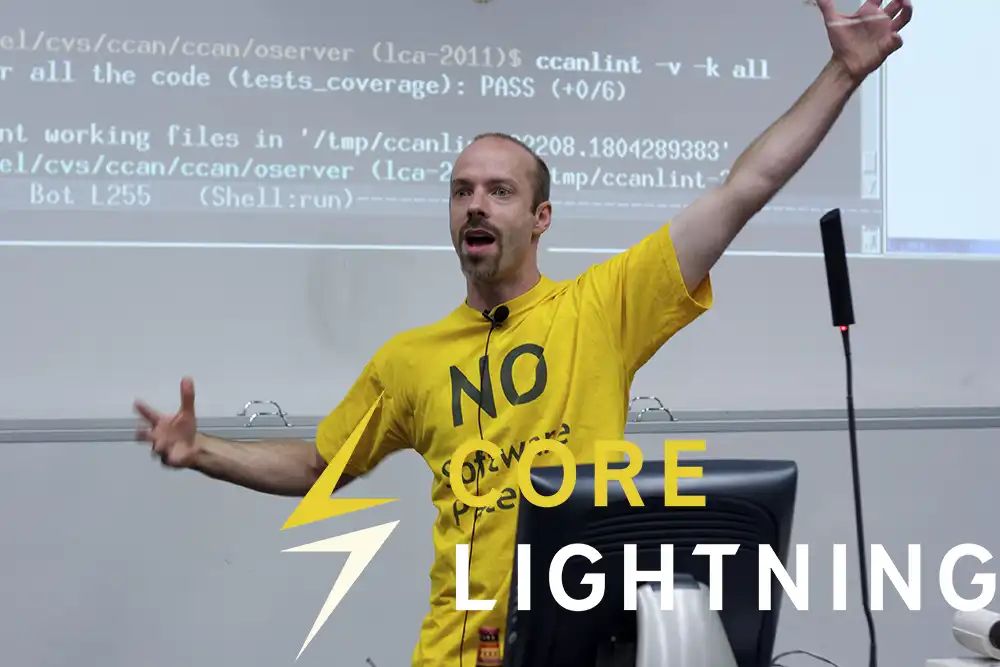
Originally launched under the name c-lightning, Core Lightning was designed to be a lightweight, performance-focused implementation of the Lightning Network protocol. The goal was to offer a more modular and customizable alternative to other clients, while staying true to Bitcoin’s principles of decentralization and efficiency.
Blockstream’s engineering team, which includes long-time contributors to Bitcoin Core and the Lightning specification, has continued to evolve CLN with new features like plugin support, Liquidity Ads, and early adoption of standards like BOLT12.
The project is open source and available on GitHub, with active community involvement and regular updates. So while Blockstream leads the development, CLN is very much a community-accessible project, transparent, auditable, and built to last.
How Core Lightning Works?
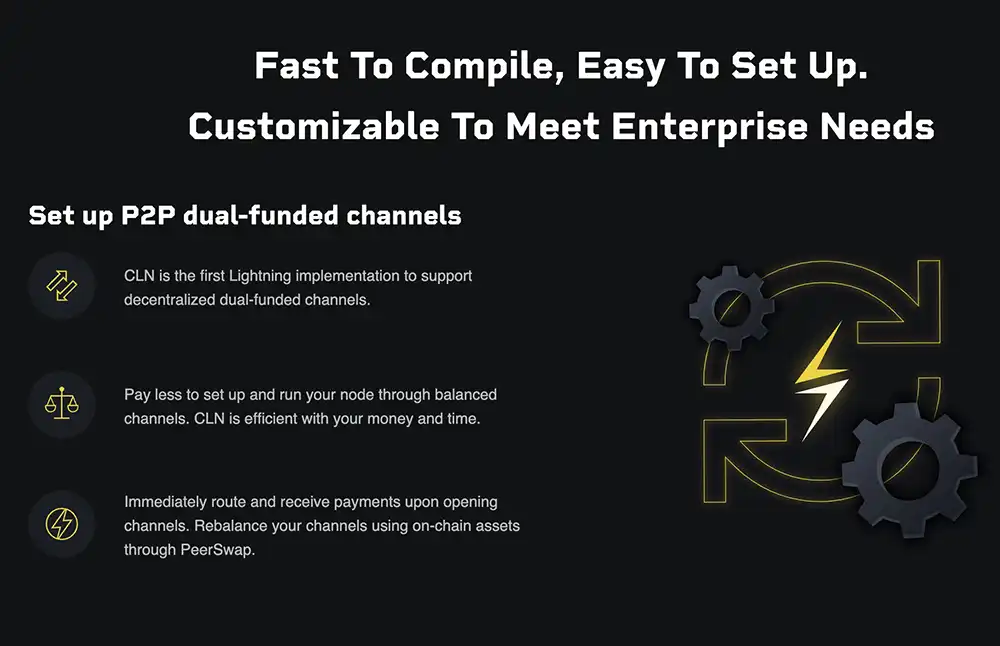
Built in C and Rust, it’s designed for flexibility and performance, making it ideal for both individuals and enterprises. At its core, CLN lets you run a Lightning node that connects directly with peers to send, receive, and route Bitcoin payments instantly and cheaply.
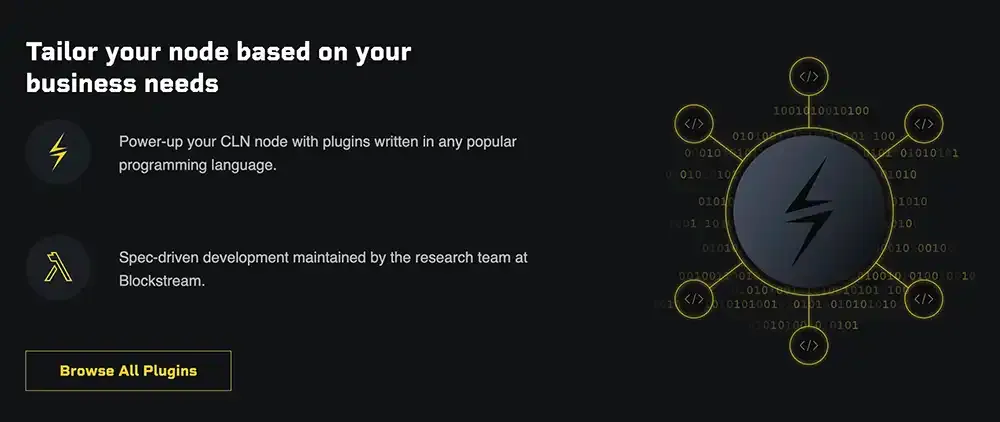
What sets CLN apart is its fully modular architecture. You can extend or automate your node using plugins written in any major programming language. This makes it incredibly customizable. For example, the CLBOSS plugin handles tasks like opening channels, rebalancing, and optimizing routes, all without user input.
CLN also supports dual-funded channels and Liquidity Ads, allowing two peers to open a balanced channel together, reducing costs and setup time. Tools like PeerSwap let you rebalance your Lightning channels using on-chain Bitcoin, peer-to-peer, without relying on a centralized service.
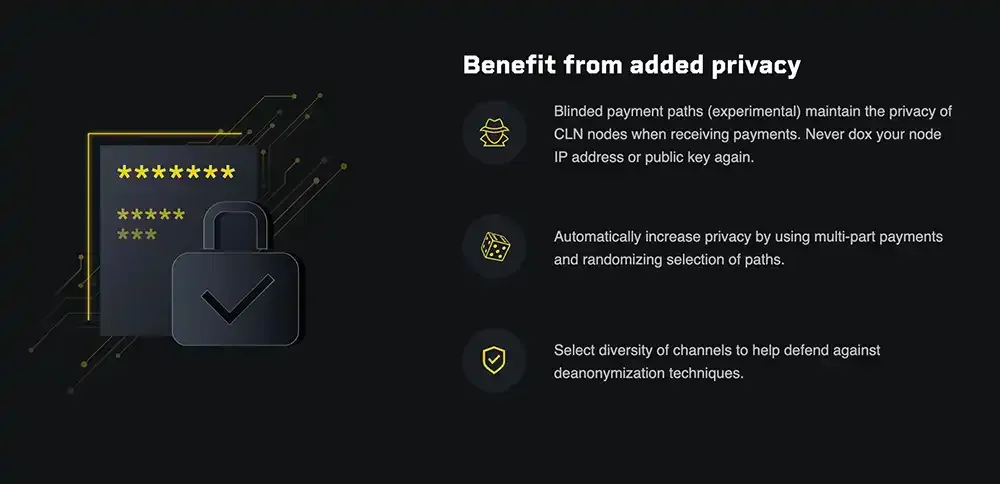
Privacy is built in. CLN offers blinded payment paths, multi-part payments, and path randomization to prevent deanonymization. Full Tor support is also included. And with BOLT12 support, you can create static invoices, accept spontaneous payments, and even set up recurring payments, without any web server.
For those who want less overhead, Blockstream’s Greenlight lets you run a CLN node on their infrastructure while keeping full control of your private keys.
In short, CLN gives you the tools to operate a highly efficient Lightning node with full control, strong privacy, and powerful automation.
Core Lightning Main Features
Core Lightning (CLN) comes packed with practical and powerful features aimed at giving users full control, flexibility, and efficiency when using the Lightning Network. Whether you're running a small personal node or building an enterprise-grade Lightning setup, CLN brings a feature set that’s both deep and versatile.
Dual-Funded Channels
CLN was the first to support decentralized dual-funded channels, where both parties contribute liquidity during channel opening. This helps create balanced channels right from the start, reducing the need for immediate rebalancing.
Liquidity Ads
Using the built-in peer-to-peer gossip protocol, CLN lets your node advertise and discover liquidity offers from other peers, no central service required. You can earn routing fees or request incoming liquidity without manual coordination.
Plugin-Based Modularity
CLN is fully modular. You can extend your node with plugins written in Python, Go, Rust, or other popular languages. From automation to monitoring, the plugin system allows deep customization and smooth integration into your infrastructure.
CLBOSS Autopilot
The CLBOSS plugin gives your node autonomy. It handles tasks like opening new channels, rebalancing, and optimizing routes, perfect if you want a smart node that runs itself.
Privacy Tools
Privacy is front and center. CLN supports features like multi-part payments, path randomization, blinded payment paths (experimental), and full Tor integration, making it harder to trace payments or link nodes.
BOLT12 Support
With BOLT12, CLN introduces static invoices, spontaneous payments, recurring billing, and even the foundation for multisig Lightning nodes, without having to rely on external servers.
These features make Core Lightning not just fast, but also adaptable and deeply suited for anyone serious about using Bitcoin over Lightning.
How To Get Started With Core Lightning
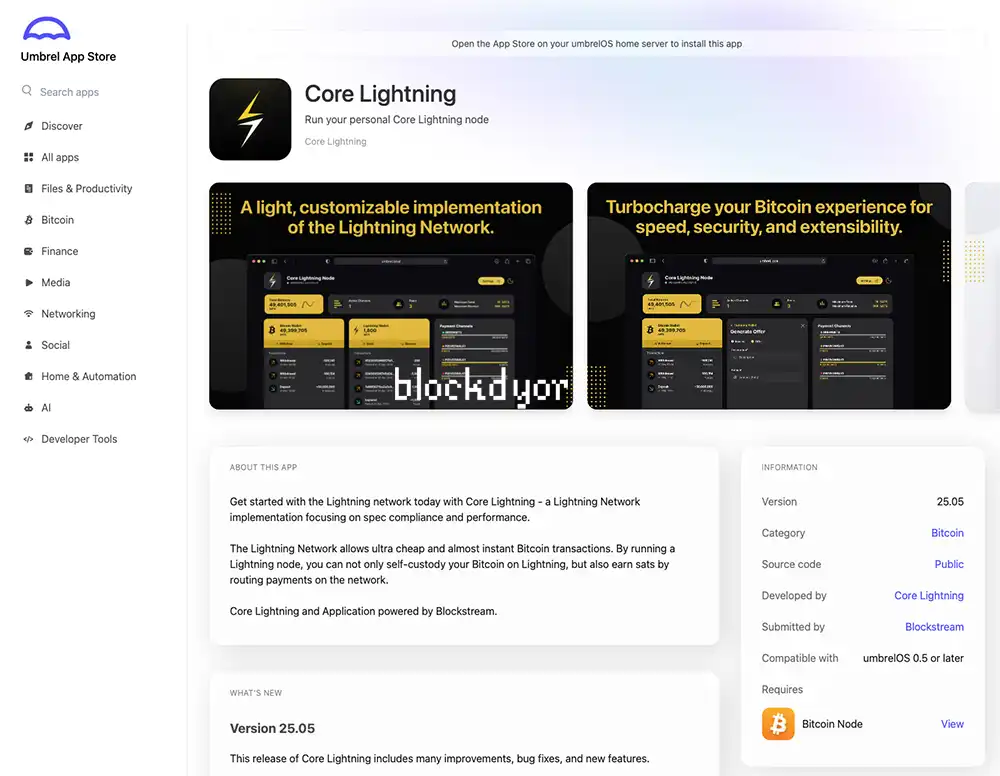
The quickest way to start using Core Lightning is through a Bitcoin-focused operating system like UmbrelOS or StartOS. These platforms let you install the CLN Application, a user-friendly interface for running Core Lightning, in just a few clicks.
Getting set up is as simple as opening the app store, searching for "Core Lightning", and hitting install. Within minutes, you’ll have access to a full Lightning node. From there, you can fund your Bitcoin wallet, open or close channels, and send or receive Lightning payments right from the dashboard.
On Umbrel, the Core Lightning app is officially submitted and maintained by Blockstream, the same team behind the well-known Blockstream Jade hardware wallet. The app bundles together three key components:
- CLN Application: the graphical interface you interact with
- CLN: the core Lightning node doing the heavy lifting
- CLN Rest: the API layer that enables external apps like Zeus Wallet to connect
This setup offers a smooth entry point for anyone looking to explore the Lightning Network without diving into manual installations or command-line configuration.
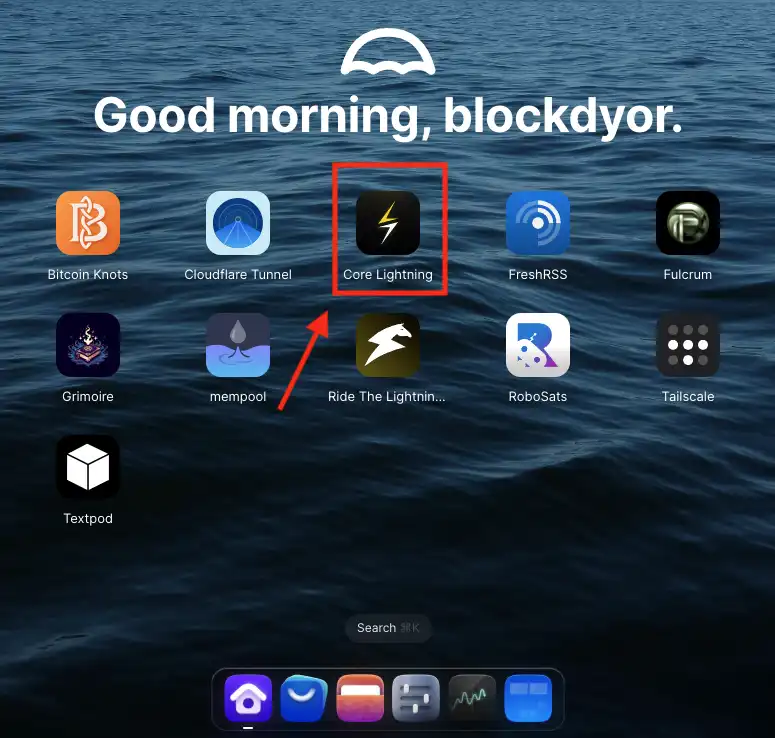
The installation is quite simple, just search "Core Lightning" in the Umbrel App Store and install, it will appear in the Umbrel Dashboard/Home. Click on the Core Lightning icon to start it up.
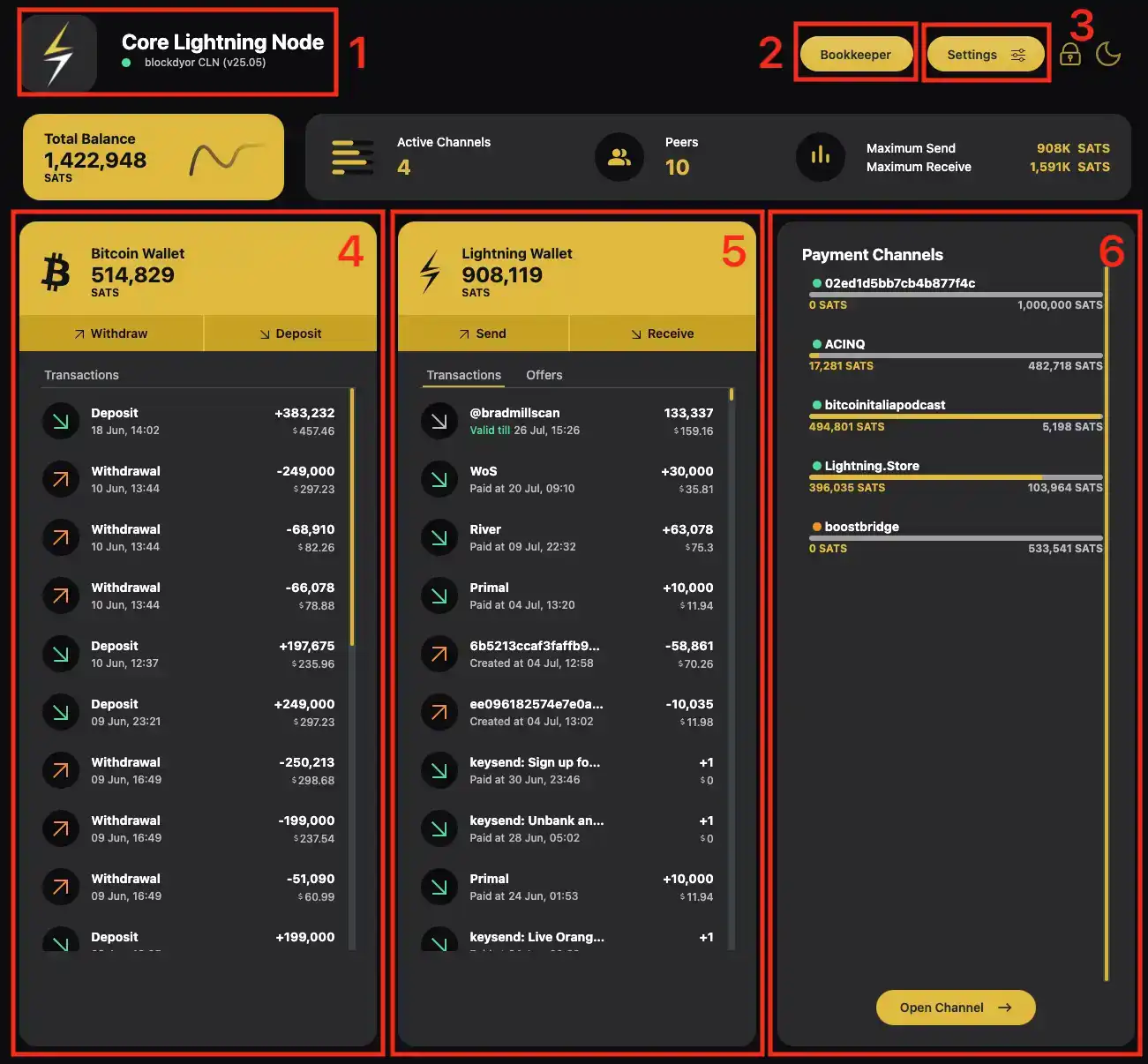
When you launch the Core Lightning App, you’re welcomed by a clean and modern interface with a distinct yellow-accented theme. It comes in two modes: a striking black-and-yellow dark mode for low-light environments, and a crisp white-and-yellow light mode for daytime use. The layout is simple but effective, giving you everything you need at a glance.
Here’s how the main interface is structured:
(1) Node Info
At the top, you’ll see your node’s name (alias), the software version, and other identity details that help you recognize your node on the Lightning Network. This is your public-facing info when connecting to peers.
(2) Bookkeeper
This section provides an overview of your Lightning activity. It tracks incoming and outgoing payments, routing fees earned, and helps you monitor your node’s overall performance. Think of it as your Lightning “bank statement.”
(3) Settings
Here you can manage general configurations, toggle between themes, adjust privacy and backup settings, and access network or API options. It's also where you can manage advanced features and plugin behavior.
(4) Bitcoin Wallet
This is your on-chain Bitcoin wallet. You can use it to receive BTC, fund your Lightning wallet, or move funds out. It’s fully integrated, so managing both on-chain and off-chain balances is seamless.
(5) Lightning Wallet
Here’s where all Lightning transactions happen. Send and receive payments instantly, check your balance, and view payment history. It’s the heart of your Lightning activity.
(6) Payment Channels
This section lets you open, monitor, or close payment channels. You can view each channel’s balance, status, and connected peer. It’s also where you manage liquidity, channel fees, and routing behavior.
Core Lightning keeps things straightforward. While it may lack certain features you’ll find in LND, like seed phrase backups or a broader range of customization options, that simplicity is also its strength. The streamlined design results in faster performance and a clean, uncluttered interface that focuses on doing the essentials well. You still get full control over your channels, wallet, and payments, without being overwhelmed by extra layers or complexity.
How To Open A Channel
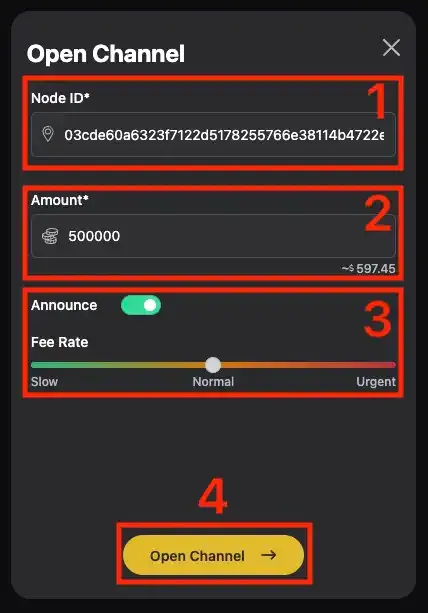
To open a channel, you’ll first need to fund your on-chain Bitcoin wallet with some sats. Then you can click on the "Open Channel" button in the "Payment Channels" section of CLN. A good rule of thumb is to avoid opening channels smaller than 500,000 to 1,000,000 sats, as tiny channels can limit your ability to route or receive payments effectively.
Now enter the node ID, which includes the public key along with the IP address or TOR address and port. Then, specify the amount you want to allocate to the channel and set your desired fee rate. Once everything looks good, just click Open Channel to initiate the process.
If you're looking for solid peers to connect with, platforms like Amboss make it easy to discover active and reputable nodes. For example, we run a public node called blockdyor CLN, which we maintain specifically for educational and community use. Feel free to open a channel with us, we have no minimum size requirement, and we're happy to help you get started.
Core Lightning (CLN) or LND?
If you’re a beginner thinking about running your first Lightning node, it’s worth taking some time to understand how Core Lightning (CLN) works. It’s not quite as beginner-friendly as LND, the other major Lightning implementation, and it definitely requires a bit more learning up front.
CLN is written in C/C++, which makes it extremely fast and lightweight compared to LND’s Go-based code. This speed, combined with CLN’s modular plugin-based architecture, makes it ideal for running on low-power devices like a Raspberry Pi or small server. It’s snappy, efficient, and resource-conscious.
That said, CLN doesn’t yet have the same polished tools and interfaces that LND users enjoy. Popular GUIs like Thunderhub or Alby Hub are not available for CLN. Right now, Ride The Lightning (RTL) is one of the few compatible interfaces, but even that lacks some key features, for example, channel rebalancing isn’t supported. If you want to do that on CLN, you’ll need to use terminal-based tools like sling, which can be intimidating if you’re just starting out.
On the other hand, CLN has some clear advantages. If you're planning to receive Lightning payouts from OCEAN mining pool, CLN is currently the only node implementation that supports the BOLT12 standard required for that functionality.
All in all, CLN is a powerful and efficient Lightning client, arguably the best out there, but it does come with a learning curve. If you’re willing to dig in and understand how it works, the payoff is worth it.
How To Backup CLN?
This is probably one of the biggest headaches I found when using CLN, as there isn't a seedphrase to backup at least the on-chain wallet like with LND, but you basically have to backup a certain folder by yourself.
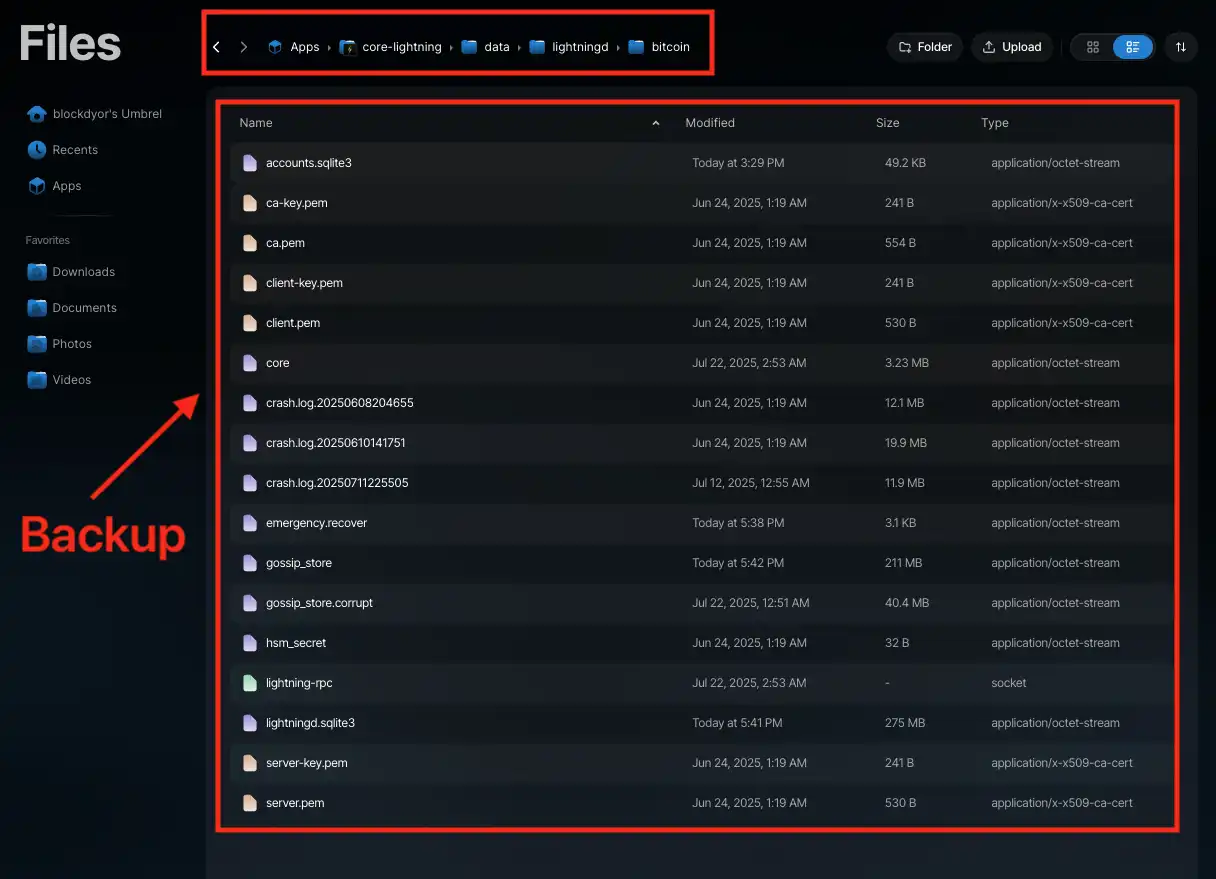
On Umbrel, the Core Lightning (CLN) app stores its data in a specific directory within Umbrel’s file structure. To back up your CLN data manually, you’ll want to copy the following folder:
~/umbrel/app-data/core-lightning/data/lightningd/bitcoinThis bitcoin directory contains your:
- Channel state
- Wallet data
- Node ID & keys
- Invoices and payment history
It's suggested to backup once the wallet data (hsm_secret) and frequently (at least once a month) the rest.
Edit the Config File
One limitation of the Core Lightning App is that certain settings still require manual editing of a config file. Specifically, you'll need to modify the file located at Apps > core-lightning > data > lightningd.
For instance, I wanted to customize my node, so I added an alias to make it recognizable on the network, set a custom color, and enabled Xpay, which is an experimental payment plugin that's already integrated into Core Lightning. There's no need to install it separately, you just activate it in the config file.
Interestingly, before enabling Xpay, I occasionally had issues with sending and receiving payments using the default CLN setup. Once I turned on Xpay, those problems went away.
Here’s what my current configuration looks like:
# Core Lightning configuration for blockdyor

# Set node alias
alias=blockdyor CLN

# Set a unique color for your node (hex RGB format)
rgb=000000

# Let Xpay handle pay commands
xpay-handle-pay=true
It's a simple tweak, but it can make a big difference in how your node behaves.
Installing CLN Plugins
As mentioned, CLN works great out of the box, but if you want to extend its functionality, plugins are the way to go. To install a plugin on your CLN setup in Umbrel, start by creating a new folder inside: Apps > core-lightning > data > lightningd.
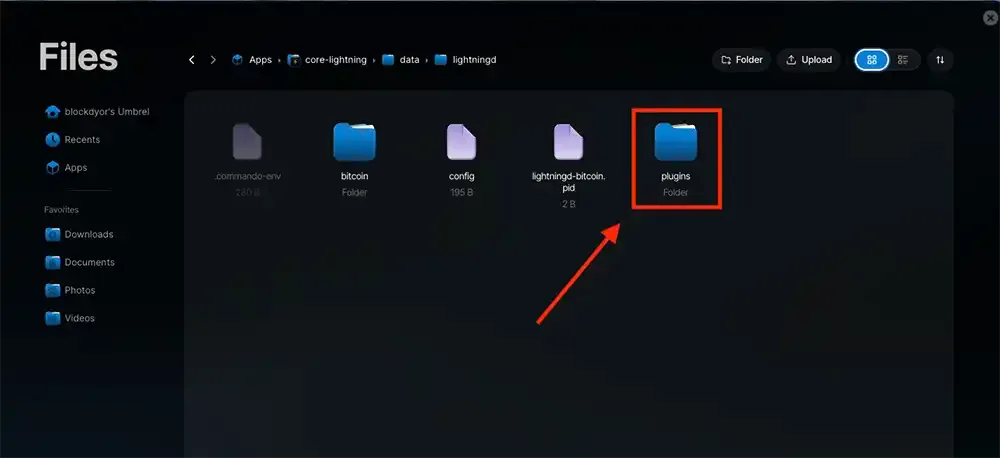
Then you can move into it the plugin you want, which you can find them (with their own documentation) on https://github.com/lightningd/plugins.
Core Lightning Alternatives
While Core Lightning (CLN) is a favorite for its speed, modularity, and low resource usage, it's not the only Lightning Network implementation out there. Depending on your goals, experience level, and preferred environment, you might want to consider other options like LND or Eclair. Each one takes a different approach to running a Lightning node.
LND (Lightning Network Daemon)
Developed by Lightning Labs, LND is arguably the most widely used Lightning implementation today. It's written in Go, and it focuses on accessibility and ease of use. LND has excellent tooling and broad ecosystem support, including polished UIs like Thunderhub, RTL, and Alby Hub.
- Pros:
- Rich ecosystem and strong community support
- Good documentation
- Features like looping, pool, and rebalancing tools
- Mnemonic-based wallet backup (easier recovery for beginners)
- Cons:
- More resource-heavy
- Monolithic design limits customization
- Privacy features aren't as strong out-of-the-box
LND is ideal for users who want a plug-and-play experience and lots of GUI tools, without needing to touch the terminal much.
Eclair
Eclair, developed by ACINQ, is written in Scala and targeted more at developers and services. It’s known for being clean, stable, and production-ready, especially in environments where long-term reliability matters.
- Pros:
- Strong codebase
- Supports trampoline payments
- Good for mobile integrations (used in Phoenix Wallet)
- Cons:
- Limited automation
- Fewer GUI tools
- Backup and restore process can be more technical
Eclair suits users looking to integrate Lightning into apps or services rather than running a hobbyist node.
Core Lightning Pros & Cons
Core Lightning (CLN) can be thought of as the lightweight, more stable counterpart to LND. If you're running a node on something like a Raspberry Pi or CmRat, the difference in performance is noticeable: CLN is faster, leaner, and uses fewer system resources.
One of CLN’s strengths is its modular design with support for plugins. However, unlike LND where certain features come pre-installed, CLN keeps things minimal by default. This design choice prioritizes efficiency, but it also means that features like channel rebalancing or the backup plugin require manual installation and are managed through the command line. There’s currently no GUI option for rebalancing, which can be a hurdle for new users.
That said, CLN brings unique advantages. Support for BOLT12, for example, allows full compatibility with services like OCEAN mining payouts, something no other Lightning client currently offers. Its lightweight architecture also makes it ideal for advanced users who value speed, privacy, and resource efficiency.
The main trade-offs are the steeper learning curve and the lack of out-of-the-box customization or backup tools in the graphical interface. While the community around CLN is growing, broader support and easier access to plugins would make it even more approachable.
| Pros | Cons |
|---|---|
| ✅ Fast and lightweight | ❌ Manual backup process (no seed phrase) |
| ✅ Clean, responsive user interface | ❌ Channel rebalancing requires terminal tools |
| ✅ Supports BOLT12 | ❌ Thunderhub and many other GUIs not supported |
| ✅ Modular plugin architecture | ❌ No easy way to balance channels |
| ✅ Ideal for low-power devices | ❌ Fewer beginner-friendly tools |
| ✅ Strong privacy features (Tor, MPP) | ❌ Some features still experimental (e.g., blinded paths) |
| ✅ Maintained by Blockstream | ❌ Learning curve steeper than with LND |
Bottom Line
Core Lightning is a powerful and efficient Lightning implementation built for those who value performance, control, and privacy. While it may require more technical effort compared to alternatives like LND, it rewards you with speed, flexibility, and a lightweight footprint that's perfect for self-hosted setups.
If you're willing to put in a bit of time to understand how it works, CLN can easily become the most capable and future-ready node in your stack.
Frequently Asked Questions (FAQ)
What is Core Lightning (CLN)?
Does CLN support BOLT12?
Does CLN have a GUI?
Where can I find CLN plugins?
Core Lightning Evaluation
While there aren't any official benchmarks for comparing Lightning node implementations, I’d say Core Lightning (CLN) currently stands out as one of the best options. It feels like a more stable, bug-resistant alternative to LND and is currently the only client that supports OCEAN mining payouts over Lightning via BOLT12.
A major advantage is how lightweight and efficient CLN is, which makes it ideal for devices like a Raspberry Pi. The Core Lightning Application interface is sleek and pleasant, though it could definitely use some refinement. Rebalancing channels, for instance, still requires third-party plugins and command line interaction, which isn’t the easiest path for most users. Having circular rebalancing built directly into apps like Ride The Lightning would make a huge difference.
One downside I ran into was payment reliability. Without Xpay enabled, I wasn’t able to send or receive Lightning payments consistently. That’s something to be aware of.
All in all, I’d give CLN a solid 4 stars. If the rebalancing limitations get addressed and the payment reliability improves, it could easily earn a 5.