

The developers at Block just released something that increases the privacy of the Bitkey, one of our highest rated wallets (read our Bitkey review here). This update, which is called "Private Wallet Update" or more technically "Chain Code Delegation", lets users operate it without exposing the balance or transaction history to anyone, including Bitkey itself. This is the first time collaborative multisig has worked without that privacy tradeoff.
Let's have a look at how it works and how to set it up.

👉 Click here to get the Bitkey. Use code BITKEYBLOCKDYOR at checkout for an exclusive 10% discount.
The Problem Chain Code Delegation Solves
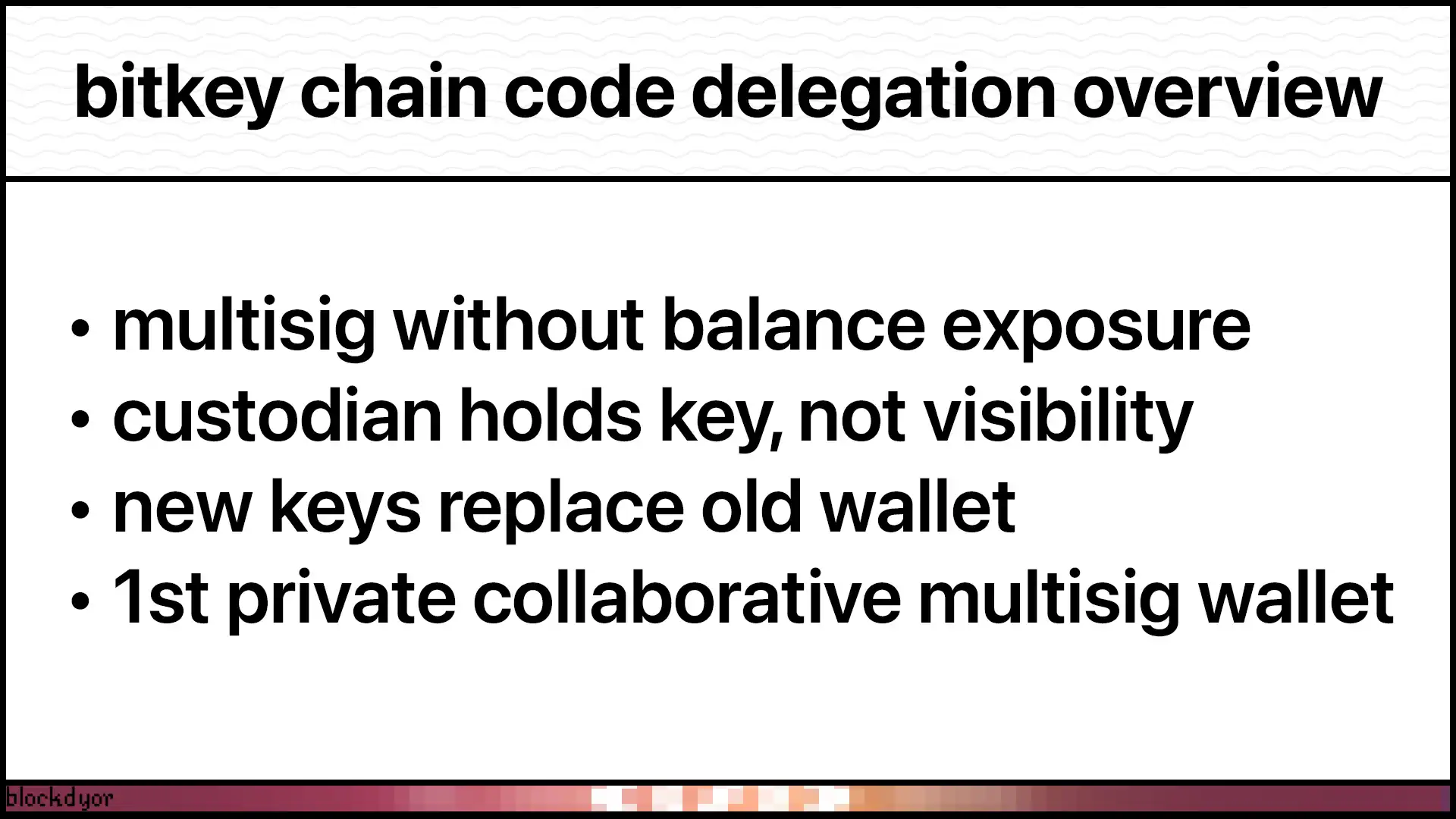
Traditional multisig setups have a privacy issue. When you share custody with a third party (like Bitkey's server), they typically hold a complete extended public key (xpub). That xpub includes a BIP-32 chain code, which lets them derive every address in your wallet.
This means they can scan the blockchain and see:
- Your complete transaction history
- Current wallet balances
- Future transactions (even ones they don't sign)
In a standard 2-of-3 multisig, all three public keys appear in the redemption script. Even if Bitkey doesn't sign your transaction, their public key is visible on-chain. They can monitor for it and track your spending.
That's not great for privacy. Your custody partner knows everything.
How Chain Code Delegation Works
The solution is elegant. Instead of giving Bitkey a full xpub with chain code, you give them just a regular public key. No chain code attached.
When you need to sign a transaction, here's what happens:
Setup:
- Bitkey generates a standard keypair (not extended)
- You generate a chain code for their key (but keep it secret)
- You combine these to create an xpub (but only you have it)
Signing:
- You derive the required BIP-32 scalar tweak from your copy of the xpub
- You send only that specific tweak to Bitkey
- Bitkey adds the tweak to their key:
(k_par + t_i) mod n - They sign the transaction with this derived child key
Without the chain code, Bitkey can't derive any other child keys. They only see transactions where you explicitly provide a tweak. No chain code means no ability to monitor the blockchain for your activity.
What Actually Happens During the Update
Here's what you need to know before updating your wallet.
The private wallet update creates an entirely new set of keys. This means your bitcoin needs to move from your old wallet to your new one. All your UTXOs get recreated in the process.
Before you start:
- Make sure you have no pending transactions
- Check how many UTXOs you have
What happens depends on your wallet:
- If your wallet is empty, the process is simple. New keys get generated, along with a new cloud backup and Emergency Access Kit. Done.
- If you have funds but your balance is too low to cover network fees, you'll get a warning. The update still completes, but you won't be able to move existing funds.
- If you have more than 200 UTXOs, you'll need to consolidate first. The app walks you through this. You'll combine UTXOs until you're under 200, then continue with the update.
- If you have a normal wallet with funds (under 200 UTXOs), you'll see a network fee estimate. This covers moving your bitcoin from the old keys to the new private keys. You approve the transaction with your hardware device, and everything moves over automatically.
The update creates:
- New keys (with chain code delegation)
- New cloud backup
- New Emergency Access Kit
Your old wallet becomes obsolete once the update completes.
Limited Visibility During Specific Operations
Chain Code Delegation doesn't make Bitkey completely blind in every scenario. There are moments when their servers need temporary visibility.
When Bitkey signs transactions that require their participation, like wallet recovery or transfers using your hardware-free spending limit, their servers momentarily see your transaction details and wallet balance. This is necessary for them to validate the operation and provide their signature.
However, this information is not logged or stored. It exists only in memory during the signing process, then gets discarded.
During a full wallet recovery, your UTXO set is temporarily exposed to Bitkey's servers. This is unavoidable for the recovery mechanism to work. Again, Bitkey states this data isn't logged.
They're building a server-verifiability feature that will let you independently confirm your UTXO data isn't being recorded. This should provide cryptographic proof rather than just trusting their word.
For everyday transactions where you're using your hardware device normally, Bitkey sees nothing. No balance, no transaction history, no addresses.
The Security Benefits
This isn't just about privacy. Chain code delegation dramatically reduces the blast radius if Bitkey's systems get compromised.
Without the chain code, their key is effectively useless for any UTXOs they haven't already signed. Tweaks are only revealed when you're about to spend, and those outputs usually get consumed immediately.
Even if an attacker compromised Bitkey's servers and intercepted a tweak, they'd have a tiny window to race your legitimate transaction. Once it confirms, that tweak becomes worthless.
Advanced Features
For maximum privacy, the system supports blind Schnorr signatures. You can apply the BIP-32 tweak after receiving Bitkey's signature. Because of Schnorr's linearity:
s + c*t_i = r + c(x + t_i)This means Bitkey doesn't even learn what transaction they signed. For spending limits and policy enforcement, the proposal includes predicate blind signatures with zero-knowledge proofs.
How to Activate It on Your Bitkey
First, check if you need the update. New wallets created on app version 2025.21.0 or later already have it enabled.
To check your status:
- Open the Bitkey app
- Tap the settings icon
- Scroll to Advanced
- Look for "Private wallet update"
If you see that option, you need the update. If you don't see it, either your app needs updating or your wallet already has the feature.
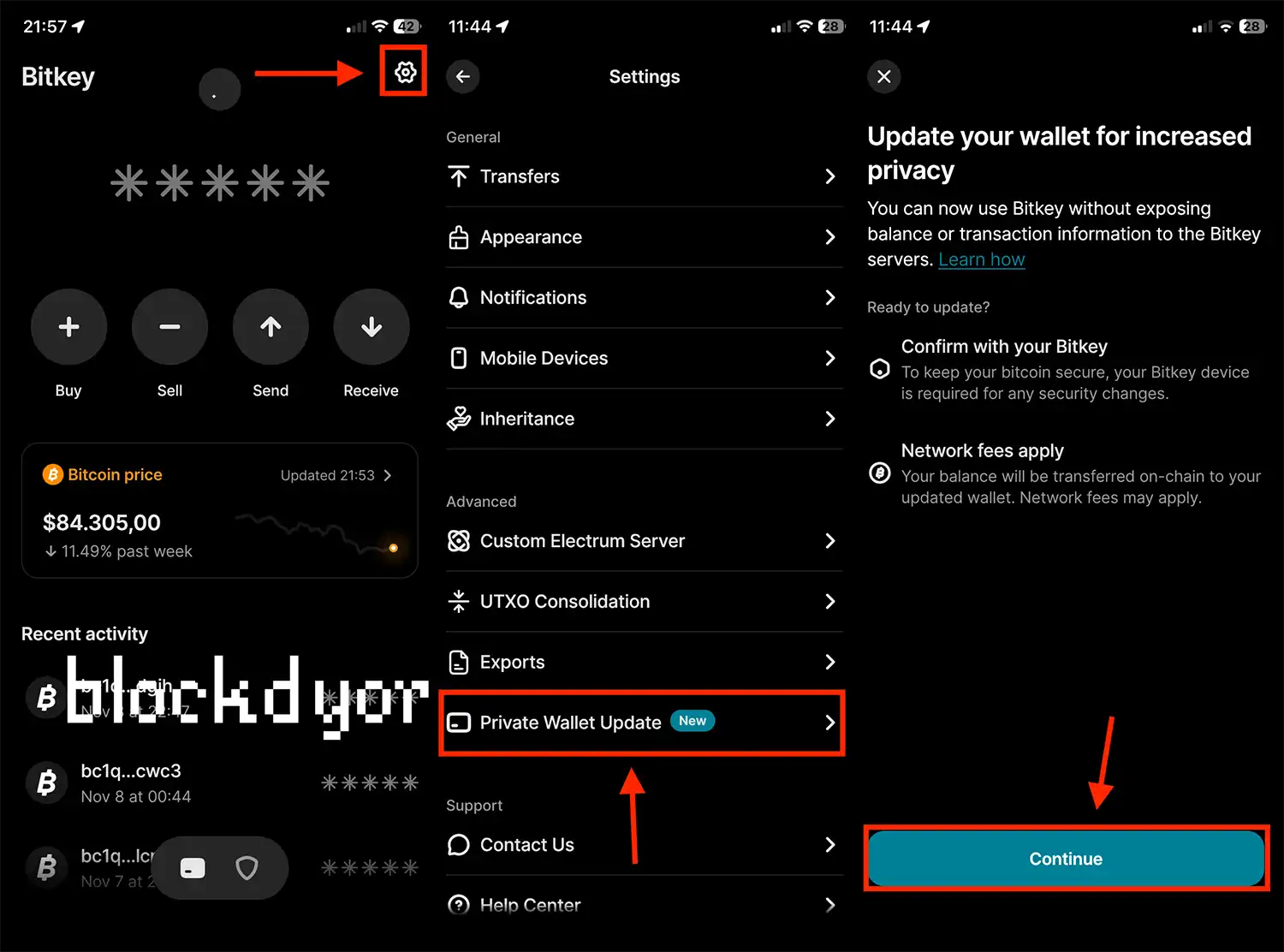
To upgrade:
- Confirm all pending transactions have completed
- Go to Settings > Advanced > Private wallet update
- Review the information, and hit Continue.
- Follow the prompts based on your wallet situation.
The app handles everything. You just need to approve with your hardware device when prompted.
One important note: The privacy improvements don't apply to transactions with third-party partners who may independently track transfers (like exchanges or payment processors).
👉 Click here to get the Bitkey. Use code BITKEYBLOCKDYOR at checkout for an exclusive 10% discount.
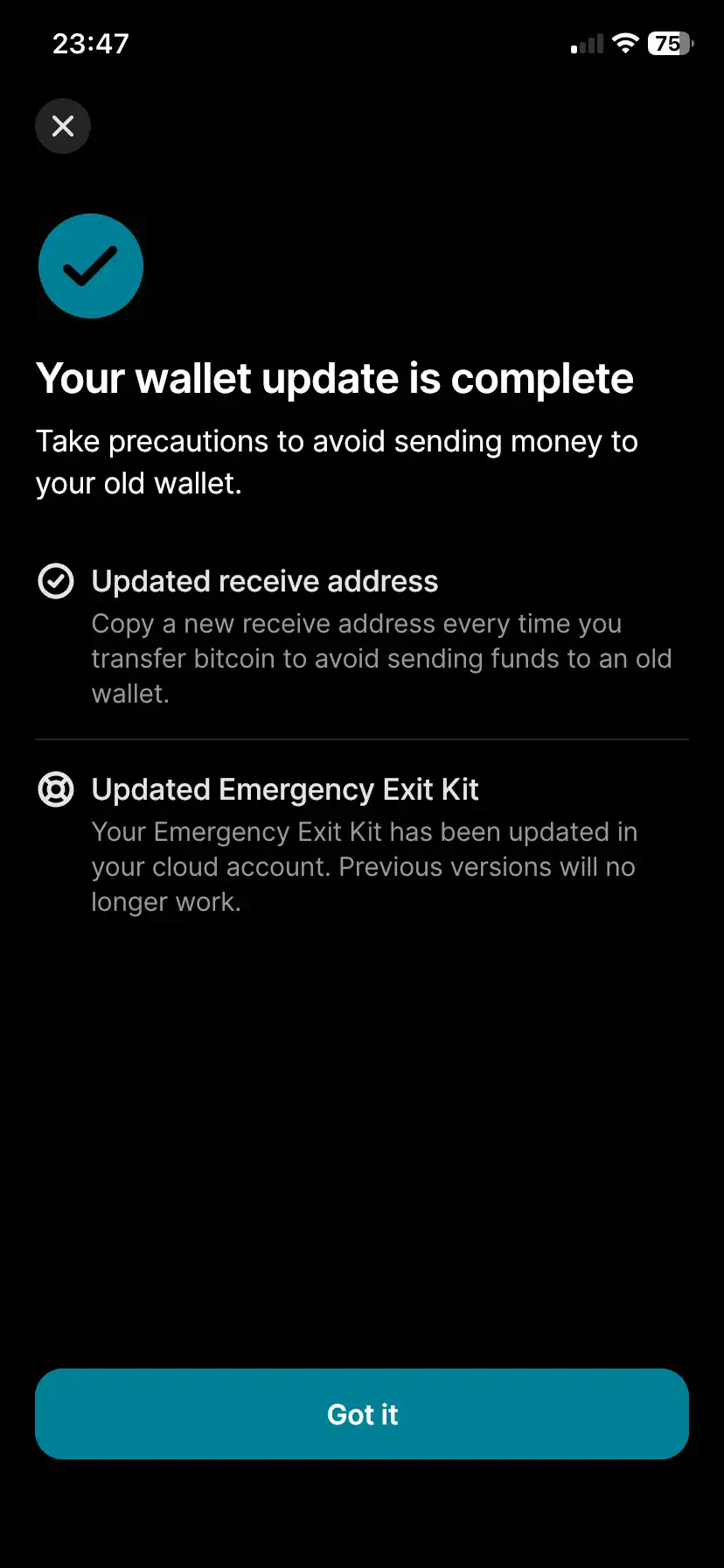
When the update completes, you'll see that your receiving addresses have changed (don't use the old ones anymore) and that your Emergency Access Kit has been updated in your cloud backup. If you previously exported your XPUB to a third-party app like Sparrow Wallet, you'll need to re-import it since it changed during the update. Find our guide below.
 Andrea Carnimeo
Why This Update Is Important
This is the first production implementation of truly private collaborative multisig. Before this, you had to choose: either get the safety of collaborative custody or maintain privacy. Not both.
Now you can have both.
The proposal is submitted as a Bitcoin Improvement Proposal (BIP), authored by Jurvis Tan and Jesse Posner from the Bitkey team. It's open for anyone to review and implement.
If other wallets adopt it, private collaborative custody could become standard rather than exceptional. That's good for Bitcoin.
Technical Details
For those who want to learn more:
The custodian receives scalar tweaks t_i computed as:
I = HMAC-SHA512(chain_code, P_par || ser32(i))
t_i = parse256(I_L)
They compute the child public key: P_i = P_par + t_i*G
And the child private key: k_i = (k_par + t_i) mod n
For change output validation, you provide tweaks for each signer so Bitkey can verify change is returning to your wallet, without needing a descriptor or xpub.
Bottom Line
Chain Code Delegation closes a fundamental gap in Bitcoin custody. Bitkey users get security, usability, and privacy in one package.
Not your keys, not your business. Now that applies to the people helping you secure those keys too.
The full BIP proposal is available on Delving Bitcoin for technical review. If you're running Bitkey, watch for the update notification and make the switch.