

What Is Nunchuk?
Nunchuk is a privacy-first, multisignature Bitcoin wallet that solves two critical problems: making advanced security accessible to everyone, and providing a reliable way to pass bitcoins to future generations.
Unlike traditional Bitcoin wallets that rely on a single key, Nunchuk uses multisig technology, requiring multiple cryptographic keys to authorize transactions. This removes single points of failure: you can lose one key and still access your funds, while spending requires multiple keys for enhanced security.
What sets Nunchuk apart is its approach to custody and privacy. The company operates on a trust-minimized model, safekeeping only one key in your multisig setup, they never have custody of your bitcoins. Nunchuk collects no personal data beyond email addresses, requires no KYC, and allows you to pair with your own full node for complete sovereignty.
Most importantly, Nunchuk treats inheritance planning as a core feature, not an afterthought, with innovative solutions designed specifically to help Bitcoiners pass wealth to their loved ones.
| DESCRIPTION | DETAILS |
|---|---|
| 💻 Name | Nunchuk Wallet |
| 🌐 Website | nunchuk.io |
| 🗓 Release year | 2020 |
| 💰 Coins Supported | Bitcoin (BTC) |
| 💸 Price | Free (Basic), Honey Badger Assisted Multisig (Subscription-based) |
| 🔒 Security Features | 2-of-3 or 2-of-4 Multisig (Assisted), Custom Multisig Support, Hardware Wallet Integration, Tapsigner Inheritance Key, Emergency Lockdown, Co-signing Delays, Spending Limits |
| 📱 Compatibility | iOS, Android, Windows, macOS, Linux |
| 🖥 Display | Software interface (mobile and desktop apps) |
| 🔄 Connectivity | NFC, USB, QR Code (Air-gapped), PSBT Support |
| 📦 Hardware Requirements | Compatible with Tapsigner, Coldcard, Blockstream Jade, Seed Signer, Passport, and other hardware wallets |
| 🔋 Battery/Power | N/A (Software wallet, uses device power) |
| 🛡️ Warranty | N/A (Software product) |
| 📖 Open Source | Yes, open-source software |
| 🔐 Privacy Features | No KYC required, Email-only signup, Planned private key authentication, Own node connectivity |
How Nunchuk Works
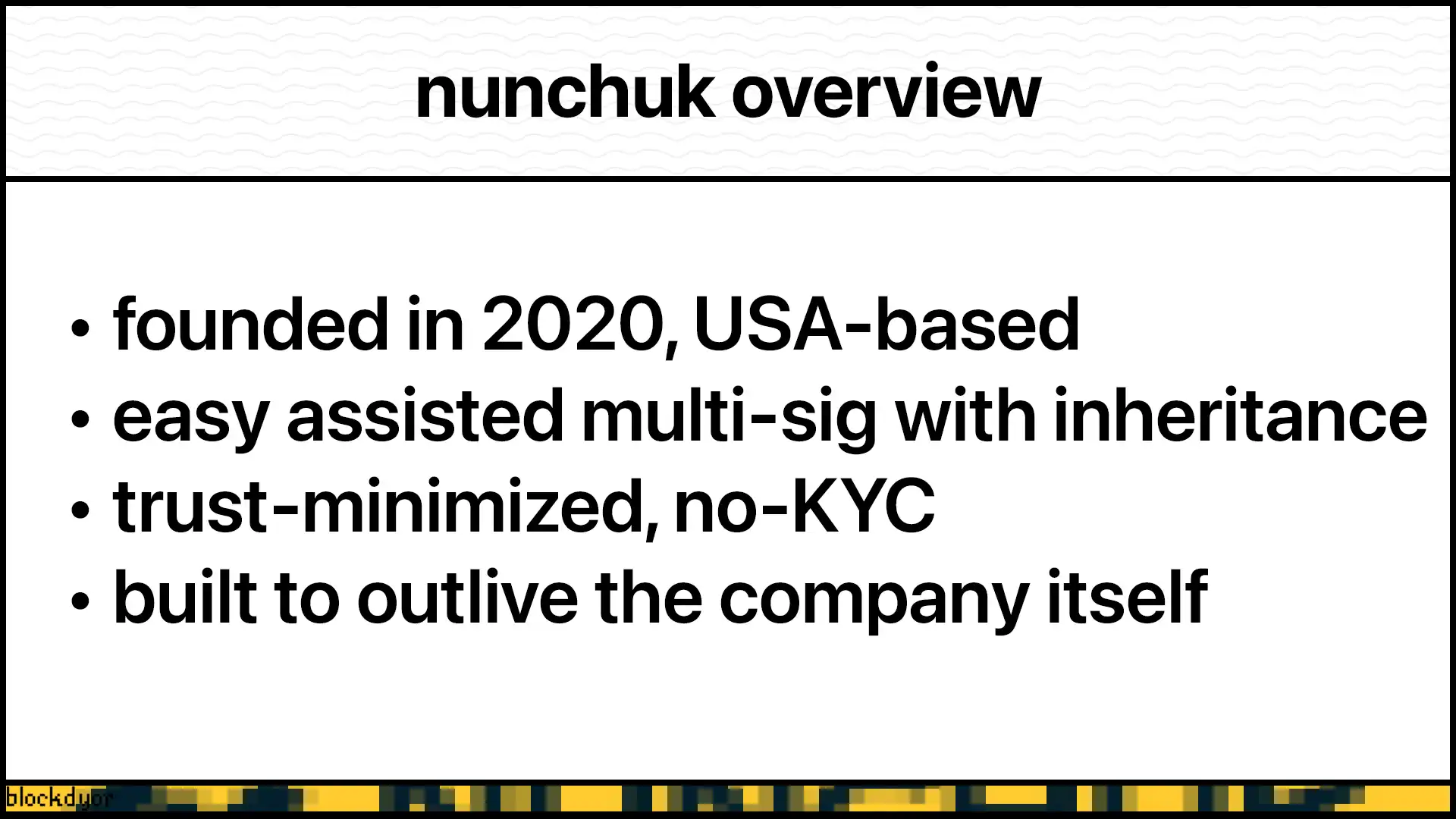
Nunchuk's security model is built on collaborative multisignature architecture. In a typical assisted multisig setup, your wallet requires multiple keys to spend: you control most of them through hardware devices or secure storage, while Nunchuk holds one platform key that helps facilitate transactions and recovery.
The wallet configuration is securely backed up to Nunchuk's servers, enabling assisted recovery if you need to restore access on a new device. This cloud backup only contains your wallet structure (not the keys themselves) allowing you to regain access through a simple recovery process.
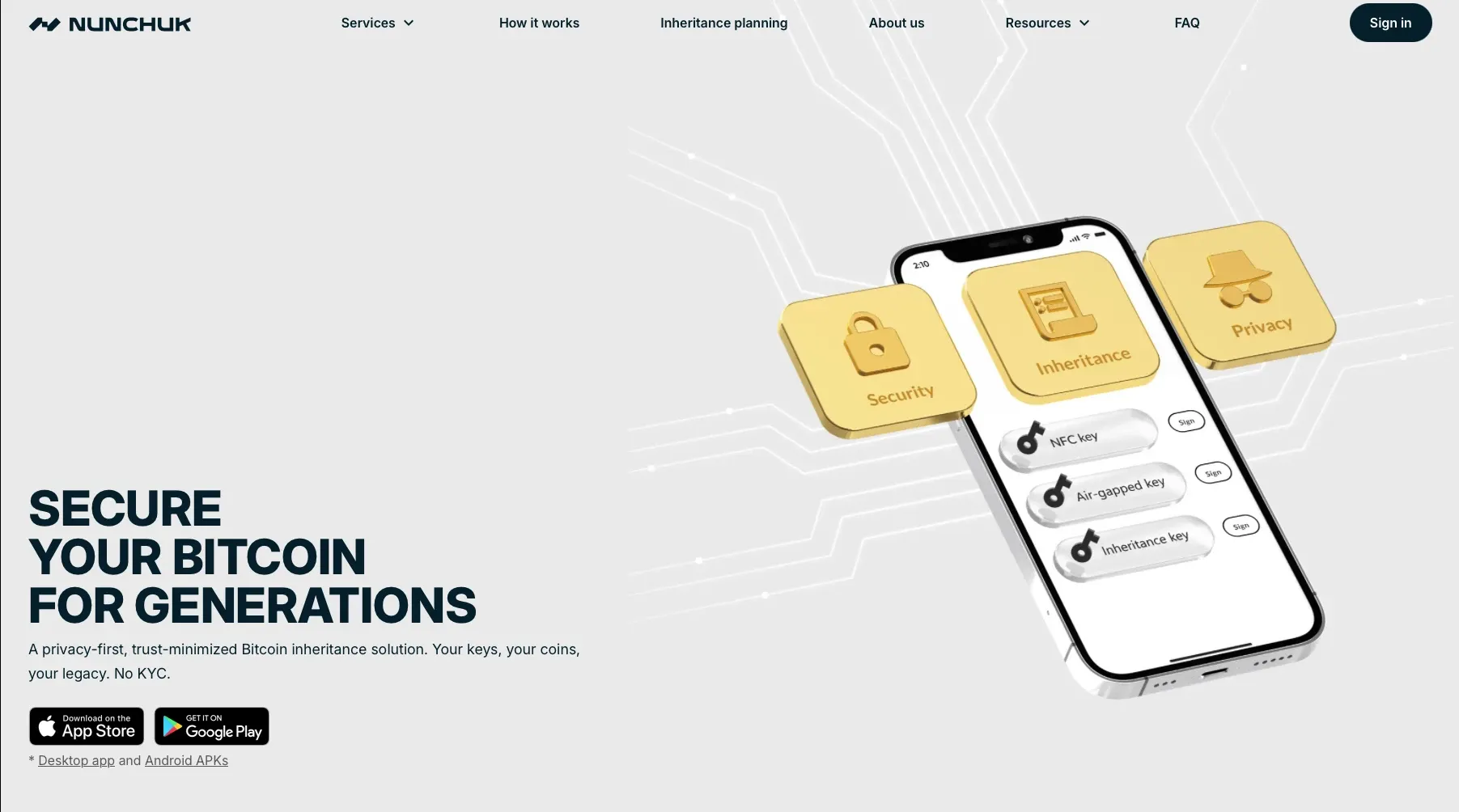
For inheritance planning, Nunchuk pioneers the use of a dedicated inheritance key that's separated from your daily-use keys. This key remains dormant until an Activation Date you choose, at which point your designated Beneficiary can use it to access your bitcoins. The inheritance mechanism relies on two cryptographic secrets: a Magic Phrase that identifies your plan, and a Backup Password that protects the inheritance data.
Nunchuk supports three inheritance models: direct inheritance (where the Beneficiary receives both secrets), indirect inheritance (where a trusted Trustee holds both secrets), or joint control (where secrets are split between Beneficiary and Trustee). This flexibility allows the inheritance plan to work independently or integrate seamlessly with existing estate planning structures.
Nunchuk Features
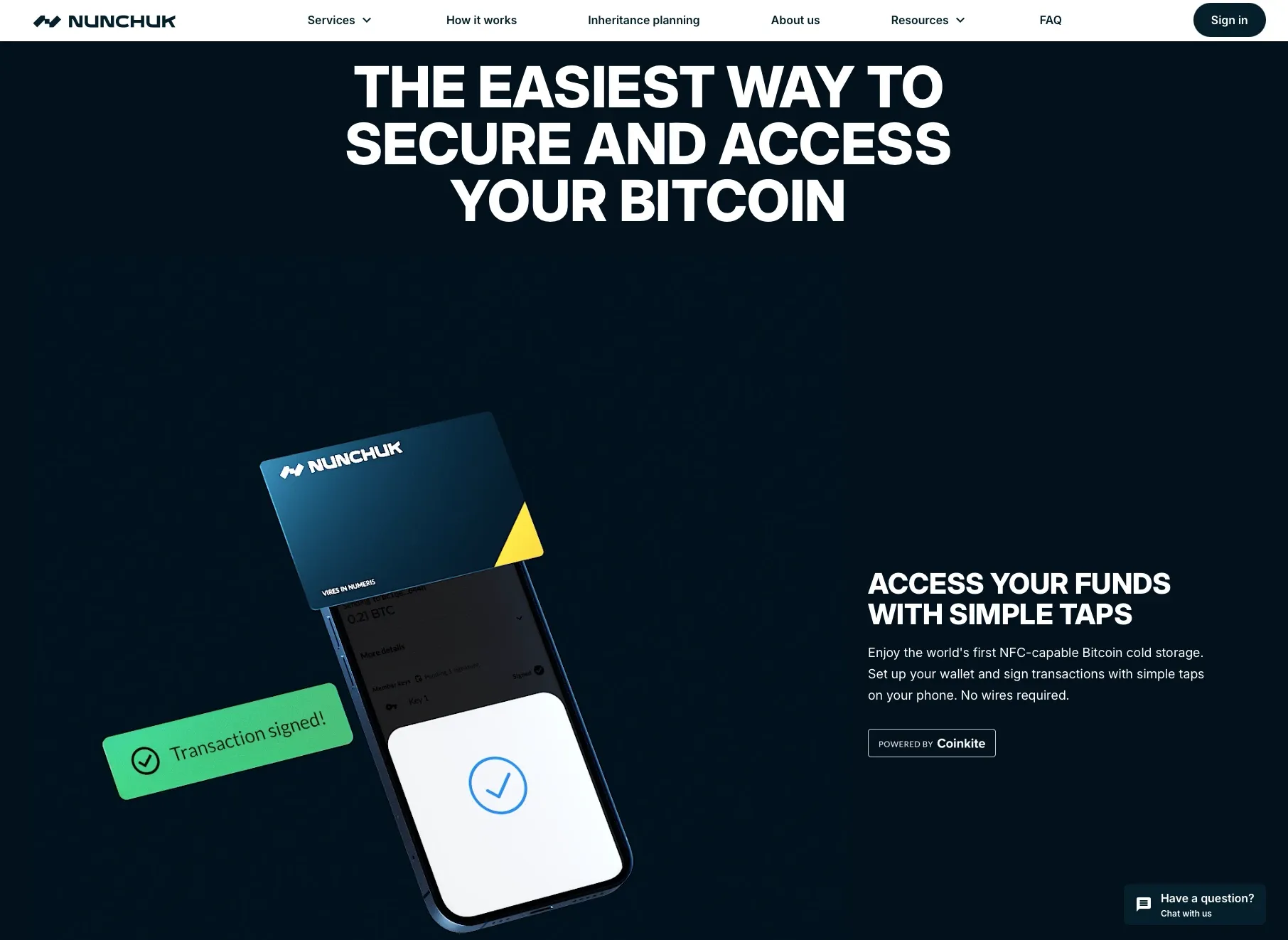
Nunchuk stands out in the Bitcoin wallet landscape by combining robust security with thoughtful inheritance planning. The wallet offers a comprehensive suite of features designed to protect your Bitcoin while ensuring your loved ones can access it when needed.
Assisted Multisig Architecture: Nunchuk's flagship offering is the Honey Badger plan, a sophisticated 2-of-4 multisig setup. You control three keys while Nunchuk manages a fourth platform key on secure servers. This architecture eliminates single points of failure while maintaining user sovereignty. The platform key automatically co-signs transactions based on policies you define, streamlining everyday spending without compromising security.
Privacy-First Approach: Unlike traditional collaborative custody solutions that require extensive KYC procedures, Nunchuk operates with minimal personal information. Users can sign up with nothing more than an email address, and the development team plans to implement private key authentication as an alternative login method. This privacy-conscious design ensures your Bitcoin holdings remain confidential while still providing professional assistance for inheritance planning.
Intelligent Spending Policies: Configure spending limits based on your comfort level, with thresholds defined in Bitcoin or fiat equivalents on daily, weekly, monthly, or yearly intervals. Transactions below your threshold require only one of your keys plus the platform key, while amounts exceeding the limit need two of your personal keys. This tiered approach balances convenience with security, allowing quick access to smaller amounts while protecting larger transfers.
Comprehensive Inheritance Planning: The dedicated inheritance system uses a Tapsigner as a designated inheritance key. Nunchuk stores an encrypted backup of this key on their servers, but crucially, they cannot access it without the decryption password printed on your Tapsigner card. Beneficiaries receive a magic phrase and backup password, which they combine on a specified activation date to claim the inheritance. The system supports three distribution models: direct inheritance to beneficiaries, trustee-managed distribution, or joint control requiring cooperation between beneficiaries and trustees.
Emergency Protections: Enable co-signing delays that create a buffer period before transactions broadcast to the network. This window allows you to detect unauthorized access attempts and trigger an emergency lockdown, freezing the platform key and preventing any transactions from proceeding. The lockdown feature provides an essential safeguard against compromised devices or social engineering attacks.
Hardware Wallet Integration: Nunchuk supports a wide range of signing devices including Tapsigner, Coldcard, Blockstream Jade, Seed Signer, and other popular hardware wallets. The wallet accommodates multiple connection methods including NFC, USB, QR code air-gapped signing, and PSBT workflows, giving users flexibility in how they secure and access their keys.
Flexible Wallet Management: Beyond assisted multisig, Nunchuk functions as a full-featured Bitcoin wallet manager. Users can create hot wallets, single-signature cold storage solutions, and custom multisig configurations alongside their assisted wallets. This versatility makes Nunchuk a unified interface for managing diverse Bitcoin custody arrangements.
Node Connectivity: Connect Nunchuk to your own Bitcoin node for enhanced privacy and validation. Running your own node ensures you're verifying transactions independently rather than trusting third-party infrastructure, aligning with Bitcoin's trustless philosophy.
In-App Support: Access direct chat support within the application when you encounter issues or have questions about setup and configuration. This human assistance complements the technical features, ensuring users can get help when needed.
Scheduled Payments: Set up recurring Bitcoin payments for regular expenses or commitments, automating transactions while maintaining the security benefits of multisig authorization.
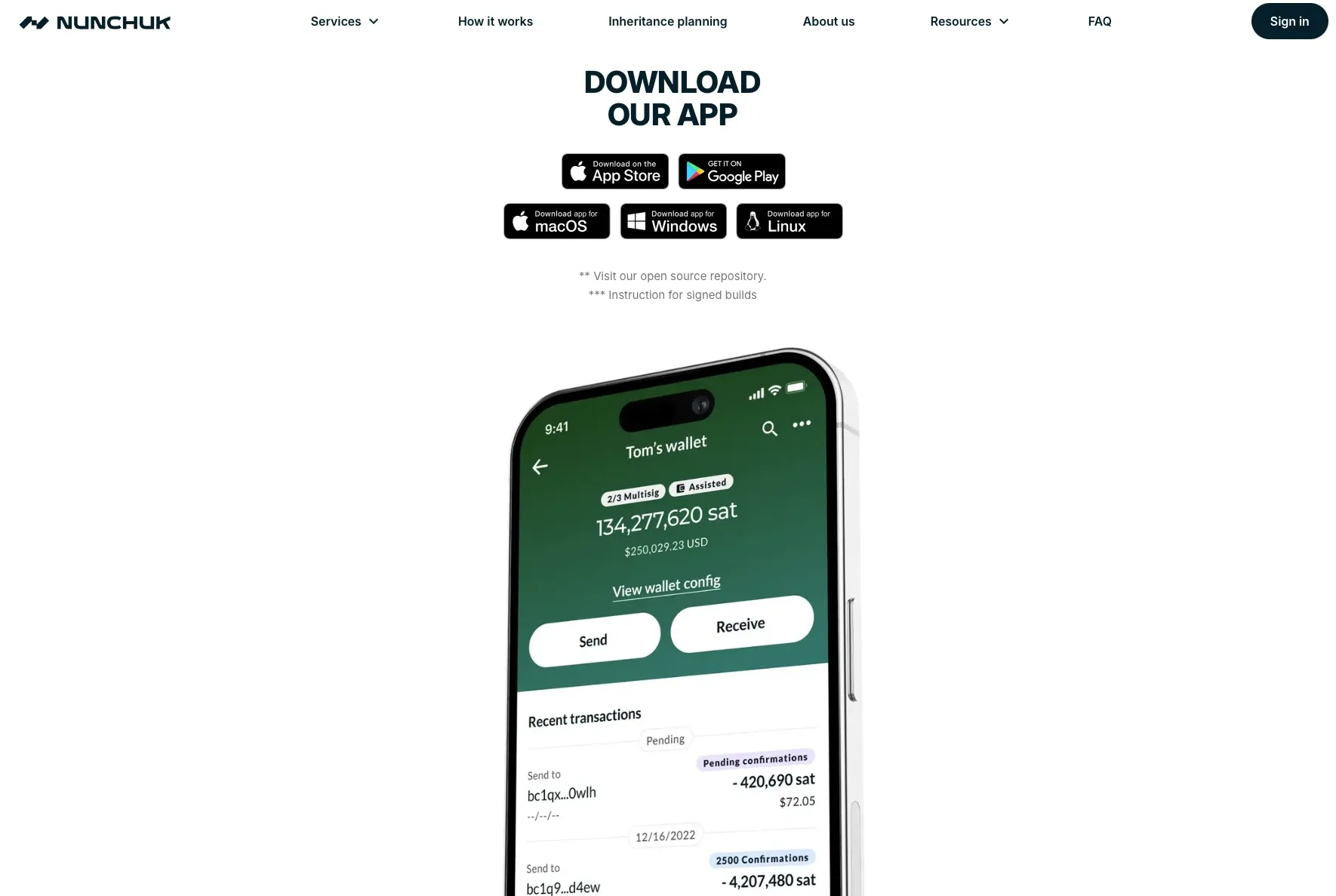
Cross-Platform Availability: Nunchuk operates on mobile devices (iOS and Android) and desktop platforms, synchronizing your wallet configuration across devices while keeping private keys secure on designated signing devices.
The combination of these features positions Nunchuk as a practical solution for Bitcoin holders who want institutional-grade security without sacrificing privacy or paying for extensive KYC procedures. The inheritance planning capabilities address one of Bitcoin's most challenging aspects: ensuring your wealth transfers to your heirs without creating vulnerabilities during your lifetime.
Nunchuk Quick Review (scoring table)
If you don't have time to read this full review, check out our quick scoring table to see how Nunchuck compares with our benchmarks.
| Category | Feature | Score |
|---|---|---|
| 🔐 Privacy & Security (48/50) | ||
| 📄 Open Source Compliance | Source code is publicly available and is Open Source | 10/10 |
| 🔄 Software Integrity | Software can be built from source and binaries can be verified | 10/10 |
| 🔐 Security | Non-custodial multisig wallet with emergency lockdown and co-signing delays | 5/5 |
| 🌱 Seed Generation | Uses secure entropy generation for keys with hardware wallet support | 5/5 |
| 💾 Seed Storage | Keys stay on your hardware wallet. Backup configs stored on servers, or keep your own copy on microSD | 5/5 |
| 💼 Hardware Wallet | Supports Tapsigner, Coldcard, Jade, Seed Signer, Passport and other signers | 5/5 |
| 💰 Purchase Procedure | Free basic version available, subscription for Honey Badger assisted multisig | 4/5 |
| 💸 Fees | Fees depend on Bitcoin network fees only, no additional wallet fees | 4/5 |
| 🚀 Features (47/50) | ||
| 🖥️ User-Friendly UX | Intuitive interface for complex multisig operations | 5/5 |
| 🎨 Design | Clean, modern cross-platform design | 5/5 |
| 📡 Air Gap / PSBT / SeedQR | Full PSBT support with QR code air-gapped signing capabilities | 5/5 |
| 💾 MicroSD Backup | Supported to save backup configs on MicroSD | 5/5 |
| 🤝 Multisignature Support | Free: DIY multisig wallets - Paid: 2-of-3, 2-of-4 assisted multisig wallet configurations | 5/5 |
| 🔐 Passphrase (BIP39) | Supports BIP39 standards with hardware wallet integration | 5/5 |
| 🔌 Connection | Can connect to own Bitcoin node for enhanced privacy and validation | 4/5 |
| 📦 Ready-to-Use | Cross-platform apps available, requires hardware wallets for full security | 4/5 |
| 📚 Documentation | Comprehensive guides for multisig setup and inheritance planning | 4/5 |
| 🛠️ Customer Support | In-app chat support and documentation resources | 5/5 |
| 🧱blockdyor Score (95/100) |
How To Install And Get Started With Nunchuk
Nunchuck works across iOS, Android, and desktop platforms. Choose whichever suits your needs, I'll be using the Mac version for this review. We've previously tested Nunchuk with the Satscard.
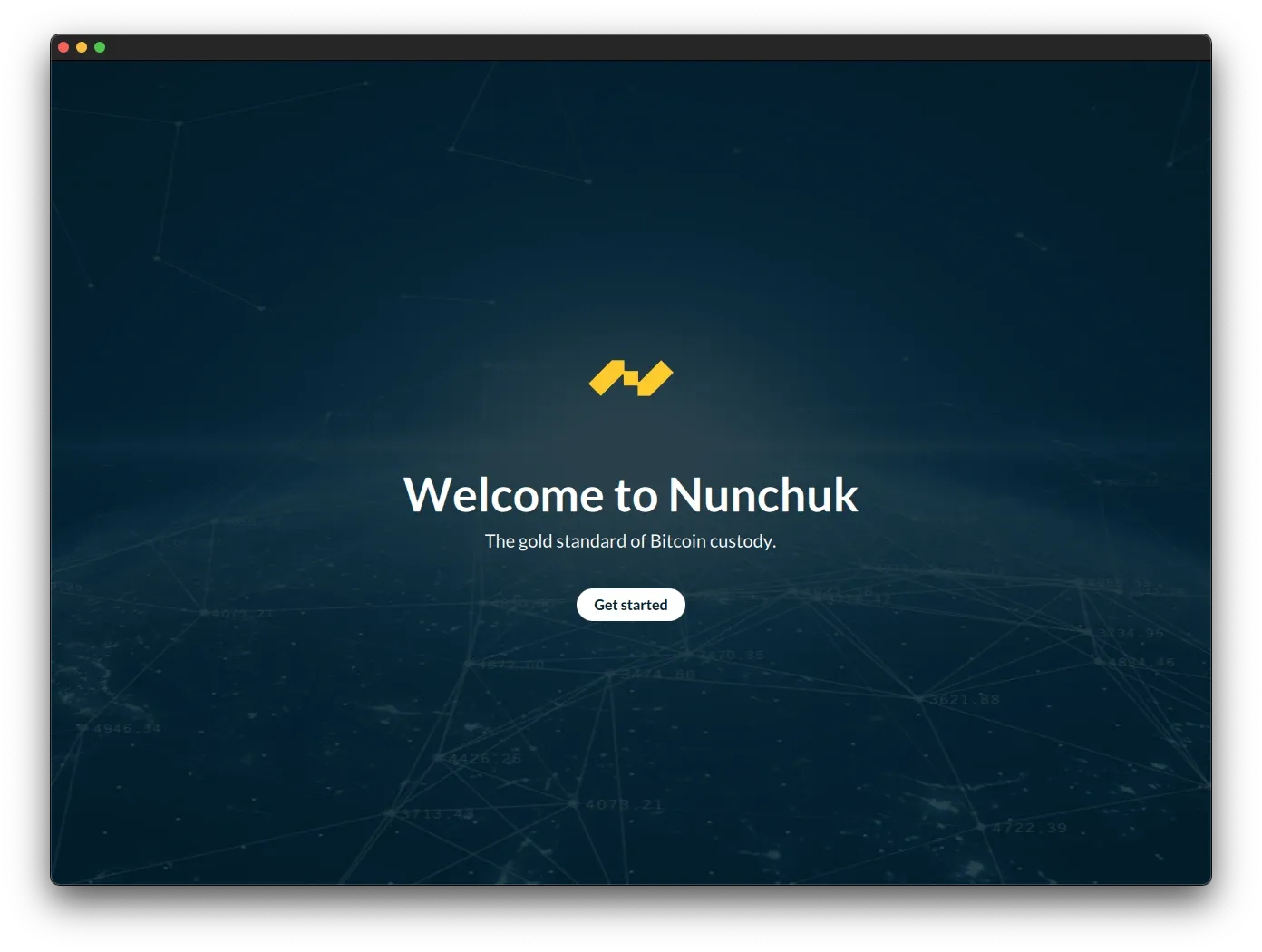
Click on Get started to actually open the app.
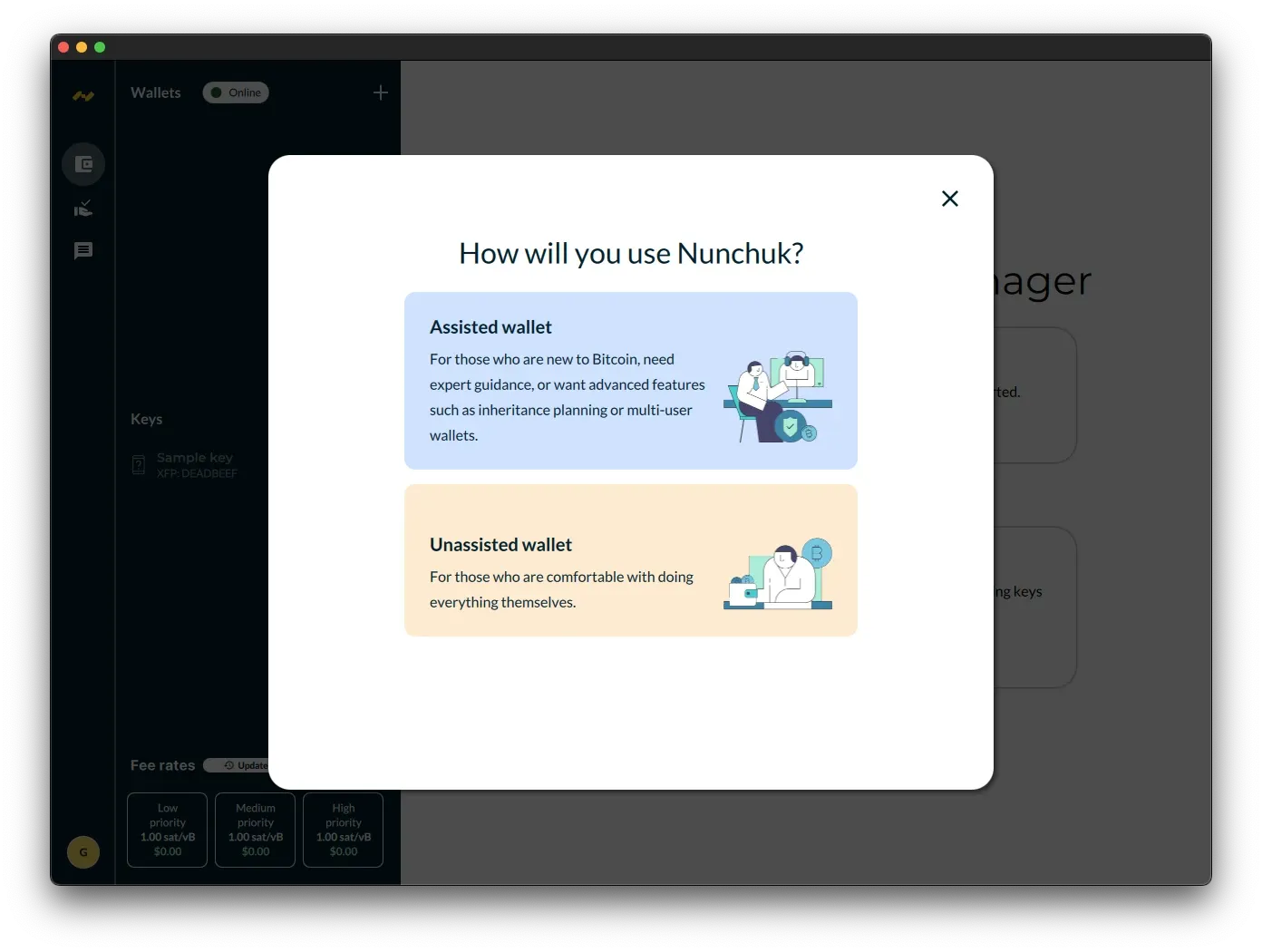
Nunchuk offers both unassisted and assisted wallet modes. For this test, we'll use the unassisted option, which means we'll manually add keys and create wallets ourselves.
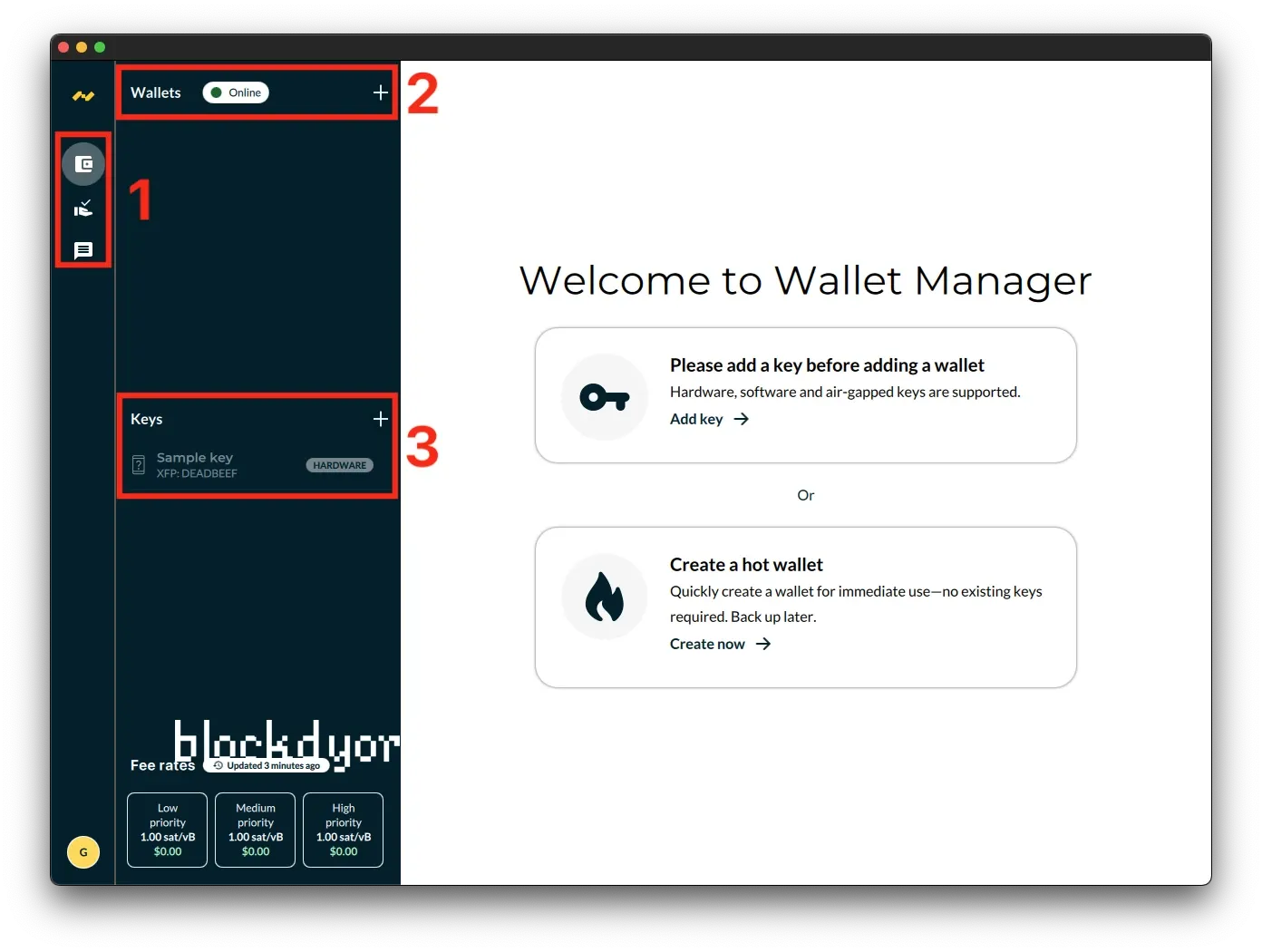
The Nunchuk interface is organized into three main sections:
1. Left sidebar navigation - Contains icons for accessing different features like wallets, transactions, and settings.
2. Wallets section - At the top of the sidebar, this shows your wallet list with an "Online" status indicator and a "+" button to add new wallets.
3. Keys section - Below the wallets area, this displays your stored keys. In this example, a "Sample key" (XFP: DEADBEEF) is already added and marked as "HARDWARE."
The main panel presents two options for getting started:
Add a key first - The recommended path is to add a key before creating a wallet. Nunchuk supports hardware wallets, software keys, and air-gapped keys. Click "Add key" to begin.
Create a hot wallet - Alternatively, you can quickly generate a new wallet for immediate use without importing existing keys. This creates a new key that should be backed up later. Click "Create now" to proceed.
The bottom left shows current Bitcoin network fee rates (Low, Medium, and High priority) that update every few minutes, helping you estimate transaction costs.
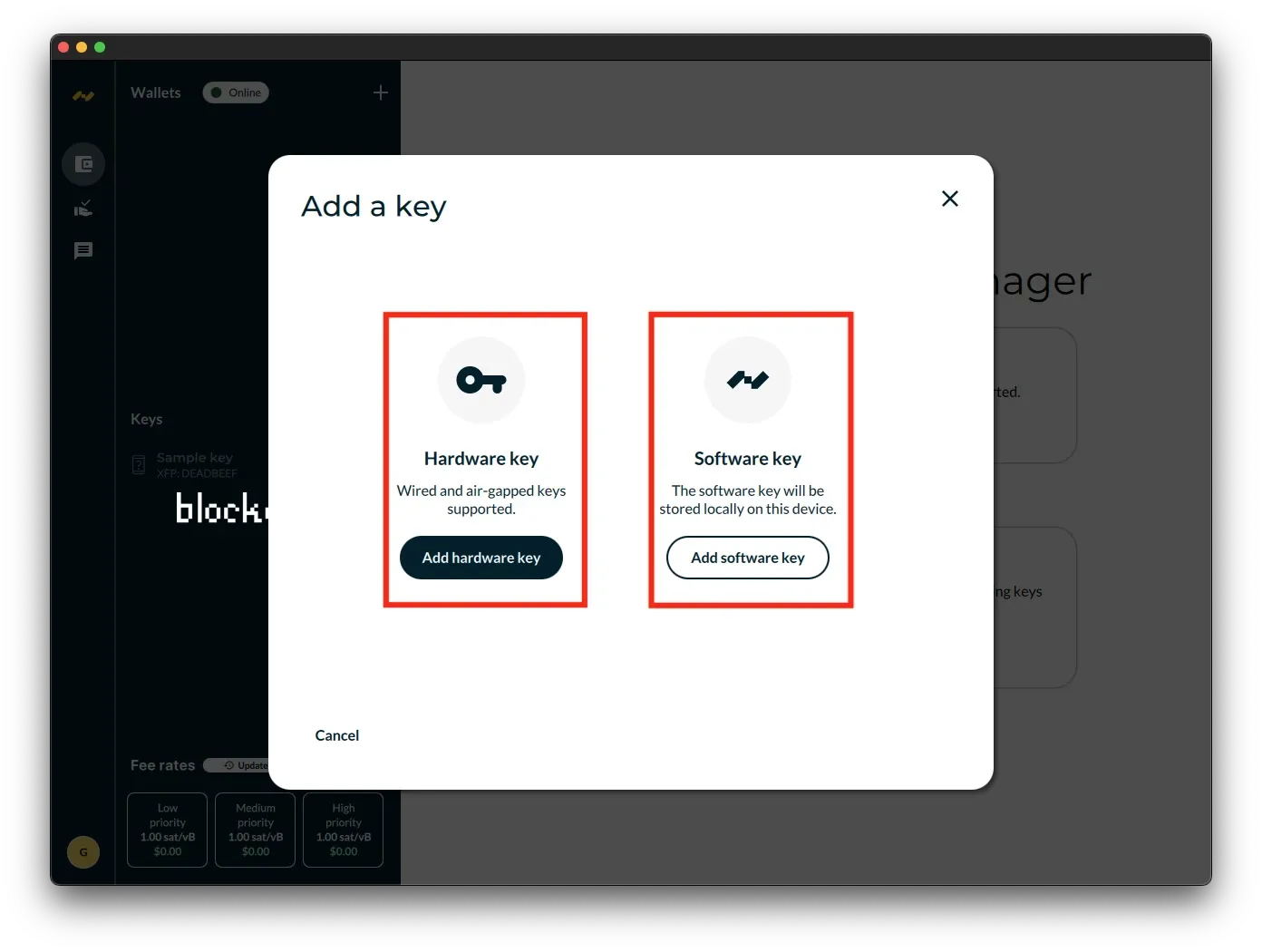
The "Add a key" dialog presents two options:
Hardware key - For physical signing devices. This option supports both wired connections and air-gapped keys that communicate via QR codes or SD cards. Click "Add hardware key" to connect a hardware wallet like Ledger, Trezor, Coldcard, or other compatible devices.
Software key - For keys stored digitally on your computer. This creates or imports a key that will be saved locally on this device. Click "Add software key" to generate a new key or import an existing one using a seed phrase or other method.
You can cancel the operation at any time using the "Cancel" button at the bottom of the dialog.
How To Setup Multisig With Nunchuk
The Nunchuk setup process is straightforward. After choosing between hardware and software keys, you'll complete the key addition by either connecting your hardware device or generating/importing a software key with its seed phrase.
Once your keys are added, you can create a wallet by clicking the "+" button in the Wallets section. Nunchuk allows you to set up single-signature wallets or multisignature configurations for enhanced security. You'll select which keys to use, choose the wallet type and script format (Legacy, SegWit, or Native SegWit), and give your wallet a name.
After wallet creation, you're ready to receive and send Bitcoin. The interface provides clear transaction history, current balance, and easy access to receive addresses. The fee rate estimator at the bottom helps you choose appropriate transaction speeds based on network conditions.
That covers the basic Nunchuk setup—you now have a functional Bitcoin wallet ready to use.
Nunchuck Pricing
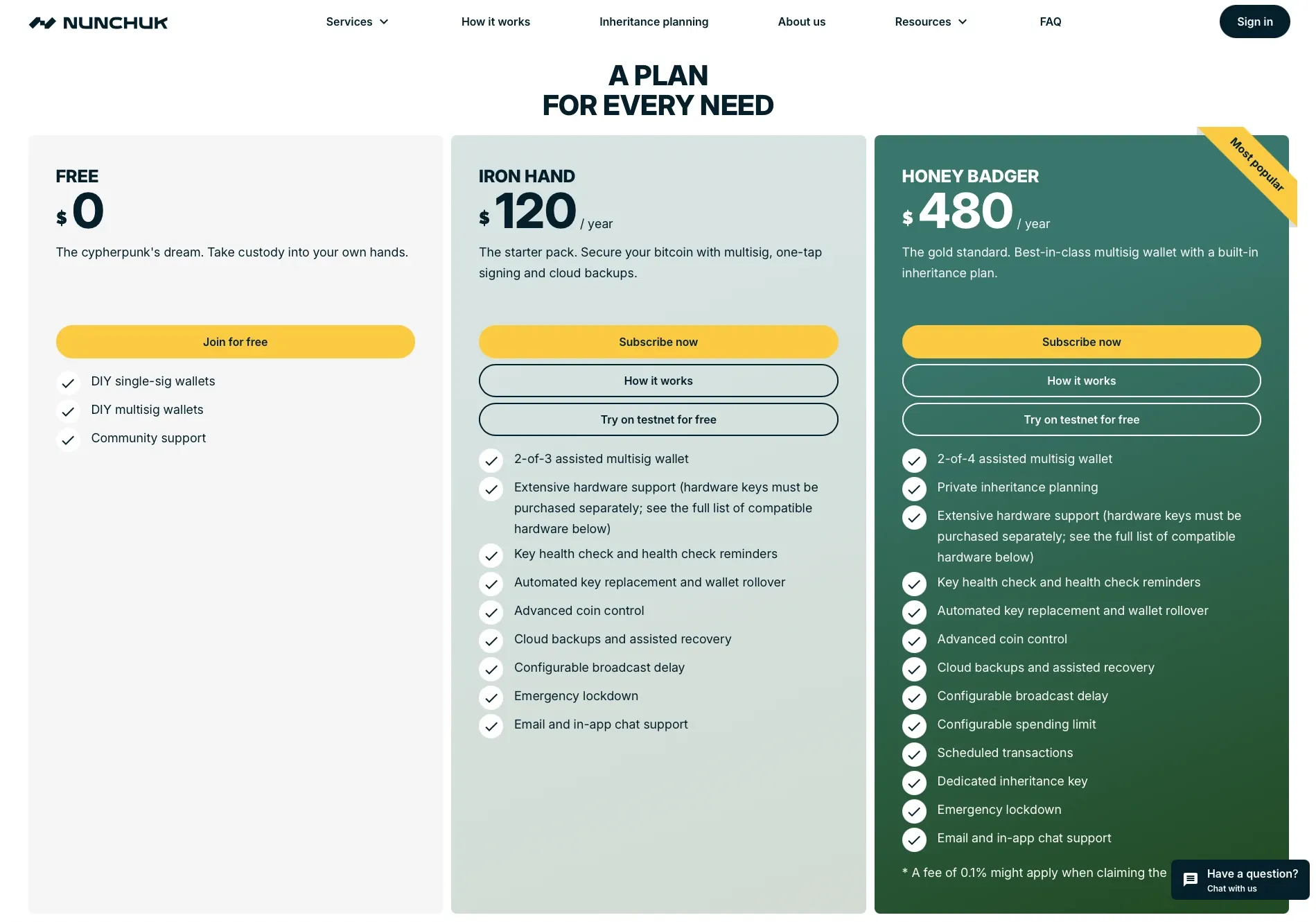
Nunchuk offers three pricing tiers to match different security needs:
FREE ($0) Branded as "the cypherpunk's dream," this plan lets you take full custody of your bitcoin without any cost. It includes:
- DIY single-signature wallets
- DIY multisig wallets
- Community support
This is ideal for experienced users who want complete control and are comfortable managing their own wallet setup.
IRON HAND ($120/year) The starter pack for those wanting enhanced security through multisig. Features include:
- 2-of-3 assisted multisig wallet
- Extensive hardware wallet support (devices sold separately)
- Key health check and health check reminders
- Automated key replacement and wallet rollover
- Advanced coin control
- Cloud backups and assisted recovery
- Configurable broadcast delay
- Emergency lockdown
- Email and in-app chat support
You can try this plan on testnet for free before committing.
HONEY BADGER ($480/year) - Most Popular The premium tier with comprehensive multisig protection and inheritance planning. It includes everything from Iron Hand, plus:
- 2-of-4 assisted multisig wallet (instead of 2-of-3)
- Private inheritance planning
- Configurable spending limit
- Scheduled transactions
- Dedicated inheritance key
- Emergency lockdown
- Email and in-app chat support
This plan also offers testnet trials and includes a built-in inheritance solution for estate planning. A 0.1% fee may apply when claiming inheritance funds.
Nunchuk Alternatives
While Nunchuk offers solid multisig capabilities and flexible wallet management, there are other options worth considering depending on your specific needs.
| Feature | Nunchuk | Bitkey | Unchained |
|---|---|---|---|
| Starting Price | Free | $150 (hardware) | $250/year |
| Multisig Setup | 2-of-3 or 2-of-4 | 2-of-3 | 2-of-3 |
| Hardware Included | No (BYO) | Yes | No (BYO) |
| Key Control | Full self-custody | You: 2 keys, Bitkey: 1 key | You: 2 keys, Unchained: 1 key |
| Mobile App | iOS/Android | iOS/Android | iOS/Android |
| Desktop App | Yes | No | Yes |
| Inheritance Planning | Yes (Paid) | Yes (Free) | Yes (Paid) |
| Recovery Service | Cloud backup | Cloud backup, Break Glass | Collaborative with Unchained |
| Onboarding Support | Community/Chat | Community/Chat | White-glove concierge |
| Best For | DIY enthusiasts | Simplicity seekers | High-net-worth individuals |
| Learning Curve | Low-Moderate | Low | Low-Moderate |
Bitkey stands out as the best alternative, offering a streamlined approach to Bitcoin self-custody. Bitkey combines a hardware device, mobile app, and recovery service into an integrated 2-of-3 multisig solution. What sets Bitkey apart is its user-friendly design that makes multisig accessible even to beginners. The hardware device is purpose-built for Bitcoin, featuring a fingerprint sensor for quick authentication. Bitkey handles the complexity of multisig behind the scenes, making it feel as simple as using a standard wallet while maintaining robust security. The recovery process is straightforward, and the mobile app provides a clean, intuitive interface for managing your bitcoin and even setting up inheritance planning, for free.
Unchained serves as a strong second alternative, particularly for those seeking collaborative custody with professional support. Unchained specializes in multisig vaults where you control two keys while Unchained holds a third key for recovery purposes. This setup provides institutional-grade security while keeping you in control of your funds. Unchained offers concierge onboarding, trading services, and inheritance planning assistance. Their platform is especially appealing to users with larger holdings who value having expert guidance available. The trade-off is higher costs compared to fully self-managed solutions, but many find the peace of mind and professional support worth the premium.
Both alternatives offer different philosophies: Bitkey prioritizes simplicity and elegant design for self-custody, while Unchained provides collaborative custody with white-glove service.
Nunchuk Pros & Cons
| Pros | Cons |
|---|---|
| ✅ Free tier available with full multisig support | ❌ Hardware wallets must be purchased separately |
| ✅ Works across all platforms (iOS, Android, desktop) | ❌ Premium features require paid subscription |
| ✅ Flexible multisig configurations (2-of-3, 2-of-4) | |
| ✅ Extensive hardware wallet compatibility | |
| ✅ Advanced features like coin control and scheduled transactions | |
| ✅ Inheritance planning built into premium tier | |
| ✅ Full self-custody with no third-party key holders |
Bottom Line
Nunchuk delivers institutional-grade Bitcoin security without the institutional baggage. Its multisig architecture strikes a rare balance: sophisticated enough for security-conscious users, yet accessible enough for those willing to invest time in understanding it. The privacy-first approach—requiring only an email, no KYC—sets it apart from competitors like Unchained, while the inheritance planning features address Bitcoin's most overlooked challenge: passing wealth across generations.
The free tier is genuinely functional, not a teaser, making Nunchuk accessible to cypherpunks and DIY enthusiasts. The paid tiers (Iron Hand at $120/year, Honey Badger at $480/year) add valuable assisted multisig and inheritance tools, though the pricing puts them in direct competition with alternatives like Bitkey's one-time $150 hardware purchase.
Where Nunchuk shines is flexibility. Unlike Bitkey's integrated approach or Unchained's white-glove service, Nunchuk gives you maximum control over your security setup. You choose your hardware wallets, configure your multisig arrangements, and connect to your own node if desired. This freedom comes with responsibility—there's less hand-holding, and you'll need to bring your own hardware.
Best for: Bitcoin users who value privacy, want granular control over their security setup, and are willing to learn multisig concepts. The inheritance planning features make it especially compelling for those thinking long-term about wealth transfer.
Skip if: You're brand new to Bitcoin and want maximum simplicity (consider Bitkey instead), or you prefer white-glove concierge service for large holdings (Unchained is better suited).
Nunchuk Evaluation
With an impressive blockdyor Score of 95 out of 100, Nunchuk stands out as a sophisticated and privacy-focused option for Bitcoin storage. It combines institutional-grade security with thoughtful inheritance planning, offering both basic and advanced features for users at different experience levels.
Security: Nunchuk delivers exceptional security through multisig architecture, eliminating single points of failure. You control multiple keys while Nunchuk safeguards one platform key on secure servers. Enhanced protections include emergency lockdown, co-signing delays, spending limits, and extensive hardware wallet support. The wallet operates on a trust-minimized model with no custody of your bitcoins.
User-Friendliness: Nunchuk balances powerful features with an intuitive interface. While there's a learning curve for multisig concepts, the clean design makes complex operations manageable. The platform supports both DIY enthusiasts and those wanting assisted multisig, with in-app chat support available when needed.
Compatibility: Nunchuk works across all major platforms—iOS, Android, Windows, macOS, and Linux. It supports multiple connection methods including NFC, USB, QR code air-gapped signing, and PSBT workflows. Compatible with Tapsigner, Coldcard, Blockstream Jade, Seed Signer, Passport, and other popular hardware wallets.
Reputation: Founded in 2020 by Hugo Nguyen, this USA-based company has built credibility through its open-source approach and privacy-first philosophy. The bootstrapped operation requires no KYC and collects minimal personal data, aligning with Bitcoin's trustless principles.
Cost: Nunchuk offers a fully functional free tier with DIY multisig support. Paid tiers include Iron Hand at $120/year for 2-of-3 assisted multisig, and Honey Badger at $480/year for 2-of-4 multisig with comprehensive inheritance planning features.