

Cyber hygiene refers to the moment someone begins taking their online security seriously. This could mean using a safer email service, creating strong passwords, enabling two-factor authentication, or switching to encrypted messaging. Tuta is a service that can help with this. It combines email, a calendar, and an address book in one platform. Let’s take a closer look at what it offers, how it works, and whether it might be the right fit for you.
👉 Click to join Tuta for free and receive a bonus month free when you subscribe for a year.
What Is Tuta and How It Works
Tuta, previously known as Tutanota, is a secure email service based in Hanover, Germany. It was founded in 2011 with the mission of offering private communication tools for individuals, businesses, journalists, and activists. Unlike mainstream providers such as Gmail or Outlook, Tuta is built around privacy and encryption. Every part of your data, including emails, calendars, and contacts, is encrypted at rest. Even subject lines are encrypted, which is something most other encrypted email services don’t offer.
The service uses end-to-end encryption, meaning only the sender and recipient can read the message. When two Tuta users communicate, encryption happens automatically. If the recipient doesn’t use Tuta, you can still send them an encrypted message by agreeing on a shared password, which they use to unlock the email through a secure link.
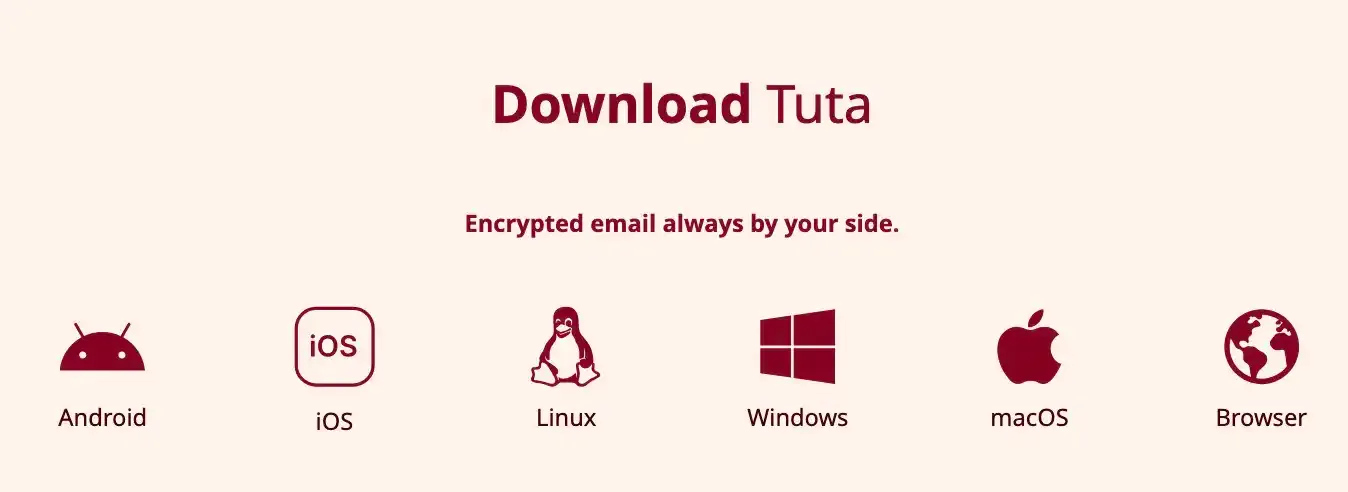
Tuta operates on a freemium model. Free accounts provide up to 1 GB of storage, while paid subscriptions unlock features like custom domains, aliases, whitelabel branding, dedicated support, more storage & more. Tuta also supports apps for desktop (Windows, macOS, Linux) and mobile (iOS, Android, also available on F-Droid for a Google-free option).
In 2024, Tuta introduced TutaCrypt, a hybrid post-quantum encryption protocol that combines traditional algorithms with quantum-safe CRYSTALS-Kyber. This future-proofs accounts against potential breakthroughs in quantum computing.
Tuta is GDPR-compliant and backed by strict German privacy laws, though it faces occasional legal challenges requiring account monitoring. Thanks to its encryption model, however, even Tuta cannot access the contents of users’ encrypted emails.
Tuta Specs
Tuta relies on a combination of advanced encryption technologies to keep your emails secure and private. It uses both symmetric and asymmetric encryption (similar to how bitcoin public-private key works) for end-to-end protection, along with additional protocols to safeguard your connection. The service also includes features to prevent man-in-the-middle attacks and prepare for future threats from quantum computing. Here’s an overview of the main encryption methods and security measures Tuta employs:
| Feature | Details |
|---|---|
| Founded | 2011, Hanover, Germany |
| Jurisdiction | Germany (EU, GDPR-compliant) |
| Encryption Algorithms | AES-256 (symmetric), RSA-2048 & x25519 (asymmetric), CRYSTALS-Kyber PQ |
| Protocols | STARTTLS, Perfect Forward Secrecy, DNSSEC, DANE, DMARC, DKIM |
| Subject Line Encryption | Yes (unlike many other secure email providers) |
| Apps | Web, Windows, macOS, Linux, iOS, Android (Google-free via F-Droid) |
| Storage | 1 GB free, up to 1 TB with paid plans |
| Free Plan | Yes, up to 1 GB |
| Paid Plans (Private) | Revolutionary (€3/mo), Legend (€8/mo) |
| Paid Plans (Business) | Essential (€6/mo), Advanced (€8/mo), Unlimited (€12/mo) |
| Email Aliases | Supported (more with higher-tier plans) |
| Custom Domains | Supported (paid plans) |
| Open Source | Yes, including mobile apps |
| Anonymous Signup | Yes, no phone number or personal info required |
| 2FA | Supported (TOTP, hardware keys) |
| Key Verification | QR codes or verification codes, TOFU fallback |
| Transparency Reports | Published regularly |
| Payment Methods | Cards, bank transfer, gift cards (crypto via partner) |
| Not Supported | PGP, direct cryptocurrency payments |
Tuta Features
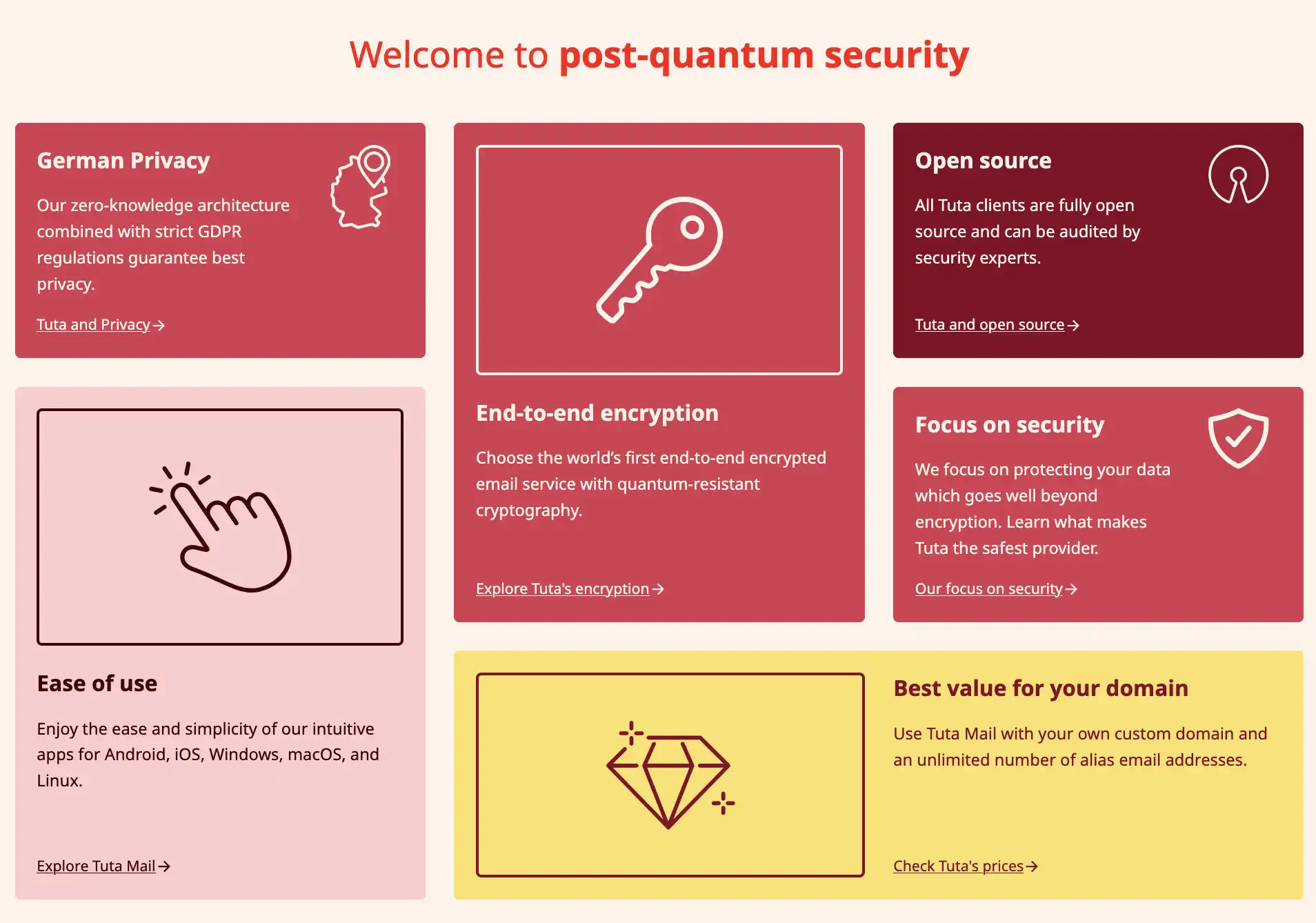
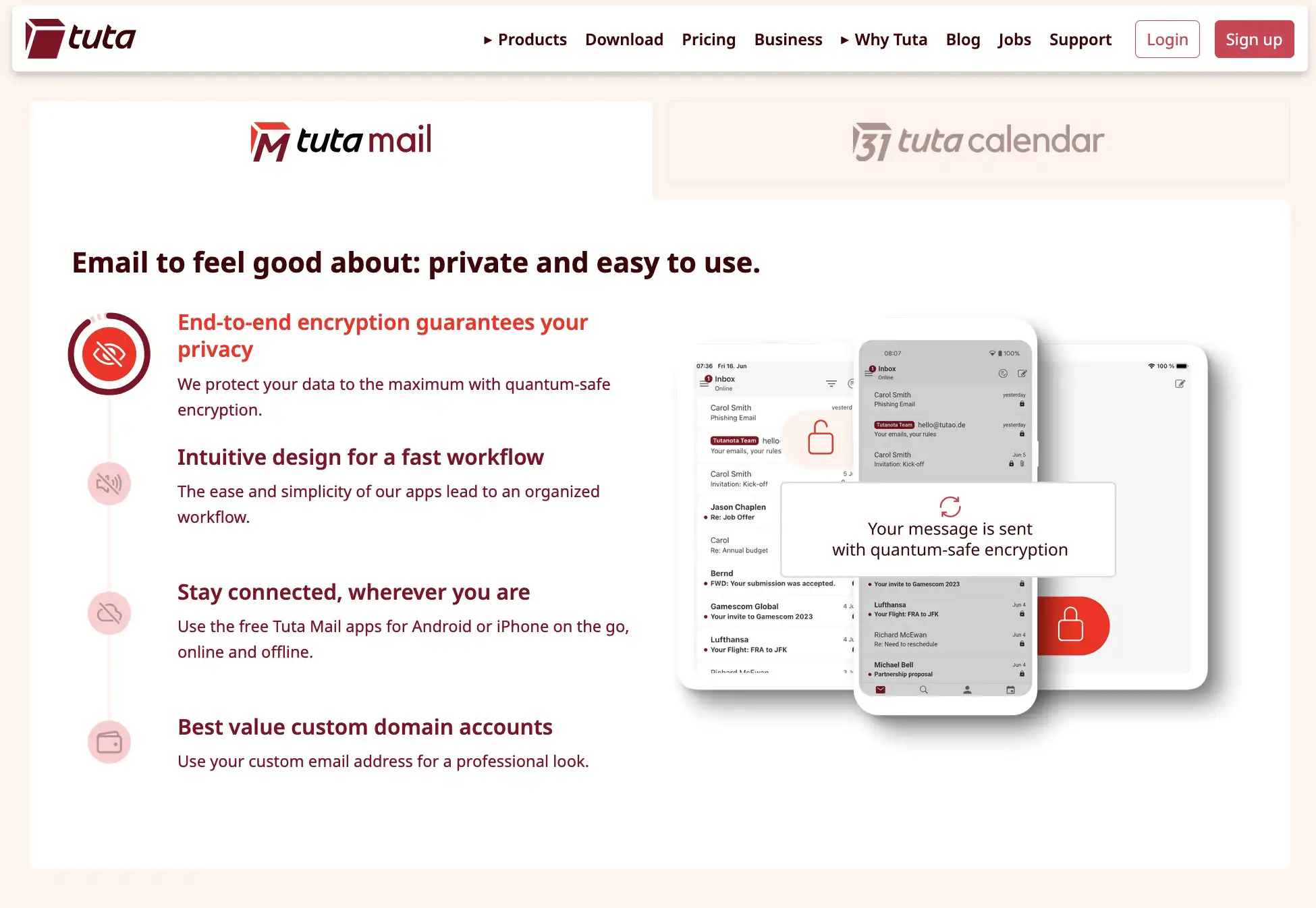
Tuta packs together privacy-focused tools that go beyond just email. While many people come for the secure mailbox, they often stay for the all-in-one approach. Here’s a closer look at the main features:
Encrypted Email
- End-to-end encryption by default for Tuta-to-Tuta communication.
- Emails to non-Tuta users can still be encrypted with a shared password and secure link.
- Subject lines and attachments are encrypted, not just the body text.
- TLS and Perfect Forward Secrecy ensure transport-level security.
Secure Calendar
- Encrypted calendar events, including titles, participants, and locations.
- Notifications are handled in a way that prevents leaking event details.
- Multi-device sync across web, desktop, and mobile apps.
Encrypted Contacts
- Contact details, including notes and metadata, are encrypted.
- The integrated address book works seamlessly with Tuta Mail.
Cross-Platform Apps
- Available on web, Windows, macOS, Linux, Android, and iOS.
- Android app is also distributed via F-Droid for users who avoid Google Play.
- Desktop apps are fully open source.
Post-Quantum Security
- TutaCrypt, a hybrid protocol combining standard and post-quantum encryption (CRYSTALS-Kyber), ensures forward security even against future quantum computers.
Privacy and Anonymity
- No phone number required for signup.
- No tracking or ads inside the service.
- Based in Germany, protected by strict EU data protection laws.
User Control
- Support for custom domains and multiple email aliases.
- Flexible storage options, from 1 GB free to 1 TB with higher-tier plans.
- Two-factor authentication (TOTP, U2F hardware keys) supported.
- Open source code for transparency and independent auditing.
How to Register on Tuta
Start by signing up through our invite link down here, to enjoy an extra free month when you choose a paid plan.
👉 Click to join Tuta for free and receive a bonus month free when you subscribe for a year.
Signing up for Tuta is straightforward and user-friendly. Click the Sign Up button on the Tuta website, then select a service plan. You can go with the Free plan to test the service or choose one of the paid tiers for more storage, email aliases, and business features.
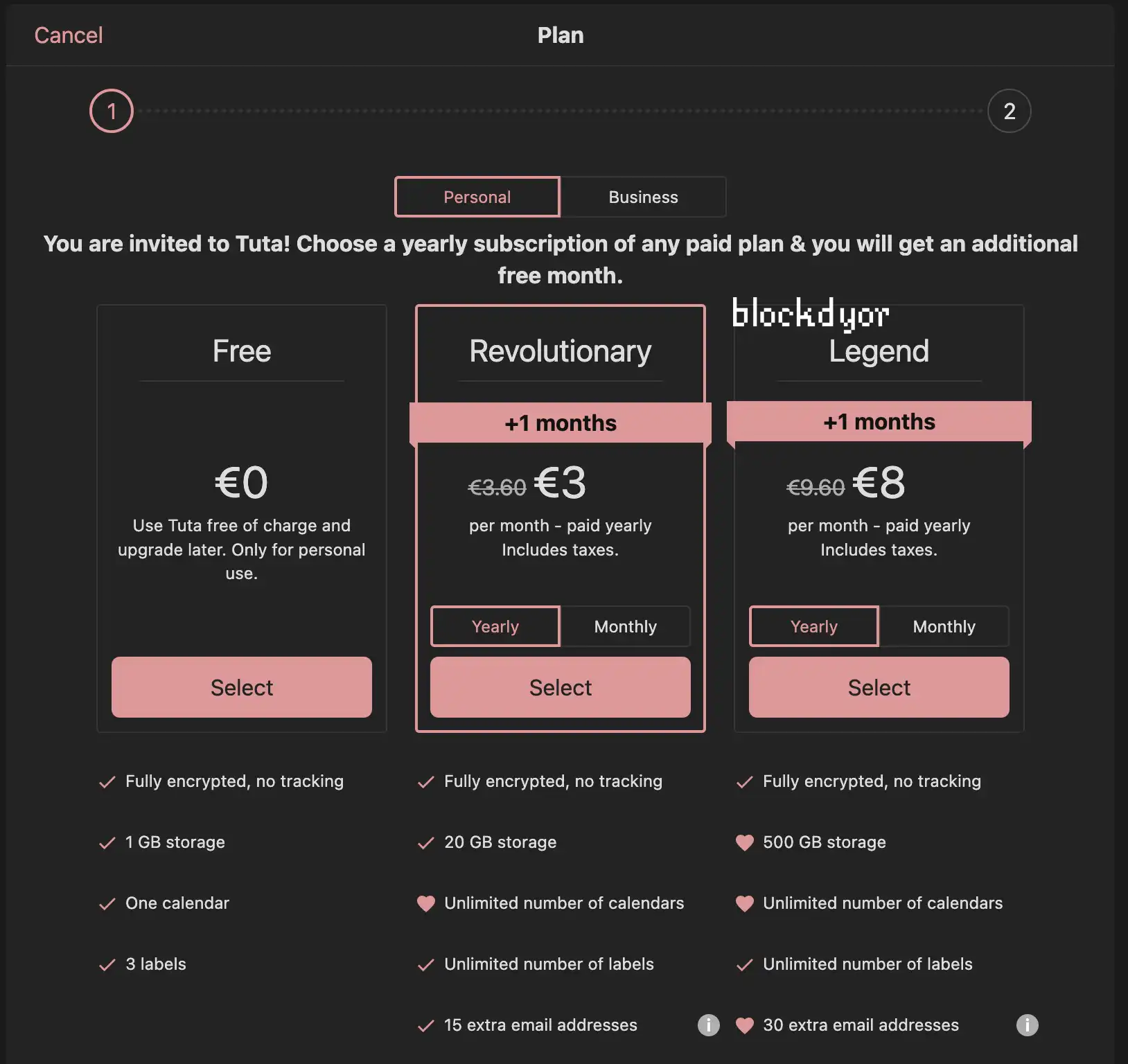
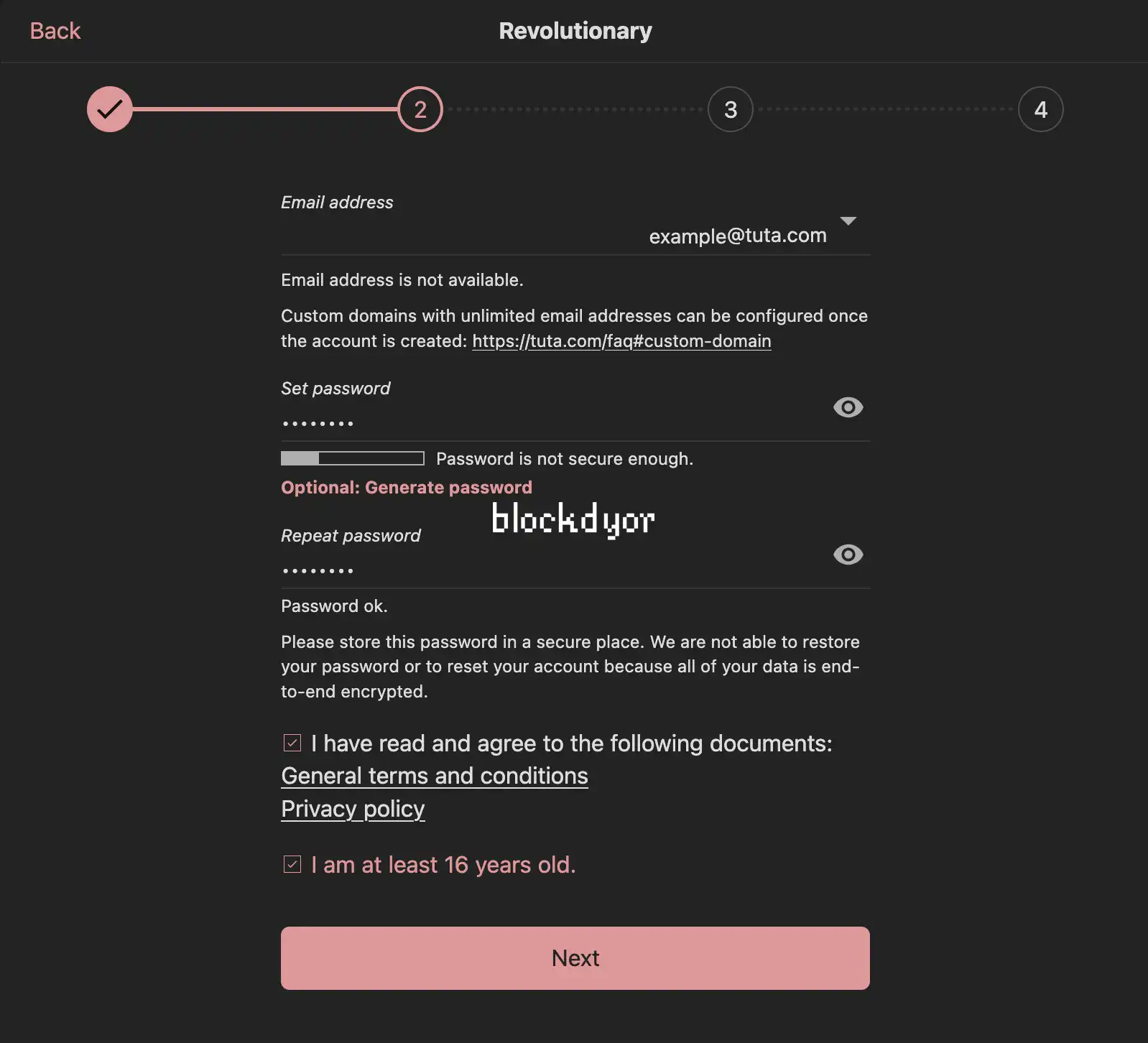
For a free account, you will need to confirm that you do not already own another free account and that you are registering for personal use. Then you can select your email address from the available domains, create a password, and confirm you are at least 16 years old. No phone number or personal information is required, allowing for a fully anonymous registration.
One important step is to record your 64-character Recovery Code. Tuta cannot recover your password for you, so this code is essential if you ever forget your login details. Once you’ve saved it, you can log in and start using your account.
Keep in mind that Tuta sometimes flags new accounts for manual approval to prevent spammers. While this may delay access by up to 48 hours, it replaces more invasive verification methods like phone checks. If approval takes longer, contacting support via email, or on X (the latter is actually faster) usually resolves the issue quickly.
User Experience (UX) of Tuta
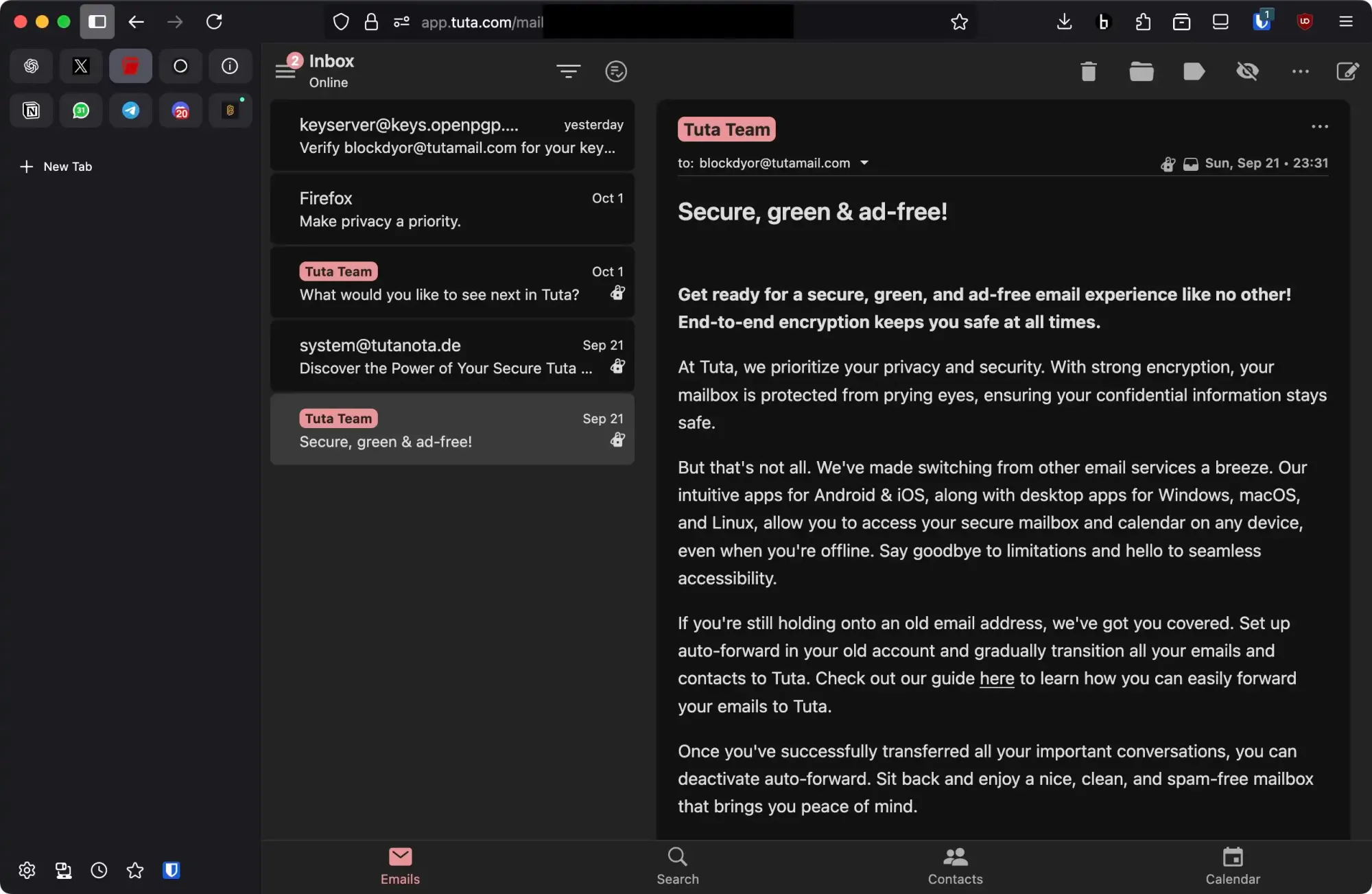
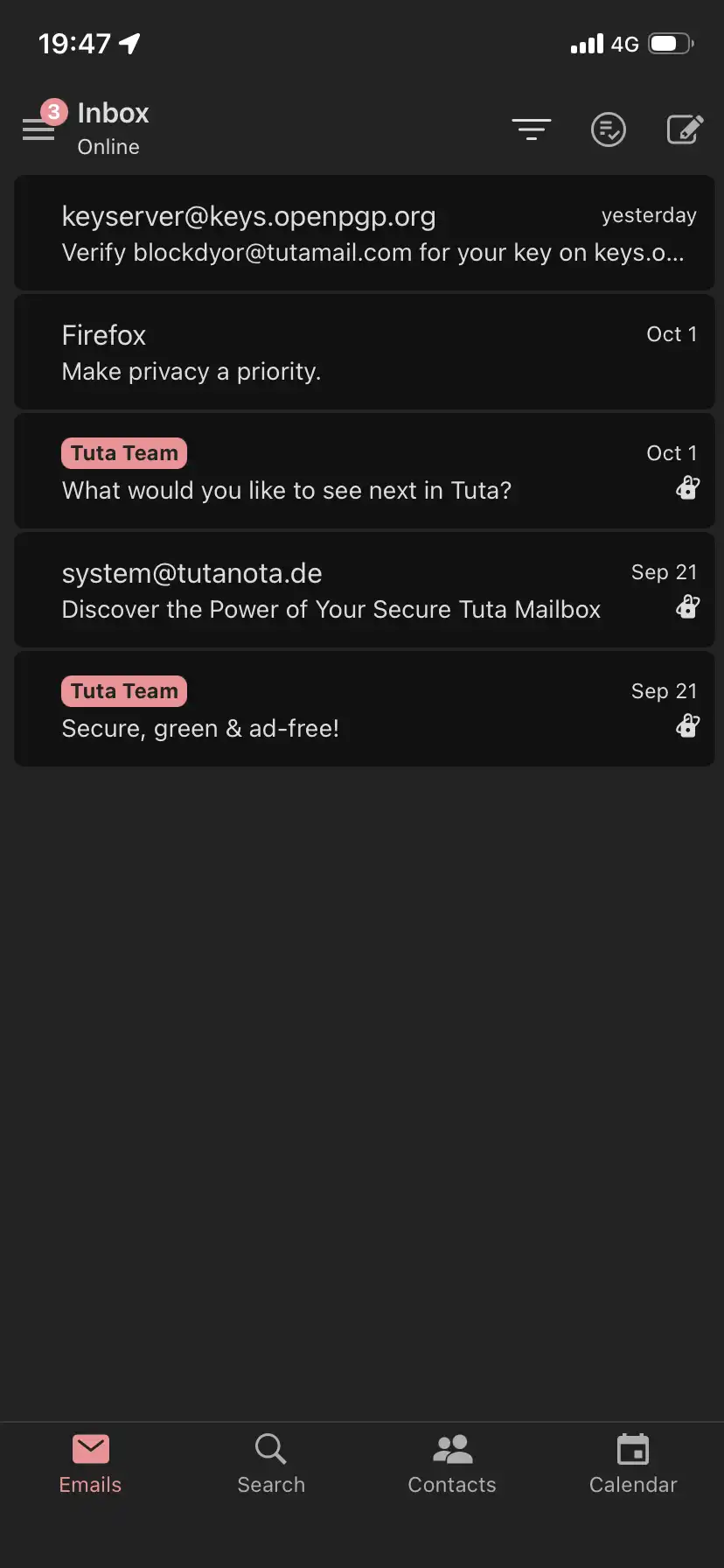
Tuta’s interface is clean and familiar, using a standard three-pane layout with folders on the left, message list in the center, and message content on the right. You can access it via web browser or through dedicated desktop apps for Windows, macOS, and Linux. On smaller screens, Tuta automatically switches to a two-pane view, keeping the interface simple and readable on tablets.
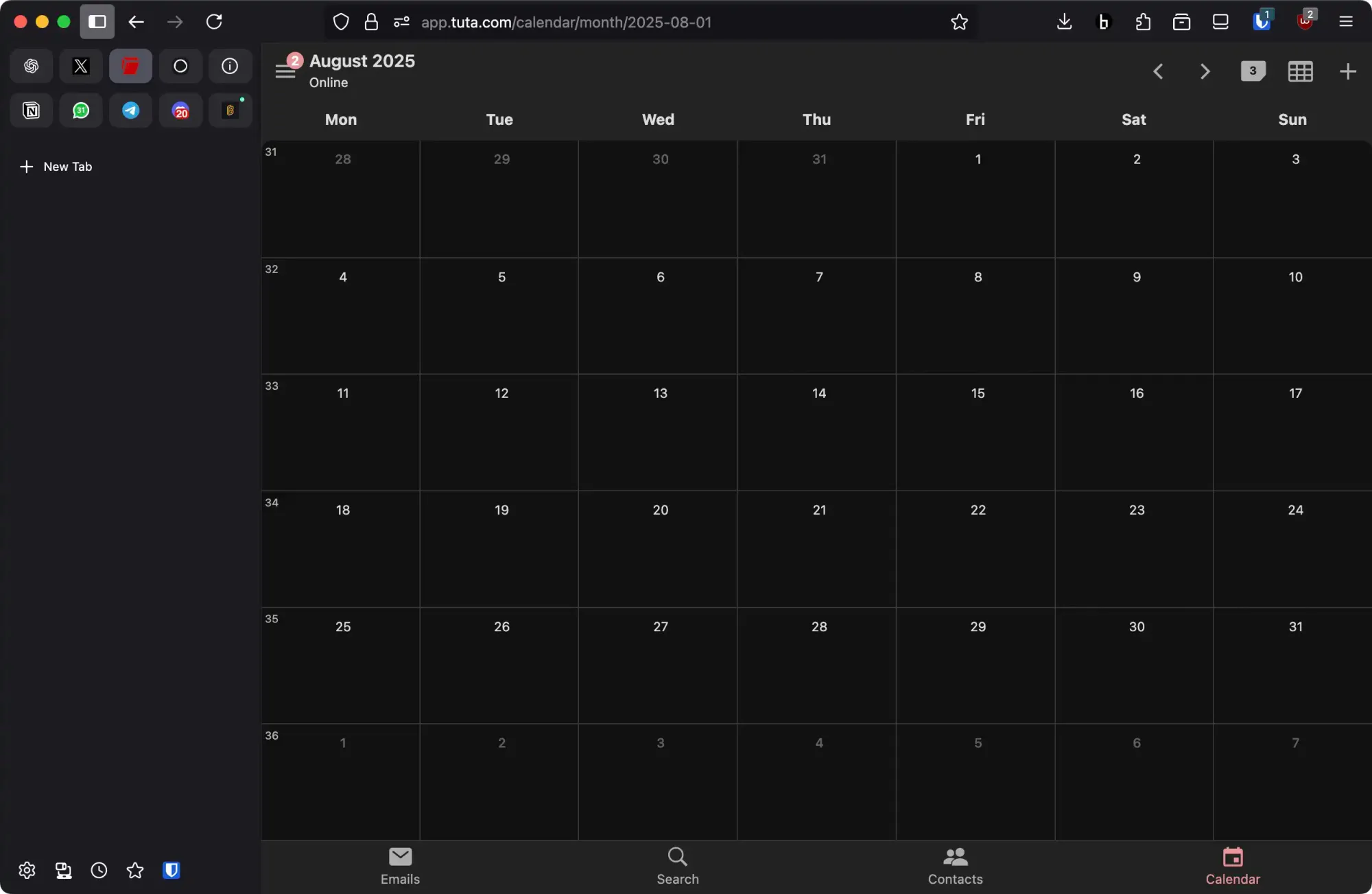
A highlight for many users is Dark Mode, which reduces eye strain and makes working late at night more comfortable. You can easily switch between Dark and Light themes depending on your preference.
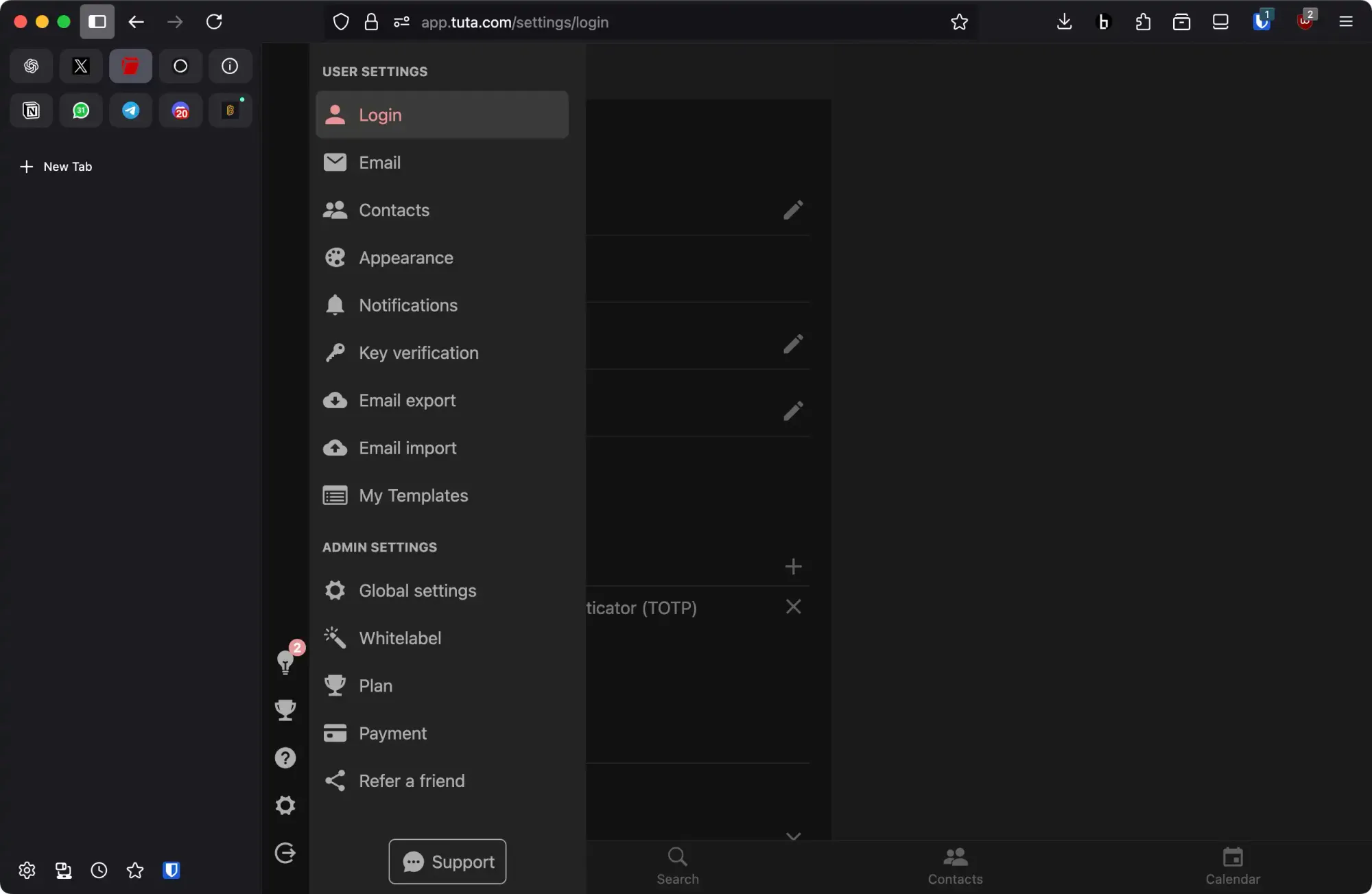
The interface is intuitive, making it easy to compose, read, and manage messages. Pre-defined folders help organize your inbox, and you can create additional folders as needed. Overall, Tuta balances strong security features with a clean, user-friendly interface suitable for both beginners and experienced users.
Using Tuta
Once you’re inside Tuta, the experience feels familiar, yet different enough to remind you that this isn’t just another email provider.
Composing and Sending Emails
Creating a new message is straightforward. Hit the New email button in the left menu, and a clean editor window pops up. Early adopters used to complain about the lack of formatting tools, but that’s no longer the case. Today you’ve got the full set of formatting options, bold, italics, lists, and more, tucked neatly under the T icon next to the subject line.
Sending a message is as simple as clicking Send in the top right corner. If your recipient is also on Tuta, everything is encrypted and decrypted behind the scenes. You don’t have to think about it, it just works.
Communicating With Non-Tuta Users
Here’s where things get more interesting. If your recipient doesn’t use Tuta, you’ll see a lock icon next to the subject line. Clicking it lets you decide whether to send your message unencrypted or fully encrypted.
If you go with encryption, you’ll need to agree on a password with the recipient beforehand. That password is used for encrypting and decrypting the message. Instead of getting the email directly, the recipient will receive a secure link where they can unlock your message with the shared password.
Receiving Emails
Reading incoming mail feels familiar too. Messages arrive in your inbox whether they’re from Tuta users or not. If they’re encrypted, Tuta handles all the heavy lifting automatically. By default, images in emails are blocked, just like in other privacy-focused providers, but you can choose to display them once, always trust a sender, or block them permanently. You can receive notifications of incoming email on the app but also on the web browser.
Searching Securely
One of the hardest problems in encrypted email is search. Tuta’s solution is clever: it builds a secure, encrypted search index of your inbox. This can take a minute or two if you have thousands of emails, but once done, you can search subject lines, bodies, attachments, and sender details, even across specific dates. The search index is itself encrypted, so nobody can pry into it even if they gain access to your system. It's important to note that in the free tier, this functions is somewhat limited as you can't search beyond a certain date.
Filters and Rules
Tuta includes basic spam filters in all accounts. You can mark emails as spam, not spam, or have them discarded outright. If you’re on a paid plan, you also unlock more flexible mailbox rules, letting you set up filters for automated organization.
Contacts and Calendars
Beyond email, Tuta also encrypts your contacts and calendar. Everything is stored securely at rest, including names, notes, and meeting details. The calendar integrates directly into the email client, but there’s also a standalone app if you prefer to keep it separate. Like the inbox, it syncs across devices and comes with a clean, simple design that won’t overwhelm you.
Tuta Apps (Desktop, iOS & Android)
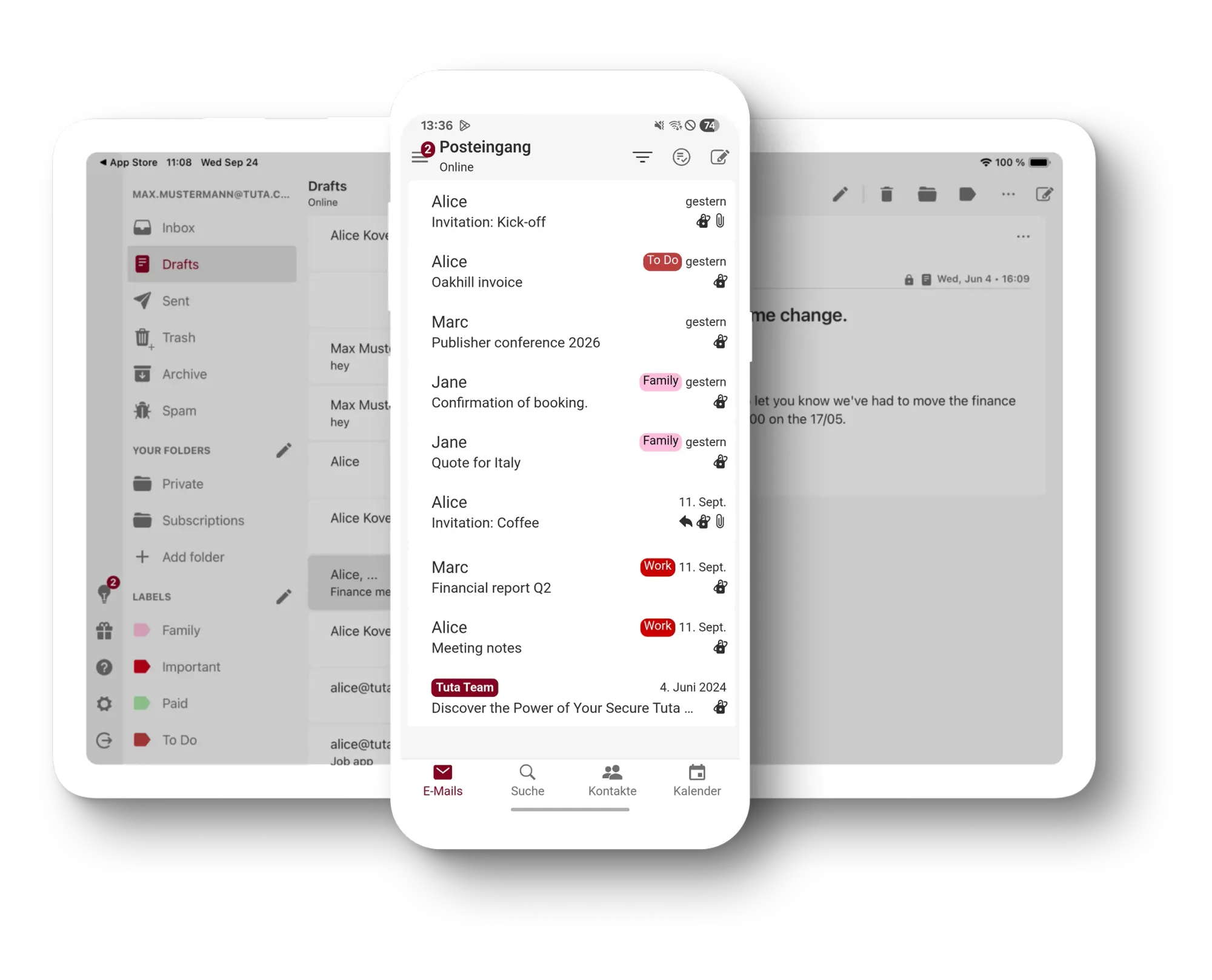
Not just via web browser, Tuta is also available across devices, so you can keep your email, contacts, and calendar in sync whether you’re at your desk or on the move. The service provides dedicated apps for Windows, macOS, Linux, Android, and iOS, along with a clean web interface if you prefer browser access.
Desktop Clients
The desktop apps give you the full encrypted Tuta experience without relying on third-party clients. All emails, contacts, and calendar events are encrypted at rest and decrypted locally on your machine. That said, some users have noted performance tradeoffs. For example, loading emails can feel slower compared to mainstream providers since messages are decrypted locally. In rare cases, mailbox re-sync after an update can take hours. Keyboard shortcuts and navigation are also limited, which can make bulk actions less efficient. Unlike Proton, there’s no “Bridge” feature to connect Tuta with external email clients, so you’re expected to use the native app or web version.
Mobile Apps
On iOS and Android, the apps are designed to be minimal and secure. You get the same encryption and privacy guarantees as on desktop. Logging in across devices is smooth thanks to intelligent two-factor authentication. Instead of typing codes, you can approve login attempts from your phone with a tap. This makes securing your account less of a hassle while keeping things safe.
However, search functionality on mobile has the same limitation as desktop. You need to search for the exact term, since wildcards or partial matches don’t work. For people with large inboxes, this can make finding old messages tricky unless you’ve organized them well with filters.
Layout and Usability
Tuta’s interface is simple, though some consider it too rigid. You can’t currently change the layout to a more compact view, and dates don’t always show the year or time at a glance. While functional, the GUI may feel basic if you’re used to more customizable clients.
Overall Experience
The apps do exactly what Tuta promises: keep your data private and encrypted everywhere. But this comes with tradeoffs. Compared to mainstream providers like Gmail or even Proton, performance can feel slower and certain features are less polished. Still, for users who put privacy first, the native apps ensure you never compromise encryption for convenience.
Tuta for Business
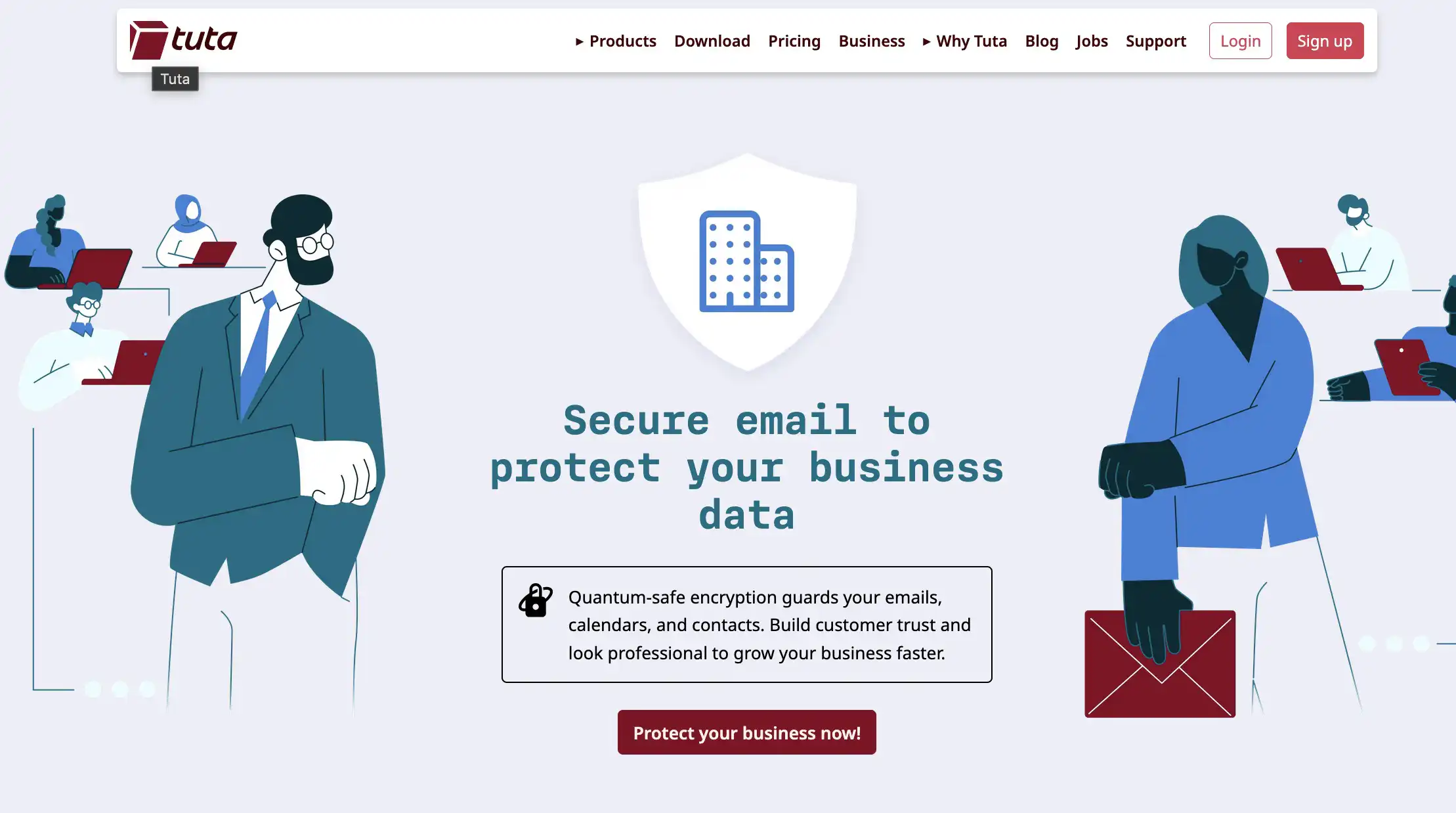
Tuta for Business offers professional email with built-in post-quantum end-to-end encryption, keeping emails, calendars, contacts, and attachments fully private. Every communication is protected by default, ensuring sensitive company data stays secure today and in the future.
Companies can use custom domains and unlimited alias addresses, with whitelabel options to display their branding for employees and external recipients. Shared mailboxes, smart filters, and inbox rules help teams organize communication efficiently, while administrators can easily manage users and enforce internal security policies.
All data is stored in Germany on ISO 27001-certified servers and is fully GDPR compliant. Tuta also provides strong anti-spam, anti-phishing, and tracking protections, minimizing cybersecurity risks without additional setup.
Tuta Support
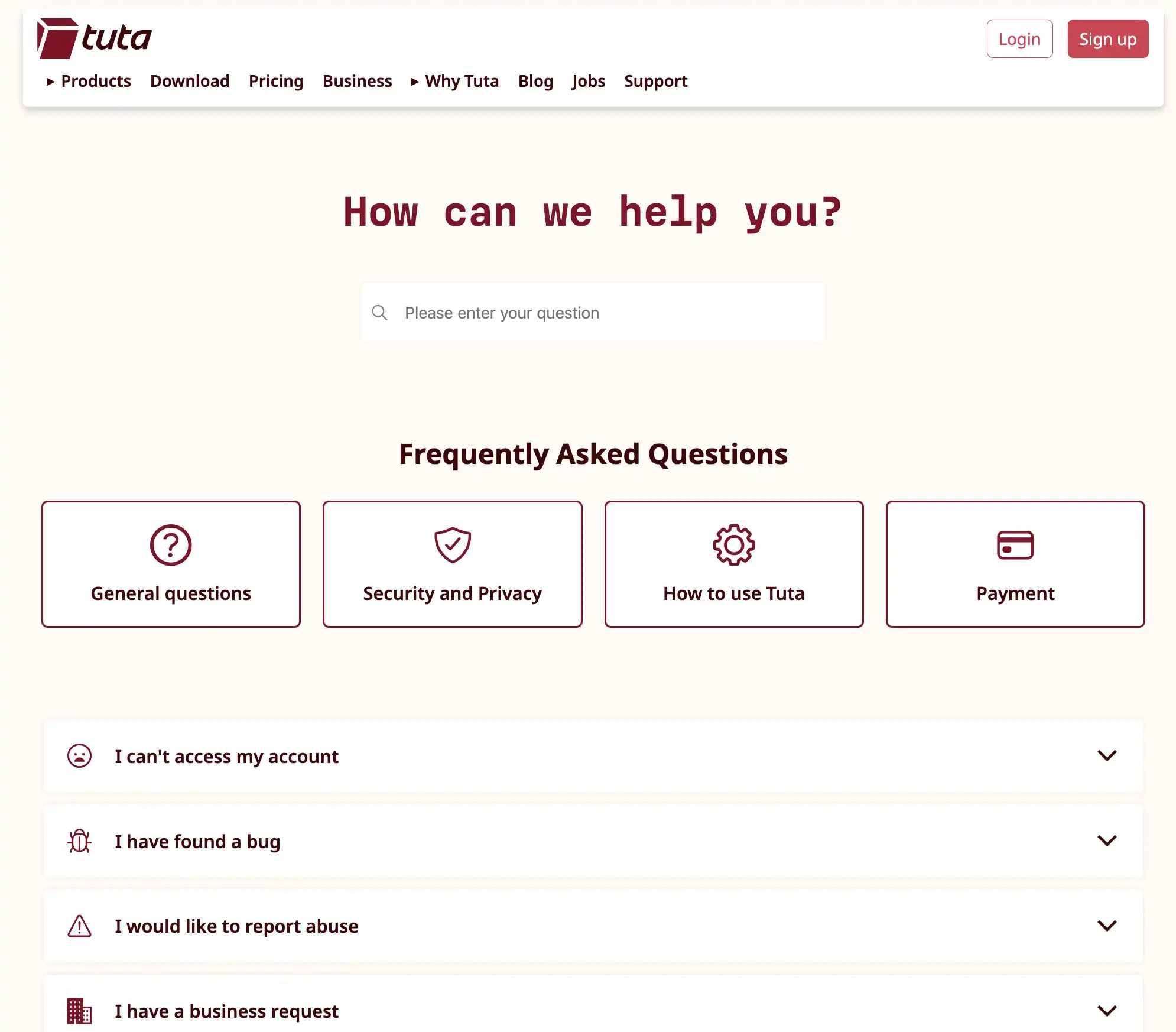
Support on Tuta varies greatly depending on your plan. For free accounts, there’s no direct email support, you’re left to rely entirely on the FAQ and knowledge base. While the FAQ covers basic topics, it often isn’t enough to resolve real issues, making support for free users quite limited and frustrating.
Paid plans, on the other hand, provide priority email support, giving you access to real support staff who can assist with technical problems, account issues, or configuration questions. Business accounts benefit even more, with dedicated assistance to manage multiple users, custom domains, and advanced security settings.
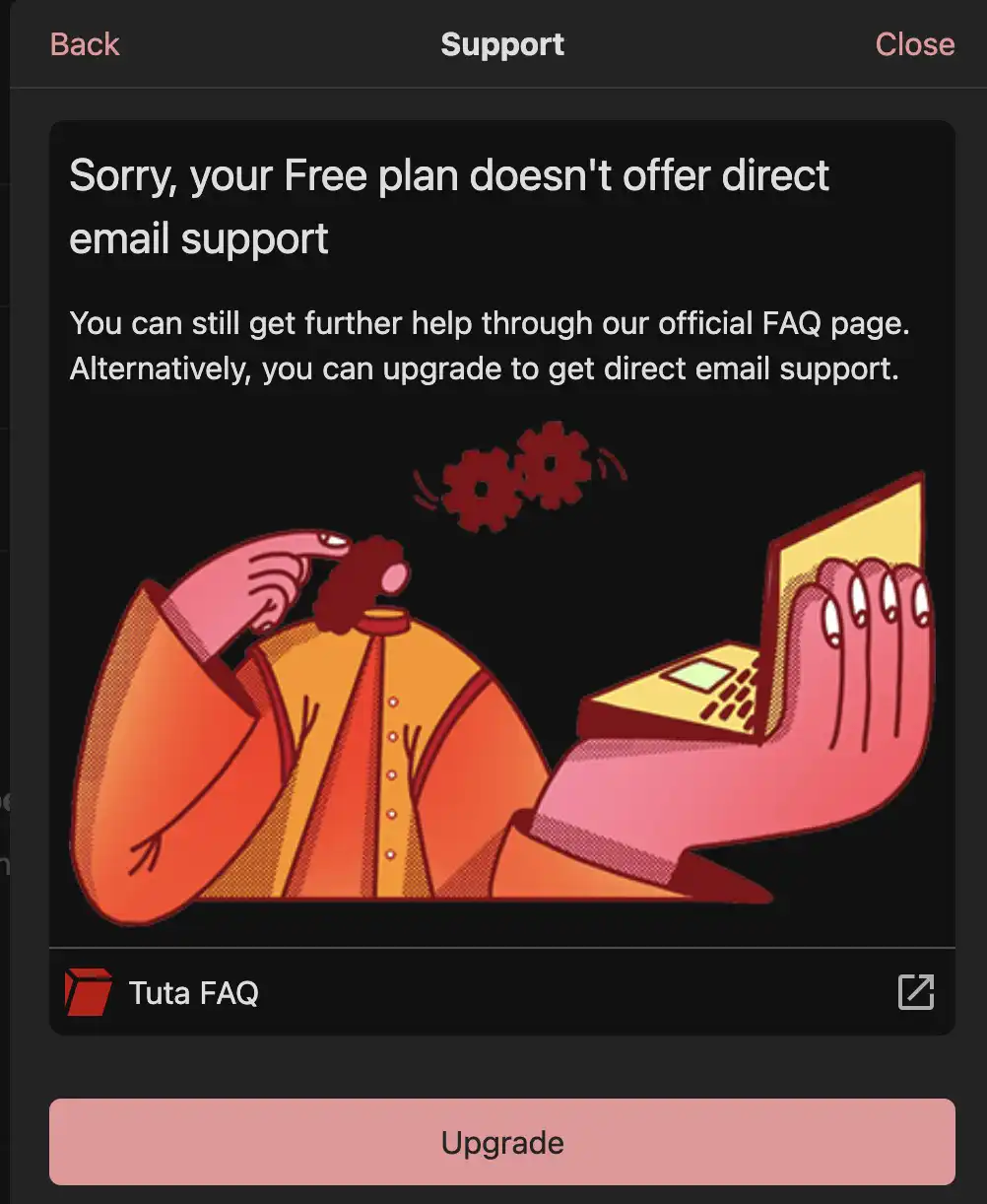
In short, if you’re on the free tier, be prepared to troubleshoot on your own, while paid users enjoy a more responsive and practical support system.
Tuta Pricing
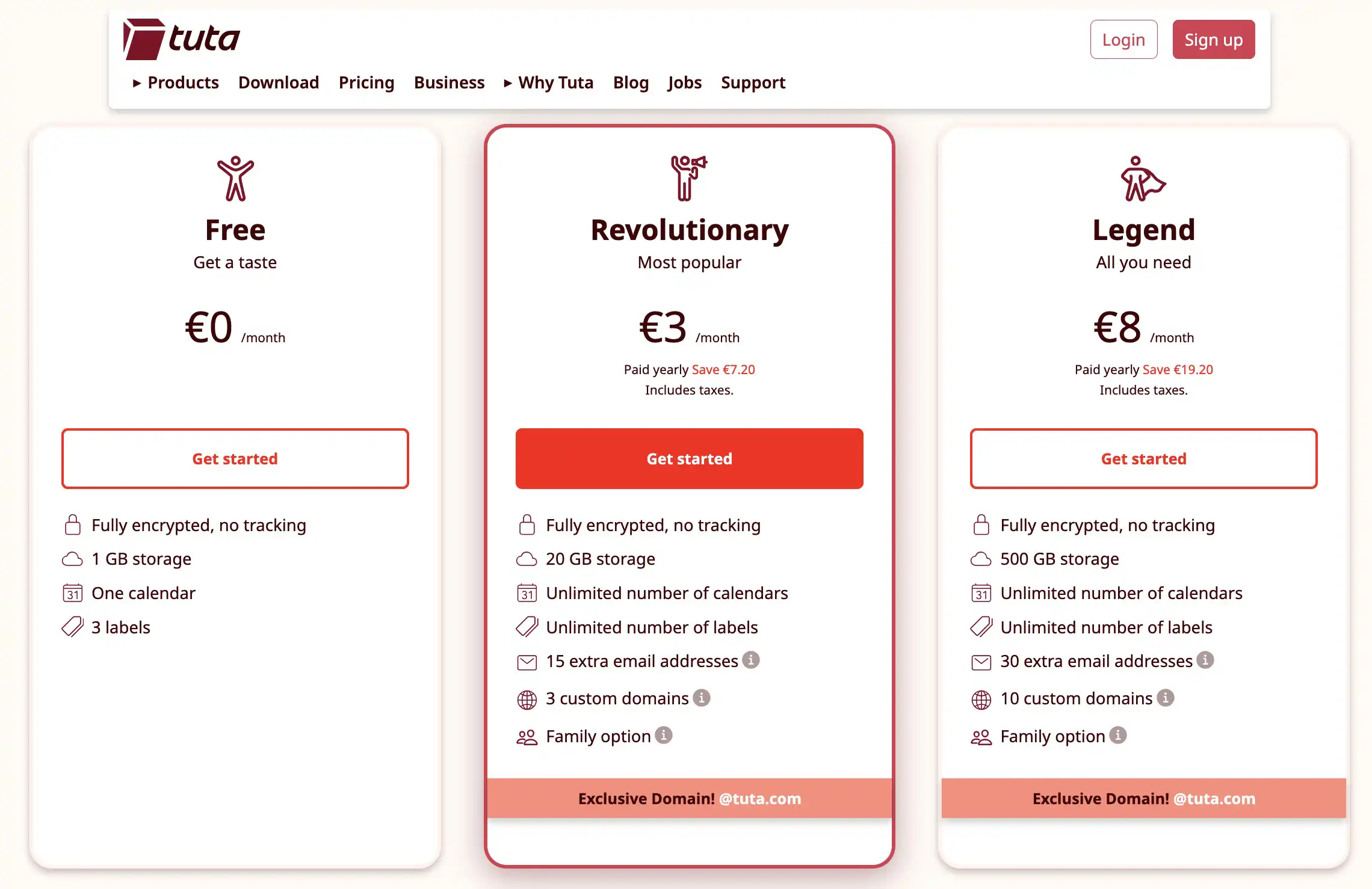
Tuta offers flexible plans for both personal and business users, so you can pick the service that best fits your needs.
Private plans:
- Free Private – €0
- Revolutionary – €36 yearly (€3/month)
- Legend – €96 yearly (€8/month)
Business plans:
- Essential – €72 yearly (€6/month)
- Advanced – €96 yearly (€8/month)
- Unlimited – €144 yearly (€12/month)
You can also add extra storage (10 GB, 100 GB, 1 TB) and more email aliases (20, 40, 100), along with advanced features such as Whitelabel, calendar sharing, Business tools, and Secure Connect.
Pricing can get complex, so using Tuta’s Pricing Calculator on their website is the easiest way to see your exact cost. Non-profits may qualify for discounted rates.
Promotion: Start by signing up through our referral link below to enjoy an extra free month when you choose a paid plan.
Is it possible to pay for the subscription in Bitcoin?
Yes, you can indirectly pay for a Tuta subscription with Bitcoin. While Tuta doesn’t yet accept direct cryptocurrency payments, you can purchase Tuta gift cards using Bitcoin (or Monero) through their partner Proxystore.
After buying a gift card, follow the instructions to redeem it—either on an existing account or a new one. Once added, the credit appears under Settings -> Payment, and you can use it to upgrade your account without linking any other payment details.
Tuta Alternatives: Comparing Tuta and Proton
If you’re exploring secure email options, Proton Mail often comes up as the main alternative to Tuta. Proton has grown into a more polished and mainstream service, offering a wider range of features and a bigger user base. It supports PGP for sending encrypted emails to anyone, even non-Proton users, has a Tor onion site, and offers a bridge for integrating with standard third-party email clients. Proton’s interface is generally smoother, and its ecosystem has expanded over time, including features like a Bitcoin Wallet.
 Andrea Carnimeo
Tuta, by contrast, is leaner and more privacy-focused, with a strong emphasis on end-to-end encryption by default. While this is excellent for privacy, it means Tuta users are mostly “locked in” when communicating with other Tuta users, unlike Proton where you can exchange secure messages with anyone using PGP. On the upside, Tuta’s paid plans are far cheaper than Proton’s.
For people who want to fully degoogle their email, Proton is often highly recommended. Many users start with it for personal use and later expand to business domains, taking advantage of multiple aliases and custom domains. While some users note occasional feature gaps or slower development, Proton’s overall experience tends to satisfy both personal and professional needs.
👉 Click here to open an account with Proton for free.
Tuta Pros & Cons
After exploring how Tuta works and stacks up against alternatives like Proton, let's break down the real trade-offs. No email service is perfect. Tuta makes specific choices about privacy and security that come with benefits and limitations. Some features work brilliantly. Others feel like compromises. Here's what you need to know before committing.
| Pros | Cons |
|---|---|
| ✅ Fully encrypted mail & calendar | ❌ No partial or wildcard search |
| ✅ Open source & audited | ❌ Slow email loading and syncing |
| ✅ Post-quantum encryption ready | ❌ No IMAP/SMTP bridge |
| ✅ Affordable premium tiers | ❌ Lacks PGP compatibility |
| ✅ Smart 2FA approval via phone | ❌ Keyboard shortcuts limited |
| ✅ Custom domains on paid plans | ❌ Free tier has no support |
| ✅ Zero tracking or ads | ❌ Interface feels less refined |
Bottom Line
Tuta is an excellent option for anyone seeking a secure, privacy-focused all-in-one solution for email, calendar, and address book. Its end-to-end encryption, post-quantum readiness, and open-source nature make it a top choice for serious users.
For even stronger security, use the mobile apps or access Tuta via a secure browser, and consider pairing it with a trusted VPN. While it may not have the same appeal and mainstream visibility as other providers, Tuta stands out as a reliable, feature-rich platform for keeping all your communications and scheduling safe.
👉 Click to join Tuta for free and receive a bonus month free when you subscribe for a year.

Tuta Evaluation
Security: Tuta sets an exceptionally high bar for email security with its "privacy by design" philosophy. Its core strength lies in comprehensive end-to-end encryption that covers not just email bodies, but also subject lines and attachments, a feature most encrypted email providers don't offer. This is further strenghtened by the use of AES-256 symmetric encryption, RSA-2048 and x25519 asymmetric encryption, and Perfect Forward Secrecy to ensure transport-level security. User anonymity is prioritized through anonymous signup requiring no phone number or personal information, Bitcoin payment options via Proxystore, and strict GDPR compliance under German privacy laws. The service's open-source nature allows for independent auditing and transparency, while TutaCrypt's integration of post-quantum CRYSTALS-Kyber encryption future-proofs the platform against potential quantum computing threats. Tuta's zero-access architecture means that even the company cannot read your encrypted emails, and while German courts can compel monitoring of future unencrypted correspondence, encrypted content remains inaccessible. The overall architectural integrity and decade-long track record position Tuta as exceptionally secure for private communication. (5/5)
User-friendliness: Tuta offers a clean and intuitive interface that balances strong security with accessibility. The standard three-pane layout with folders on the left, message list in the center, and message content on the right feels familiar to anyone who has used email before. Composing messages is straightforward with a full set of formatting options, and sending encrypted emails to non-Tuta users via password-protected links is relatively simple once you understand the workflow. The Dark Mode feature and responsive mobile design enhance the overall experience. However, user-friendliness is somewhat hampered by performance tradeoffs, email loading can feel slower than mainstream providers since messages are decrypted locally, and search functionality is limited to exact terms without wildcard or partial matching. The lack of layout customization options and limited keyboard shortcuts may frustrate power users. Additionally, the absence of an IMAP/SMTP bridge means you must use Tuta's native apps exclusively, which restricts flexibility. Despite these limitations, the interface remains accessible for both beginners and experienced users who prioritize privacy. (4/5)
Compatibility: Tuta offers solid cross-platform compatibility with native apps for all major operating systems. Users can access their encrypted email, calendar, and contacts via web browsers, desktop clients for Windows, macOS, and Linux, and mobile apps for iOS and Android. The Android app is also available on F-Droid for users who avoid Google Play, demonstrating Tuta's commitment to privacy-conscious users. All platforms maintain the same level of encryption and security guarantees. However, compatibility is limited by the lack of IMAP/SMTP bridge support, meaning you cannot use Tuta with third-party email clients like Thunderbird or Apple Mail—unlike competitors such as Proton Mail who offer this flexibility through their Bridge feature. Additionally, Tuta does not support PGP, which prevents interoperability with users who rely on that protocol. The proprietary encryption system means Tuta users are somewhat "locked in" when communicating securely, as encrypted communication works seamlessly only between Tuta users or requires password-sharing with non-Tuta recipients. These limitations prevent a perfect score despite otherwise comprehensive platform support. (4/5)
Reputation: Tuta has established an excellent reputation within the privacy and security community since its founding in 2011. With over a decade of operation under the original Tutanota brand (rebranded to Tuta in recent years), the service has built significant trust through consistent delivery of secure, encrypted communication tools. The platform is frequently recommended alongside Proton Mail in privacy-focused circles and has maintained transparency through regular publication of transparency reports detailing legal requests. Tuta's commitment to open-source development allows the security community to independently audit and verify its claims, further strengthening its credibility. The company's German jurisdiction under strict EU data protection laws (GDPR) provides additional assurance about data handling practices. While Tuta occasionally faces legal challenges requiring account monitoring under valid court orders, its encryption architecture ensures that even compelled surveillance cannot access end-to-end encrypted content. The service's long track record without major security breaches, combined with its innovative approach to post-quantum encryption and consistent focus on user privacy over monetization, has earned Tuta a well-deserved reputation as one of the most trustworthy secure email providers available. (5/5)
Cost: Tuta offers exceptional value with one of the most affordable pricing structures among secure email providers. The free tier provides 1 GB of storage with full end-to-end encryption, making it accessible to anyone wanting to improve their email privacy at no cost. Paid private plans are remarkably affordable: Revolutionary at €36 yearly (€3/month) and Legend at €96 yearly (€8/month), which is significantly cheaper than competitors like Proton Mail. Business plans are equally competitive, starting at €72 yearly (€6/month) for Essential. Additional storage and aliases can be added à la carte, and non-profits may qualify for discounted rates. Payment options include traditional methods like credit cards and bank transfers, with Bitcoin payments available indirectly through Proxystore gift cards—though the lack of direct cryptocurrency payment is a minor limitation. The pricing is transparent and straightforward, with a helpful pricing calculator on the website to determine exact costs based on your needs. The ability to test the service with a fully functional free account before committing to a paid plan removes any risk, and the annual discount makes long-term subscriptions particularly economical. For users seeking encrypted email, calendar, and contacts at a fraction of the cost of alternatives, Tuta delivers outstanding value. (5/5)