

What Is Obscura VPN?
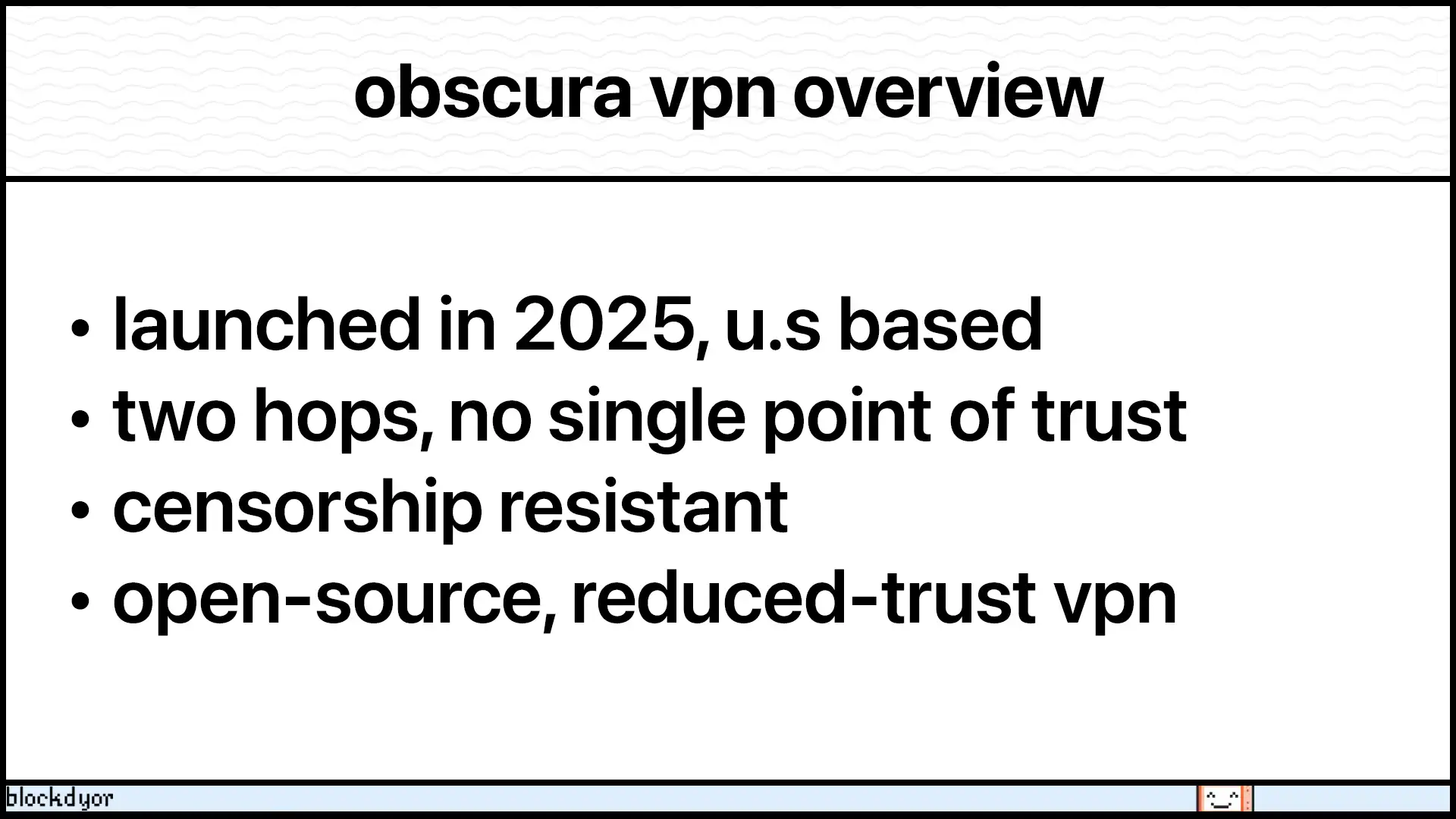
Obscura VPN is a privacy-focused VPN service that launched in February 2025. It aims to protect users from online tracking, bypass censorship, and offer a “private by design” approach.
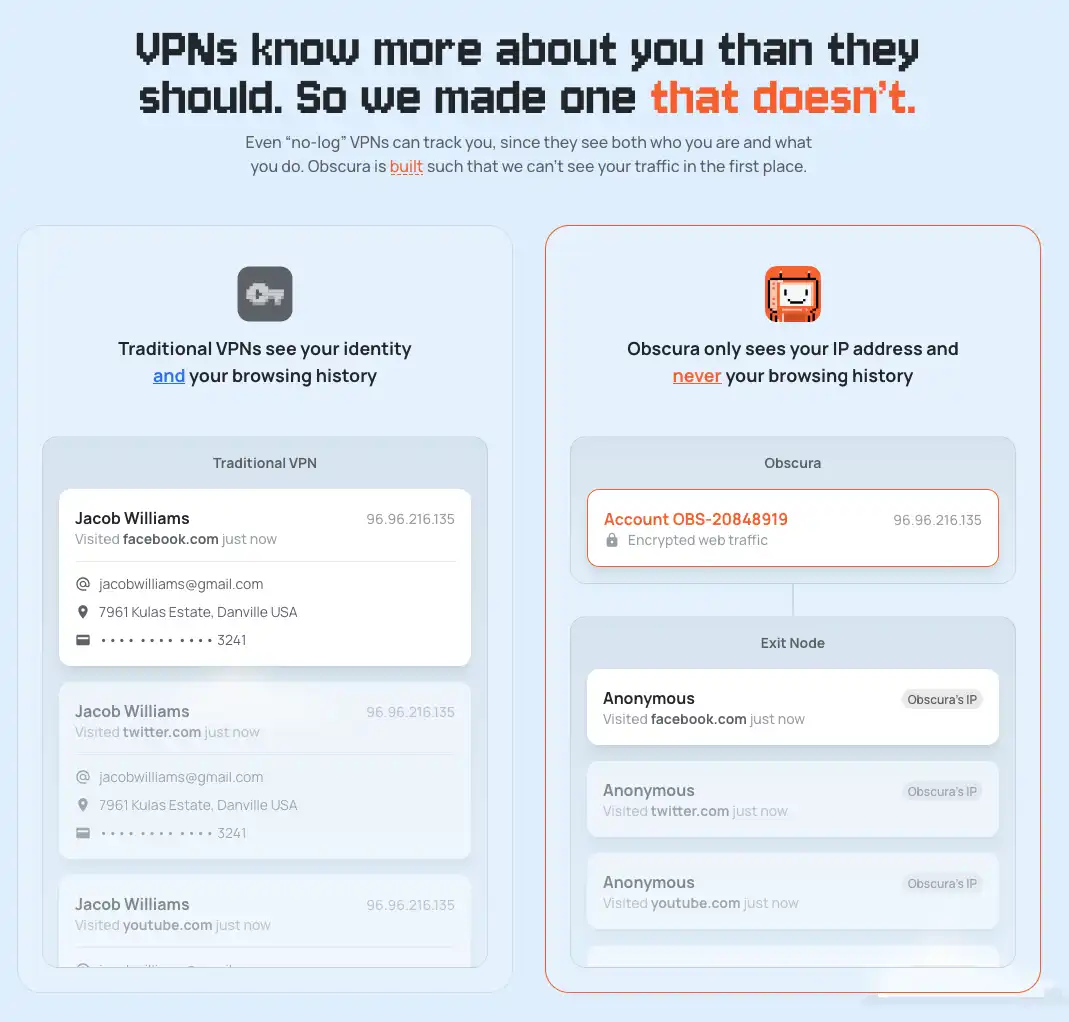
The service stands out for its double-hop architecture, which sends internet traffic through two separate encrypted servers. This prevents a single provider from seeing both your identity and your internet activity.
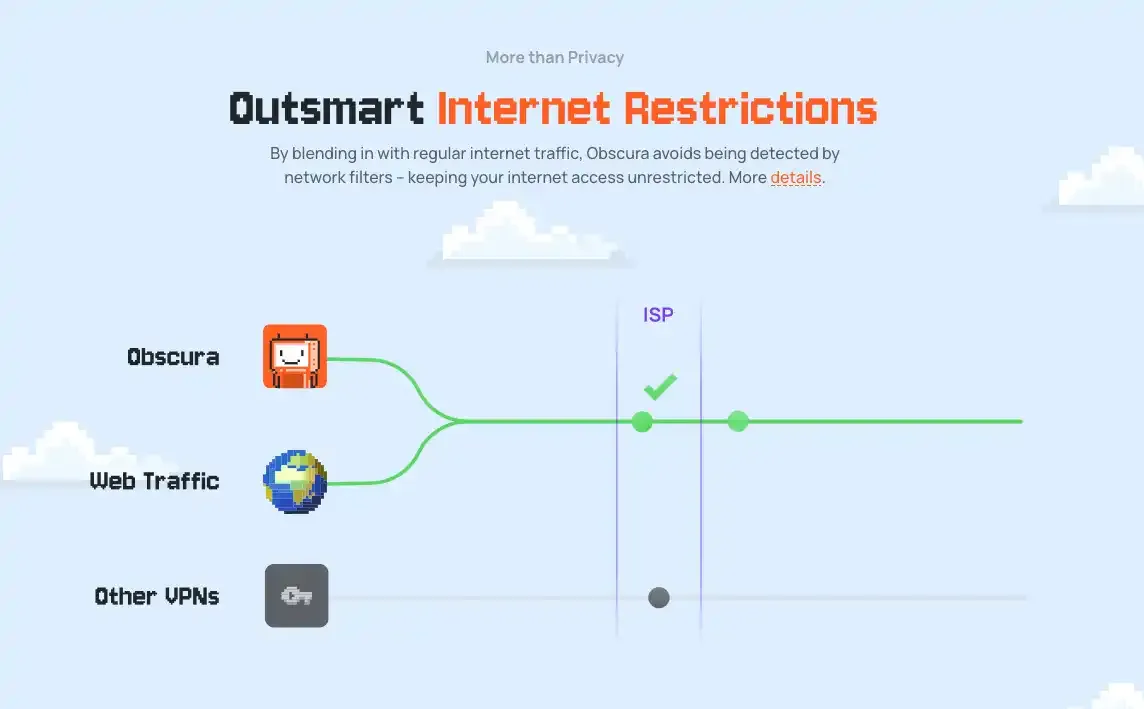
Obscura VPN also emphasizes obfuscation, which disguises VPN traffic as regular internet traffic to bypass strict firewalls, including the most advanced censorship systems.
Users can register without an email, pay via Bitcoin (exclusively via the Lightning Network), and even access the service via Tor, reinforcing anonymity.
How Obscura VPN Works
Obscura VPN Look & Feel on MacOS
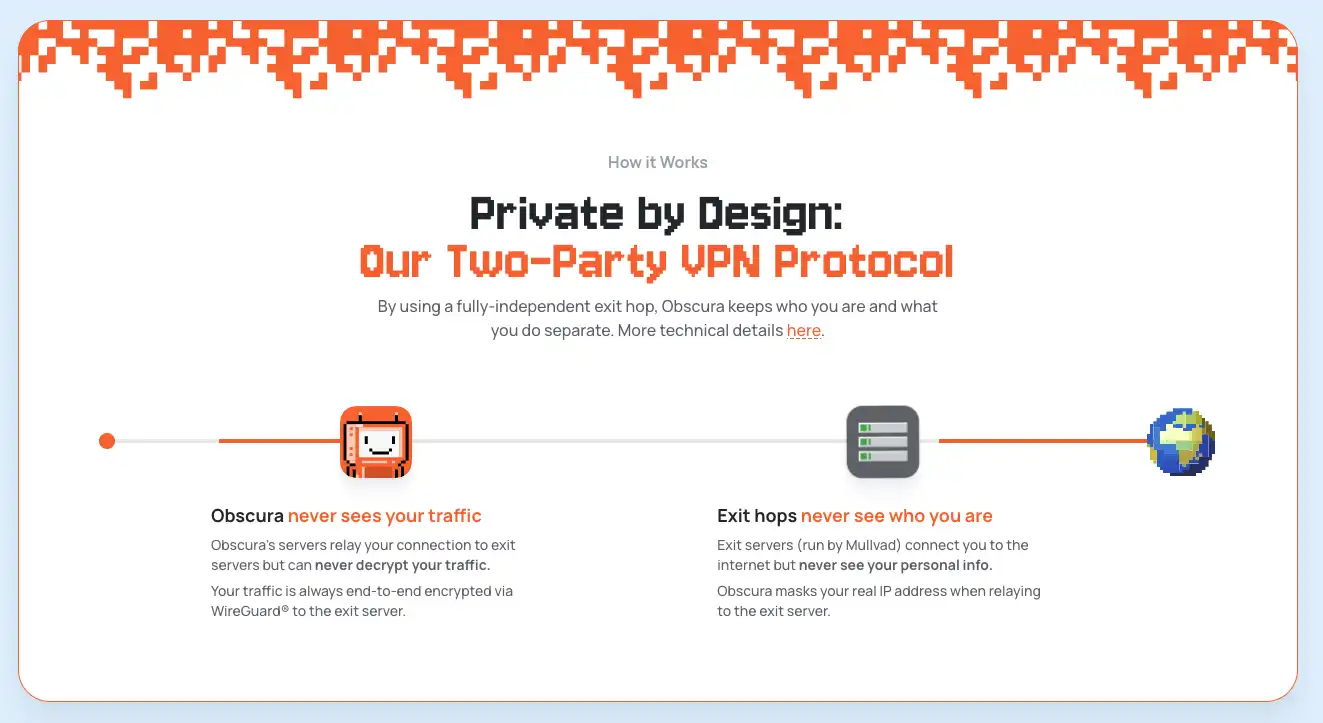
In short, Obscura VPN, uses a 2-hop architecture with WireGuard and QUIC. This setup routes traffic through two separate providers (Obscura and Mullvad), significantly reducing the trust placed in any single entity to see both your identity and your online activity. While not entirely "trustless" as it still relies on two parties not to collude, it offers a robust "reduced-trust" model compared to traditional single-hop VPNs.
Obfuscation and Double-Hop Architecture
Obscura VPN combines WireGuard and a customized QUIC protocol. Users first connect to Obscura VPN servers using QUIC, and traffic is then sent to Mullvad as the exit hop via WireGuard. This two-layered system ensures privacy and security.
Unlike most VPNs that use a single hop, Obscura VPN prevents any single provider from seeing your entire traffic. Obfuscation hides your VPN usage, allowing you to bypass censorship in restrictive regions.
Privacy by Design
The service stores minimal data: just account expiry dates and the number of registered devices. All source code is publicly available on GitHub, and a security audit is underway. Obscura VPN aims to make it physically impossible for the provider to access your browsing data.
How Obscura Balances Privacy and Speed
Obscura VPN makes websites think you’re browsing from the country of your chosen server. It sits between Tor and a traditional VPN in terms of privacy and performance.
Tor offers the strongest privacy because it routes traffic through multiple servers, but it’s very slow. A regular VPN is fast, but you have to trust the provider not to log your activity.
Obscura combines the best of both worlds: it runs the entry server, while Mullvad runs the exit server. Neither can see your full activity alone, so your privacy is much stronger than a normal VPN, while still keeping good speed.
The main limitations right now are fewer server choices and limited platform support, currently only macOS and iOS, but these are being expanded. Anyway, if you use an unsupported device, you can still use the Obscura’s WireGuard compatibility mode generates configurations that work on any WireGuard-compatible platforms, including iOS, Android, Windows, Linux and various router OSes. Overall, it’s a nice middle ground between strong privacy and good performance.
Who’s Behind Obscura VPN

Obscura is led by Carl Dong, who jokingly calls himself the “head janitor” of the project. Carl isn’t just a VPN enthusiast, he’s a seasoned Bitcoin Core developer with deep experience in building tools that can slip past firewalls and censorship systems. During his work on Bitcoin Core, he played a pivotal role in revamping the reproducible builds system to make it fully bootstrappable, a major contribution to software integrity and security.
Carl isn’t alone. Obscura is being built by a tight-knit group of privacy optimists with a history of hands-on contributions to open-source security and digital sovereignty. Between them, they’ve:
- Served on the Nix RFC Steering Committee
- Implemented the 64-bit random number generator in the Go standard library
- Patched critical vulnerabilities in hardware security tokens
- Earned bug bounties for finding flaws in Monero
- Improved Bitcoin reproducible builds
This mix of backgrounds makes the team uniquely suited to rethink what a VPN should be. While other privacy tools have advanced significantly, VPNs often remain stuck on marketing promises instead of solid architecture. The Obscura team is aiming to flip that narrative.
Their mission is simple: build a VPN they themselves would trust and rely on — a VPN that treats privacy not as a tagline but as a built-in foundation. In their own words, it’s the VPN they’ve always wanted to use, designed for anyone who values freedom on the internet.
Obscura VPN Features
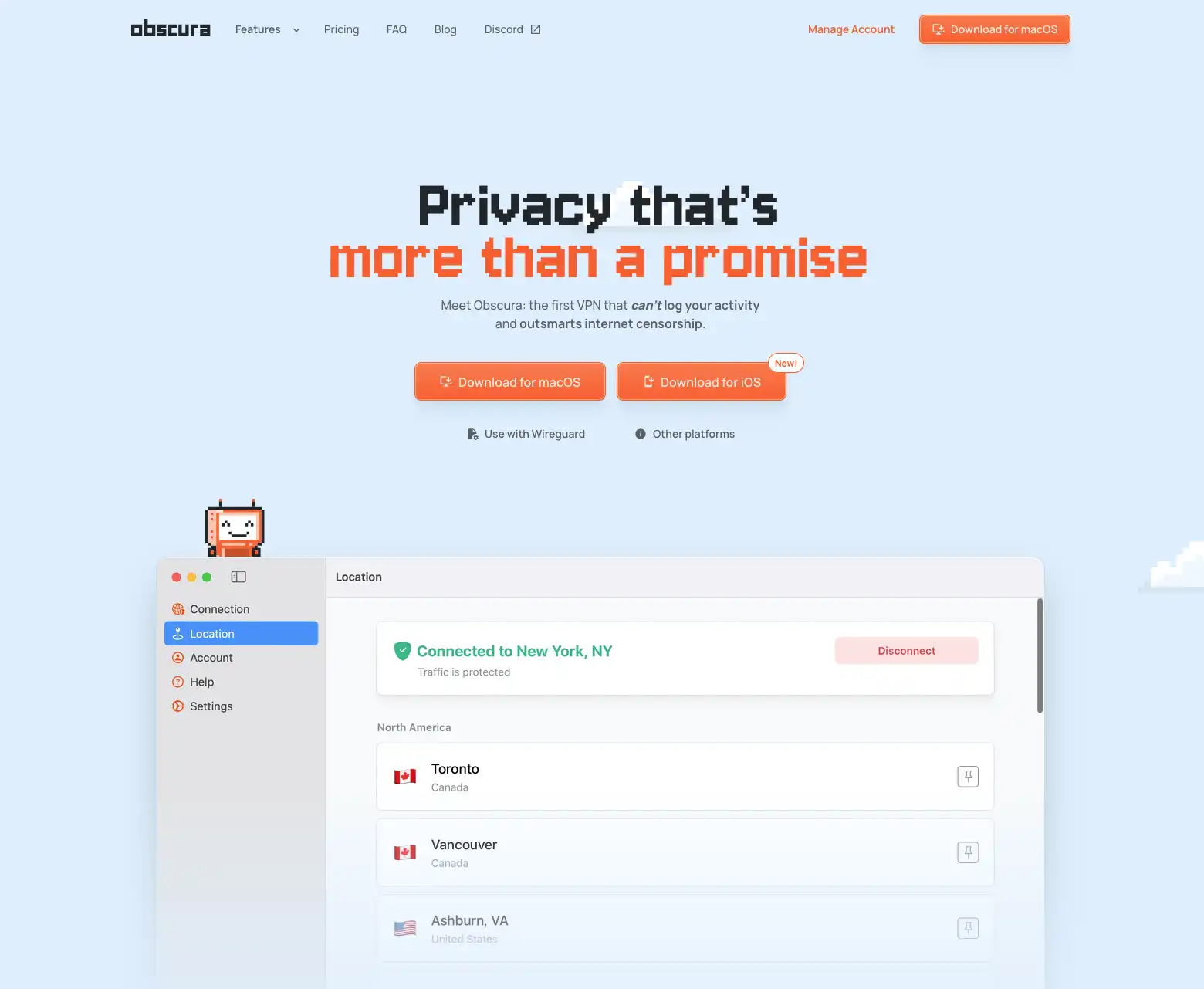
Obscura VPN offers the following features:
- Double-Hop Routing: Adds a second layer of encryption, separating your IP from your internet activity.
- Obfuscation: Hides VPN traffic to bypass firewalls and censorship.
- No Logs: Only stores minimal account metadata.
- Anonymous Signup: No email required, access via randomized code.
- Crypto Payments: Supports Bitcoin and Lightning Network payments.
- Tor Compatibility: Users can access the site and service through Tor.
- Open-Source: Source code available on GitHub.
- Planned Features: Kill switch, WireGuard config generator, and multi-platform apps coming soon.
Obscura VPN focuses on privacy, censorship resistance, and simplicity rather than bloated features.
Obscura VPN Pricing
Obscura VPN offers several plans:
| Plan Duration | Price |
|---|---|
| 1 Month | $8 |
| 2 Months | $16 |
| 3 Months | $24 |
| 6 Months | $48 |
| 1 Year | $96 |
| 2 Years | $192 |
You can pay recurring subscriptions using Cash App, credit card, or bank transfer. If you want to use Bitcoin, it works via a top-up system: you send BTC to your Obscura account in advance, and the funds are used automatically when your subscription renews.
How To Get Started With Obscura VPN
Now that we’ve covered the main features and how Obscura VPN works, let’s walk through getting started. The simplest way is by downloading the app, available for major desktop systems and mobile. If you prefer, you can skip the app entirely and use WireGuard configs instead. For this example though, we’ll stick to the traditional route: download the app, install it, pay for your subscription with Bitcoin Lightning, and you’re ready to go.
Download & Install
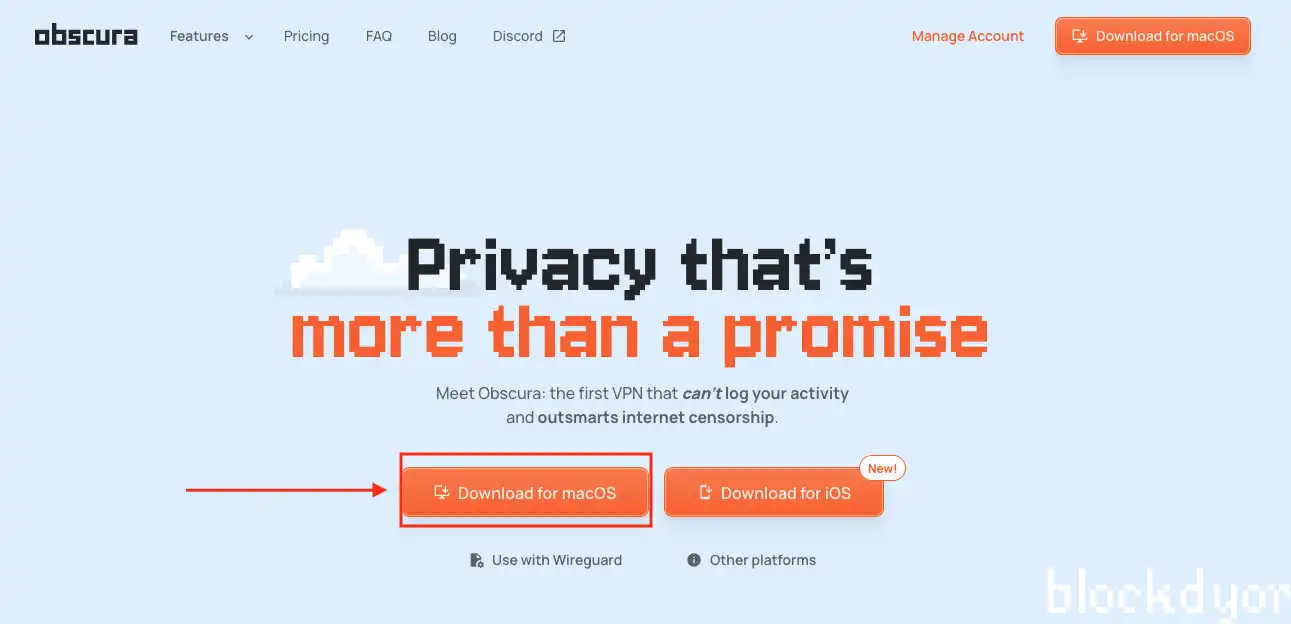
Obscura VPN is to be downloaded from the official website which is at obscura.net. Available for iOS, Android and Desktop platforms (at the moment of writing only Mac, but more OS are being supported soon).

Surprisingly, the app for Mac is just a little bit over 20 MB. It will download very quickly.
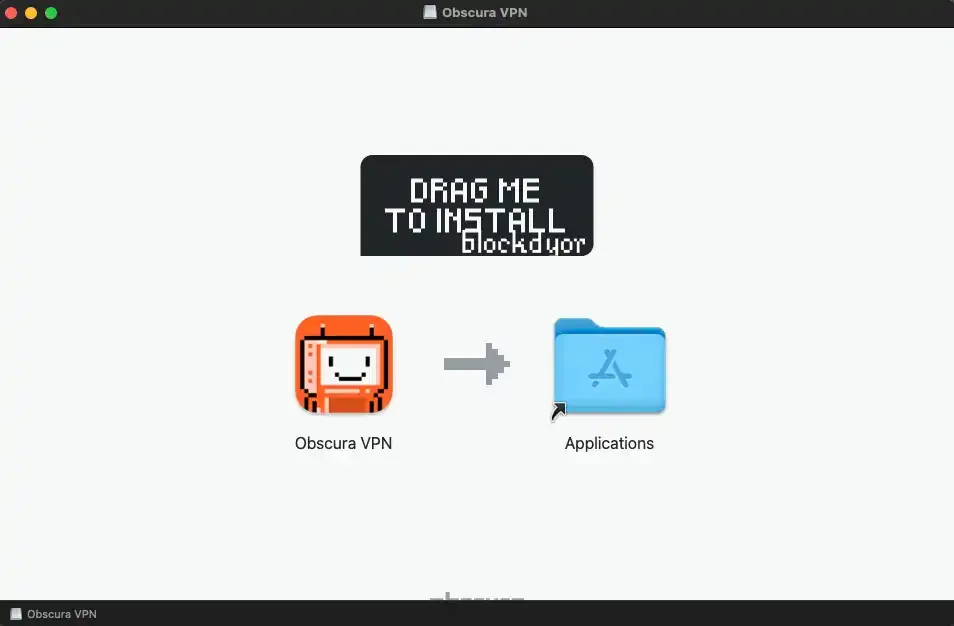
In this case I'm using a Mac to try Obscura, so I will follow the usual procedure for installing apps on MacOS, dragging the application inside the app folder.
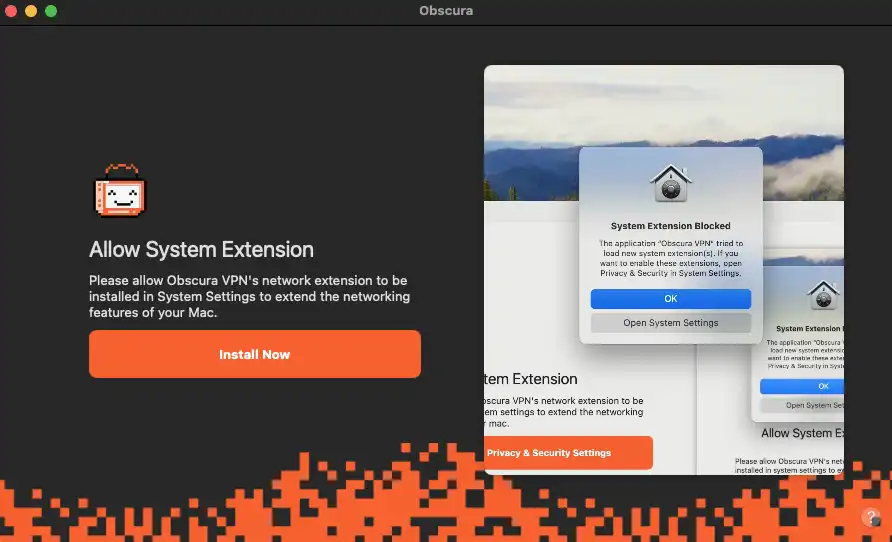
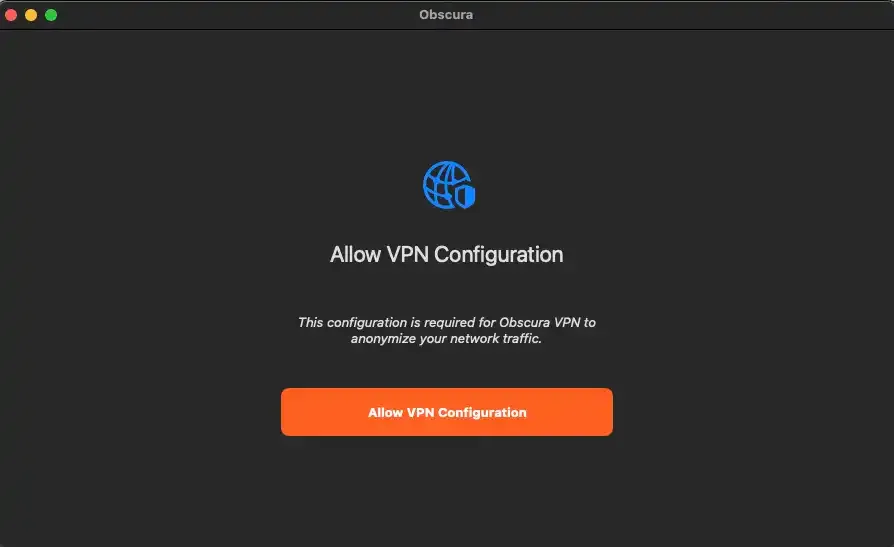
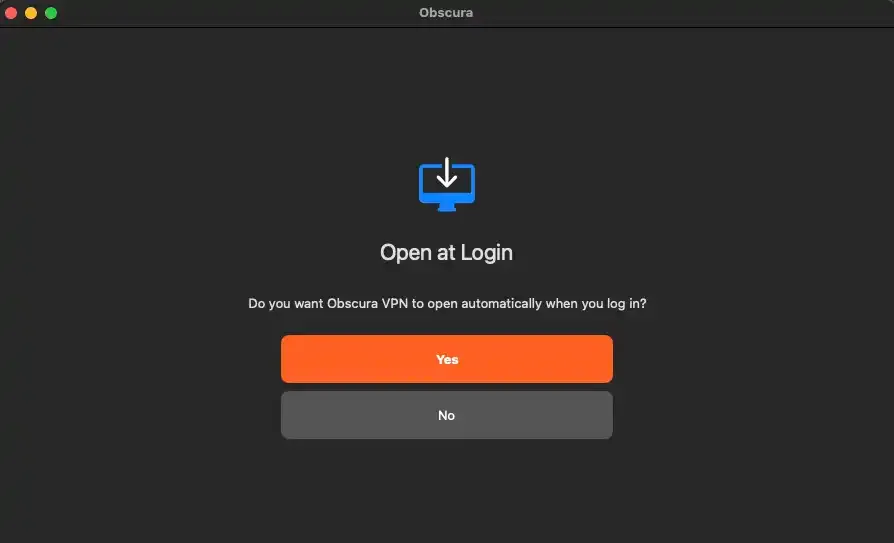
The installation wizard will ask you to allow "System extension" and "VPN Configuration". You have to allow both otherwise the app won't work. Decide then if you want the app to open at login.
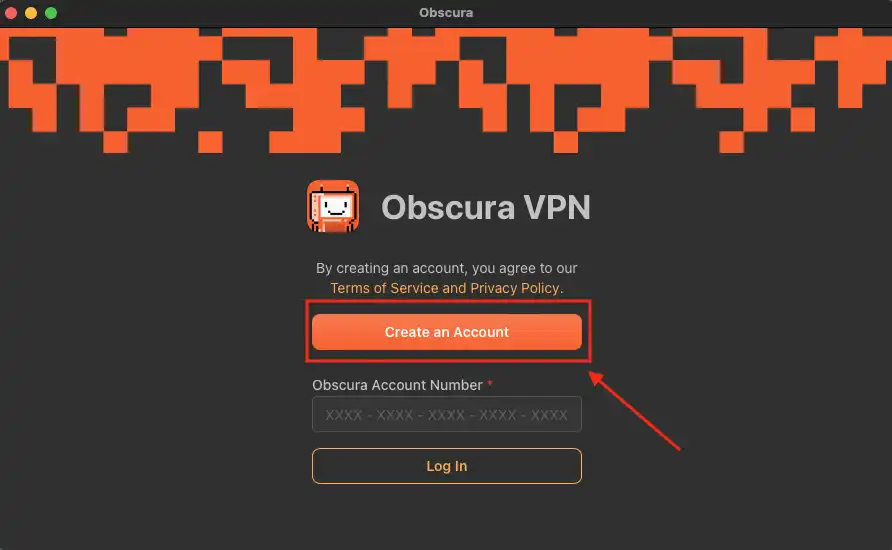
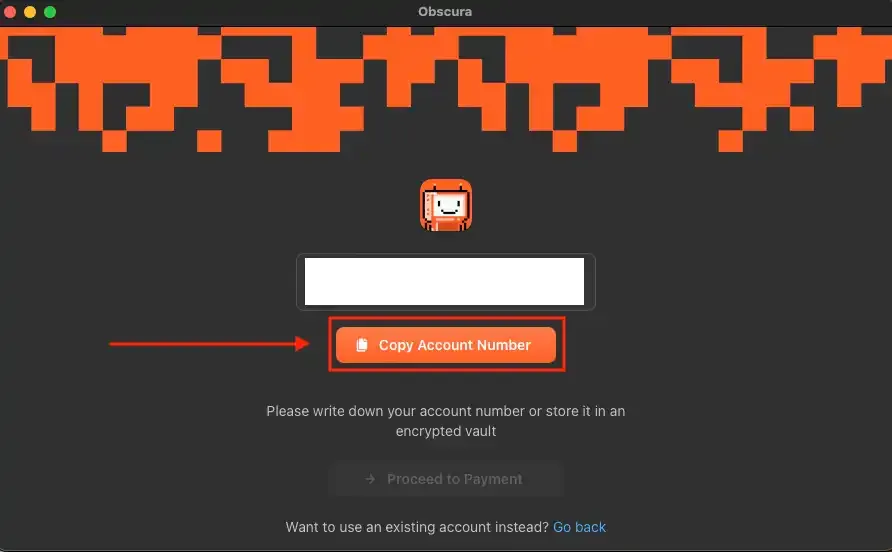
Now it’s time to create an account and here’s the surprise: you don’t need an email. Just click “create account” and the software will generate a unique account number. Think of it like a seed phrase that you’ll need to store safely in your password manager or another secure place, since it’s required to log in to Obscura VPN.
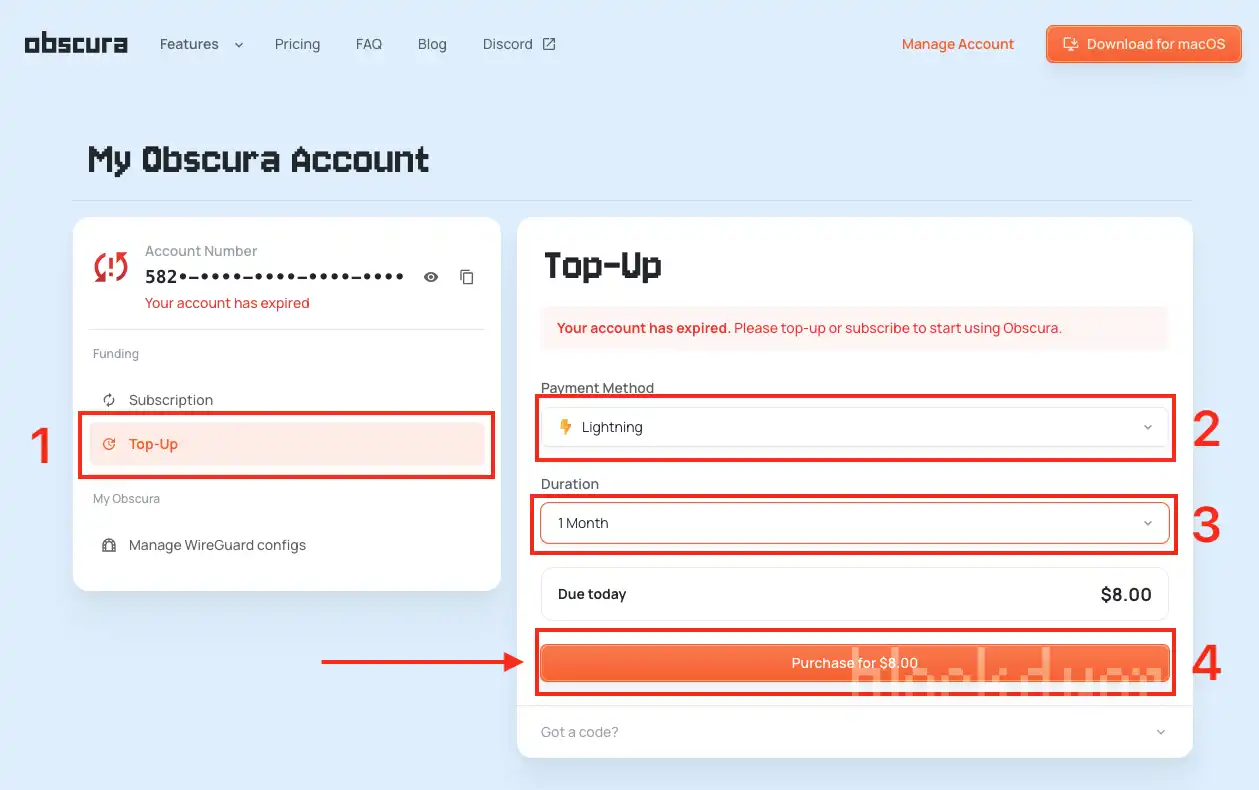
Now it’s time to pay and activate the account. Since I want to use BTC, I select the funding method as Top-up, the payment method as Lightning, and set the duration to 1 month. That’s the minimum option available, though it would be nice if shorter periods were supported. Once that’s set, just click Purchase to continue.
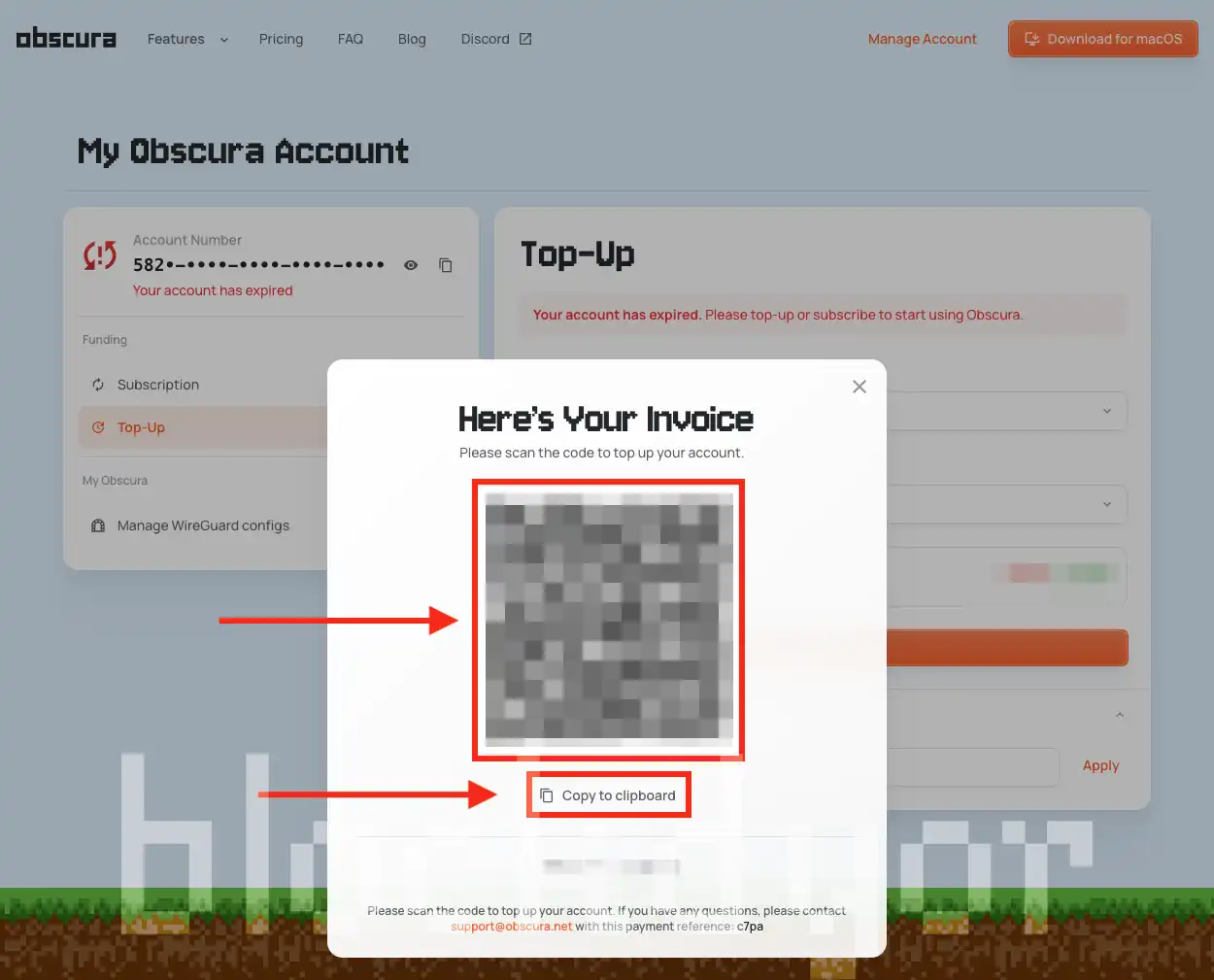
The invoice is now generated. You can scan it with your Lightning wallet’s camera (for example Wallet of Satoshi or Phoenix), or copy it to the clipboard and paste it into your preferred wallet.
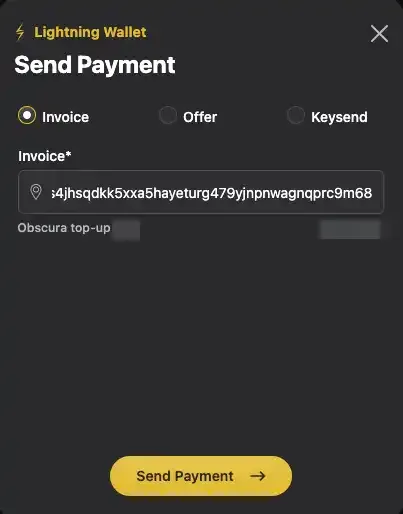
In my case, I paid for Obscura straight from my Core Lightning wallet. I pasted the invoice, hit Send Payment, and within a few seconds my Obscura VPN account was active. From there, I was ready to start using the service.
Using Obscura VPN
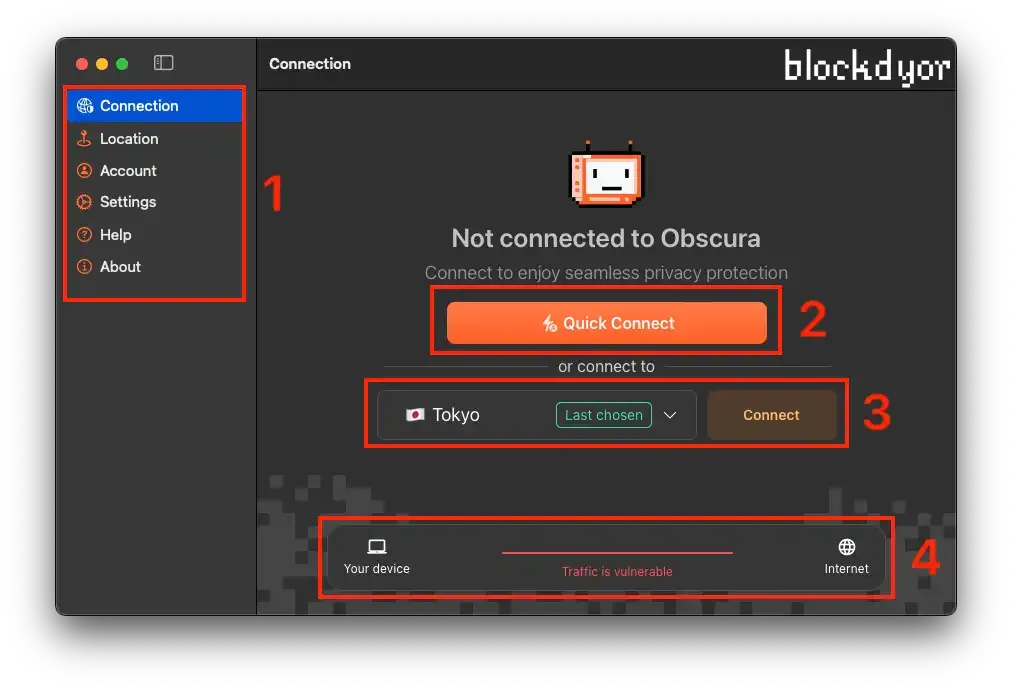
When you open and log into Obscura VPN for the first time, the simplicity of the interface is immediately clear. On the left, the main sidebar holds six key tabs. The first, Connection, lets you quickly connect with one click, choose a specific location, or monitor your traffic status to see if the VPN is on or off. It’s minimal, straightforward, and very effective.
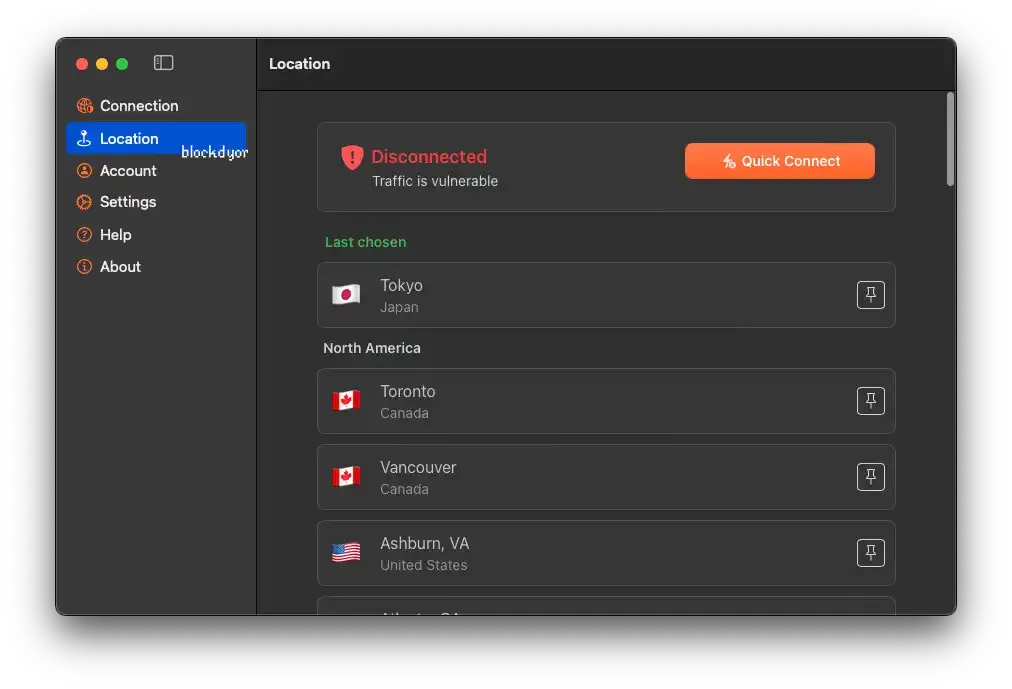
The Location tab in the Obscura VPN app is key, letting you choose your exit server. The server list keeps growing, so it may be slightly outdated by the time you read this. Current locations include:
North America: Toronto, Vancouver, Ashburn, Chicago, Dallas, Denver, Los Angeles, Miami, New York, San Jose, Seattle
Latin America: São Paulo, Santiago, Bogotá, Querétaro
Europe: Paris, Frankfurt, Milan, Amsterdam, Warsaw, Madrid, Stockholm, Zurich, Kyiv, London
Asia: Tokyo, Singapore, Istanbul
Africa: Johannesburg
Oceania: Sydney
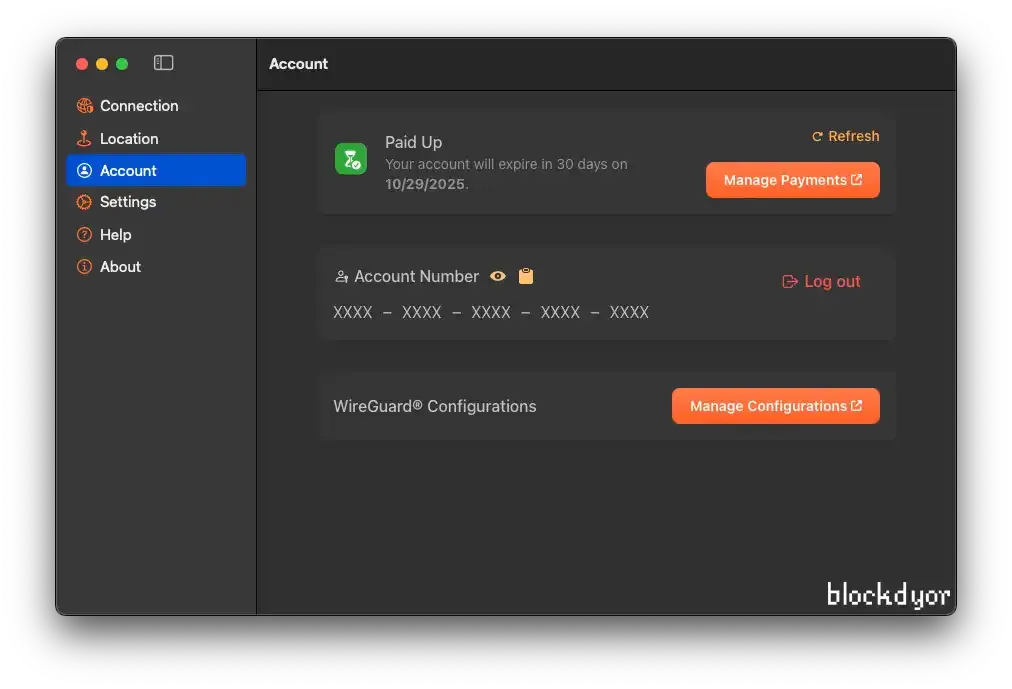
The Account tab manages your subscription, displays your account number, and provides your WireGuard configs. You can also log out from this tab.
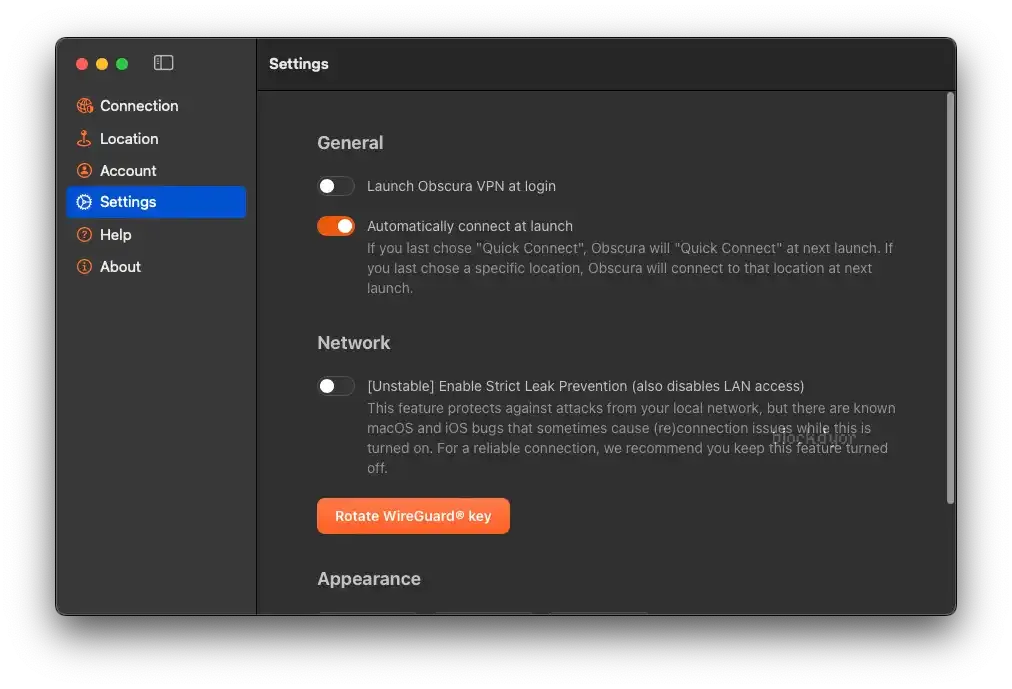
The Obscura VPN settings screen presents a clean, user-friendly interface. Key features include the option to "Automatically connect at launch," which is a convenience, though "Launch Obscura VPN at login" is a separate, disabled toggle. A significant point for review is the "Unstable" "Strict Leak Prevention" feature, which warns of macOS/iOS bugs and recommends keeping it off for reliability—a potential concern. The ability to "Rotate WireGuard® key" is a welcome security measure.
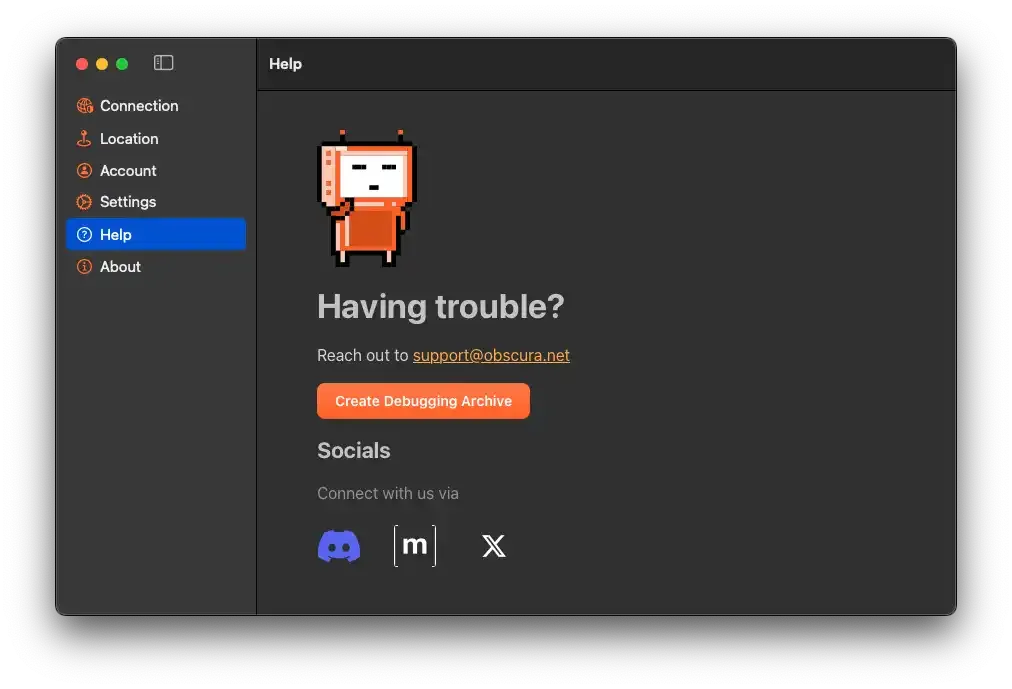
The "Help" section of Obscura VPN is cleanly laid out and focuses on direct user support. The prominent "Having trouble?" prompt directs users to [email protected].
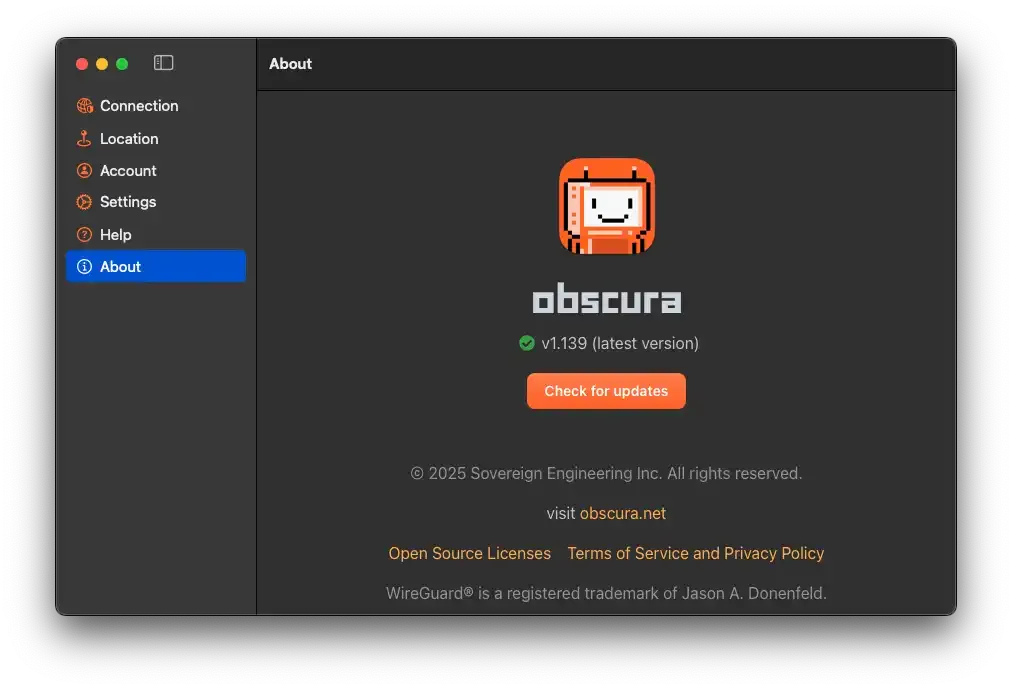
The "About" section of Obscura VPN is straightforward, displaying the current version and offering an update check. It includes copyright information from Sovereign Engineering Inc., links to obscura.net, Open Source Licenses, and the Terms of Service/Privacy Policy, plus acknowledges WireGuard® as its underlying technology.
Obscura VPN Speed
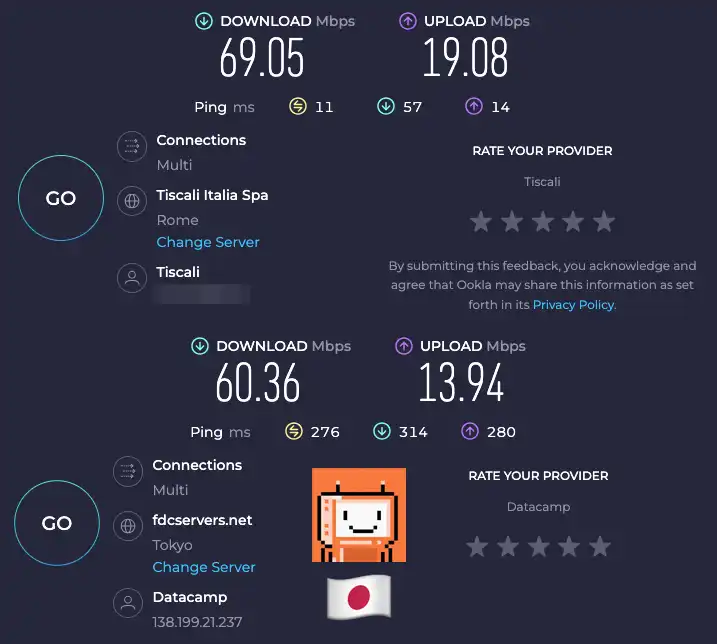
To assess Obscura VPN's performance, we conducted speed tests on a typical Italian connection (copper-mixed fiber, max 72 Mbps download). The results demonstrate how the VPN handles routing to a distant server.
Without Obscura VPN (Direct Connection - Rome, Italy):
Our baseline speed test showed strong performance, with a download speed of 69.05 Mbps, an upload speed of 19.08 Mbps, and a very low ping of 11 ms. This aligns well with the connection's maximum capabilities.
With Obscura VPN (Connected to Tokyo, Japan):
When connected via Obscura VPN to a server in Tokyo, Japan, the results were as follows:
- Download Speed: 60.36 Mbps
- Upload Speed: 13.94 Mbps
- Ping: 276 ms
Analysis:
Connecting from Italy to a server as geographically distant as Tokyo naturally introduces latency, as evidenced by the ping jumping from 11 ms to 276 ms. This is expected and would impact real-time activities like online gaming. However, Obscura VPN managed to retain a significant portion of the connection's speed. We observed only about a 12.6% drop in download speed (from 69.05 Mbps to 60.36 Mbps) and a 27% drop in upload speed (from 19.08 Mbps to 13.94 Mbps). Considering the immense distance and the double-hop architecture, this is a commendable performance, suggesting Obscura VPN is well-optimized to provide usable speeds even across continents. For general browsing, streaming, and less latency-sensitive tasks, these speeds remain more than adequate.
Obscura VPN Alternatives
As a Bitcoin-only blog, our reviews have historically focused on a select few VPN services praised within the Bitcoin community. These services stand out not merely for accepting Bitcoin payments, but for offering superior performance and advanced technical features compared to traditional VPNs. Let's see how Obscura VPN stacks up against these established alternatives.
| Feature | Obscura VPN | iVPN | Mullvad VPN |
|---|---|---|---|
| 1-Month Price | $8 | ~$6 - $10 | ~$5.50 - $6.50 (€5-€6) |
| Pricing Assessment | High | Ok | Ok |
| Privacy Architecture | 2-Hop (Obscura entry, Mullvad exit) | Multi-Hop (within iVPN's own infra) | Single-Hop (but serves as Obscura's exit hop) |
| Payment Methods | Bitcoin, Lightning, Cash App, Credit Card | Bitcoin, other crypto, traditional (e.g., PayPal) | Bitcoin, Monero, Cash, Credit Card, PayPal, etc. |
| Logging Policy | Strict No-Logs (minimal metadata) | Transparent & Audited No-Logs | Strict & Audited No-Logs |
| Censorship Resistance | Advanced Obfuscation | Multi-Hop offers some resistance | Standard VPN (less focus on obfuscation) |
| Platform Support | macOS, iOS (Expanding) | Wider range (Desktop, Mobile, Routers) | Wider range (Desktop, Mobile, Routers) |
| Server Network | Limited but Growing | Larger & More Diverse | Extensive & Diverse |
| Open Source | Source code publicly available on GitHub | Open-source clients | Open-source clients |
| Trust Model | Reduced Trust (2 separate providers) | Reduced Trust (Multi-hop within iVPN) | Trust in single provider (though highly reputable) |
| Unique Notes | "Unstable" Strict Leak Leak Prevention | Strong focus on audited security, advanced features | Renowned for extreme privacy, cash payments, transparent reports |

iVPN: highly regarded for its transparent and audited no-logging policy, robust security features including multi-hop (their own double-hop) connections, and a strong focus on user privacy. They offer a larger and more geographically diverse server network and support a wider range of platforms compared to Obscura's current macOS/iOS focus. Like Obscura, iVPN prioritizes privacy through technical design and transparency (open-source clients), offering a similar "reduced trust" approach with their multi-hop options, though their implementation is fully within their own infrastructure. Learn more in our iVPN Review.

Mullvad: renowned for its strong commitment to privacy, including a strict no-logging policy verified by audits, anonymous account creation, and support for various privacy-focused payment methods beyond Bitcoin, such as Monero and even cash. They offer a larger network of servers and broader platform support than Obscura. Notably, Mullvad serves as the exit hop in Obscura's unique double-hop architecture, highlighting their trusted reputation within the privacy community. While Mullvad offers direct, single-hop connections, Obscura builds upon this by adding its own entry server and obfuscation layers, aiming for a different privacy-speed trade-off with reduced trust in any single entity.
Is Obscura VPN Reliable?
Obscura VPN presents a compelling case for reliability, primarily built on its innovative two-hop architecture and transparent, open-source client. By routing traffic first through its own servers and then through Mullvad's reputable exit nodes, Obscura aims to prevent any single entity from linking user identity to browsing activity. The client's open-source nature further reinforces trust, allowing security experts and the community to audit the code for vulnerabilities or malicious functionalities. This commitment to transparency is a significant reliability indicator in the privacy space.
However, the question of reliability also involves broader assessments. While a Trustpilot page for Obscura VPN does not currently exist, the extensive Hacker News (a Y Combinator property) thread provides a valuable snapshot of early adopter and technical community sentiment. The discussion, featuring direct engagement from Obscura's co-founder, Carl, highlights both enthusiasm for the concept and pointed questions regarding potential collusion between the two hops, platform limitations (macOS-only initially), and payment anonymity. Carl's responsiveness to these concerns, detailing features like WireGuard key rotation and verifiable exit nodes, speaks to an active effort to address reliability and privacy assurances.
Ultimately, Obscura VPN appears reliable for users comfortable with its specific threat model. It strengthens privacy against single-provider compromises but, like all VPNs, cannot guarantee absolute anonymity against sophisticated state-level actors or hypothetical collusion between partners. Its reliability stems from its architectural design, open-source foundation, and active developer engagement, rather than external review platforms.
Obscura VPN Pros & Cons
No service is without its strengths and weaknesses, and Obscura VPN is no exception. Having thoroughly explored its architecture, features, and the philosophy behind its creation, let's distill the key advantages and potential drawbacks for users considering this privacy-focused VPN.
| Pros | Cons |
|---|---|
| ✅ Exceptional Privacy (Double-hop, No-logs) | ❌ Price is slightly higher compared to similar VPNs |
| ✅ Strong Censorship Resistance (Obfuscation) | ❌ Limited Platform Support (Currently macOS/iOS) |
| ✅ Anonymity Focused (Anonymous signup, Crypto Payments) | ❌ Limited Server Locations (Currently) |
| ✅ Transparency (Open-source, Audit) | ❌ Minimum 1-month subscription |
| ✅ Trustworthy Team (Bitcoin Core developers) | |
| ✅ Balanced Privacy & Speed | |
| ✅ User-Friendly Interface | |
| ✅ Fully Sandboxed Process (No kernel access) |
Bottom Line
Obscura VPN presents a compelling vision for a truly private internet experience, distinguished by its double-hop architecture, robust obfuscation, and unwavering commitment to anonymity. While its current limitations in server count and platform support are notable, these are actively being addressed. The "Unstable" status of its leak prevention feature is a point of concern that future updates should ideally resolve.
However, the strength of its technical foundation, the transparency of its open-source nature, and the credible team behind it make Obscura VPN a serious contender for users who prioritize privacy and censorship resistance above all else. For those willing to overlook minor early-stage limitations, Obscura offers a promising middle ground between the extreme privacy of Tor and the practical speed of traditional VPNs, delivered with a refreshingly simple and user-centric approach.

Obscura VPN Evaluation
Security: Obscura VPN sets a high bar for security with its "privacy by design" philosophy. Its core strength lies in the unique two-hop architecture, routing traffic through Obscura's entry servers and then through Mullvad's reputable exit nodes, ensuring no single entity can link your identity to your browsing activity. This is further bolstered by the use of WireGuard and a customized QUIC protocol, advanced obfuscation to bypass censorship, and a strict no-logs policy that only stores minimal account metadata. User anonymity is prioritized through anonymous signup, Bitcoin (Lightning Network) payment options, and Tor compatibility. The client's open-source nature, ongoing security audit, WireGuard key rotation, and a fully sandboxed process with no kernel-level access solidify its robust security posture. While the "Unstable" tag on the "Strict Leak Prevention" feature is a minor concern, the overall architectural integrity and the team's deep security expertise position Obscura as exceptionally secure. (5/5)
User-friendliness: Obscura VPN excels in user-friendliness, offering an intuitive and simple-to-navigate interface. From a quick, one-click connection option to clearly laid-out tabs for location selection, account management, and settings, the app prioritizes a straightforward user experience. Features like "Automatically connect at launch" enhance convenience. Despite its advanced underlying technology, the "Look & Feel" on macOS is minimal, effective, and easy to grasp, making it accessible even for users less familiar with complex VPN configurations. (5/5)
Compatibility: Obscura VPN's compatibility is its most significant current limitation. While it aims for universal reach, at the time of review, native apps are primarily available for macOS and iOS, with Android and other desktop platforms "being supported soon." Although a WireGuard compatibility mode allows users on Windows, Linux, and various router OSes to configure the service manually, this requires more technical effort than a dedicated app. The server network, while growing and geographically diverse (including North America, Europe, Asia, Africa, and Oceania), is currently more limited than established providers. (3/5)
Reputation: Obscura VPN has quickly established a strong reputation within the privacy-focused tech community since its launch in February 2025. This is largely driven by its innovative double-hop design, emphasis on censorship resistance, and transparent approach with a publicly available, open-source client. The project is led by Carl Dong, a seasoned Bitcoin Core developer, and supported by a team with a proven track record in open-source security. Active engagement on platforms like Hacker News (a Y Combinator property) further highlights the team's responsiveness and commitment to user concerns, building significant credibility for a relatively new service. (4/5)
Cost: Obscura VPN offers clear pricing with monthly plans ranging from $8 for one month to $192 for two years. While these prices are slightly higher compared to some similar VPNs, the service provides multiple payment options, including traditional methods like Cash App, credit card, and bank transfer, alongside privacy-centric Bitcoin Lightning Network top-ups. A key limitation noted is the minimum 1-month subscription, with a desire for shorter trial periods. (4/5)