

Bitkey is one of our top-rated wallets, in fact it currently holds the highest score among all the bitcoin wallets we’ve reviewed. That said, it isn’t flawless or always straightforward to use.
Its security standards are extremely high. For example, the developers of the companion app decided that if you don’t want to connect through Block’s default trusted Electrum server and prefer using your own, you must connect via SSL. In other words, your personal Electrum server has to be configured with SSL support.
This creates a hurdle because many Bitcoin "operating systems" like Umbrel don’t run SSL by default. They work fine with wallets such as Sparrow, but they won’t connect to the Bitkey app.
Luckily, this limitation isn’t a dealbreaker. Bitkey allows you to export the XPUB Descriptor (a data format that defines how Bitcoin addresses are generated and managed) directly from the app. You can then import that into a software wallet like Sparrow. From there, you can connect to your own Electrum server without SSL and still verify your transactions.
This method also comes with an added perk. You can generate fresh Bitkey addresses from your desktop without needing to open the Bitkey app every time, which is particularly handy since Bitkey doesn’t yet offer a desktop version.
Let’s go through the process step by step.
Get Bitkey

If you don’t own a Bitkey yet, you can check out our full Bitkey review to see why it ranks among the best. Or, if you’re already convinced, use the link below to grab one at a discounted price.
👉 Click here to get the Bitkey. Use code BITKEYBLOCKDYOR at checkout for an exclusive 10% discount.
Get Sparrow Wallet
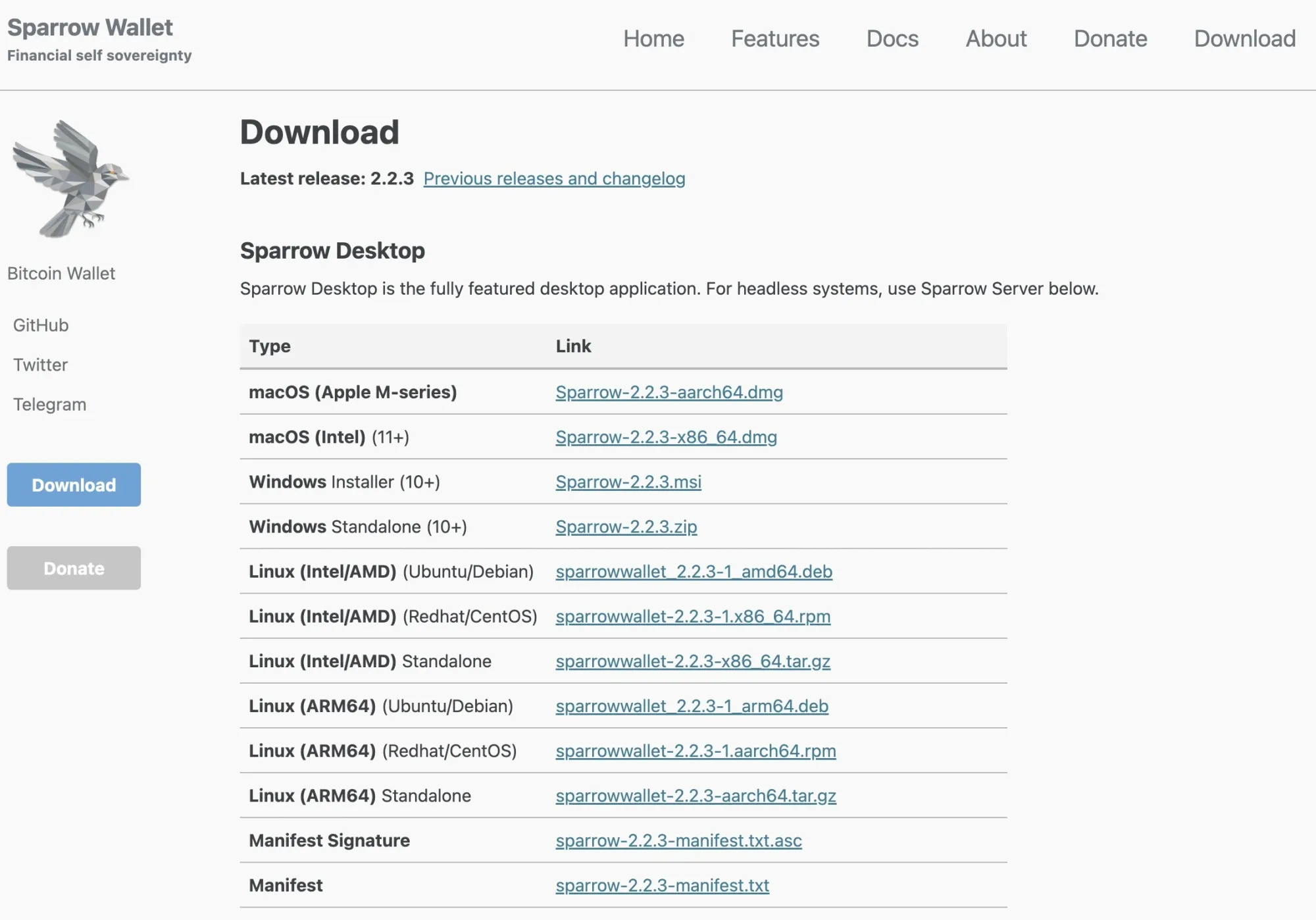
Now it’s time to download Sparrow Wallet. You can grab it from the official site at sparrowwallet.com/download or from the GitHub page at https://github.com/sparrowwallet/sparrow/releases/. Choose the version that matches your computer, verify the file, and then run it.
Exporting Your XPUB Descriptor from Bitkey
Bitkey lets you export both your transaction history and your wallet’s current descriptor (XPUB bundle). This is especially useful if you want to manage your wallet from a software wallet like Sparrow or simply back up your wallet structure. Here’s how to do it:
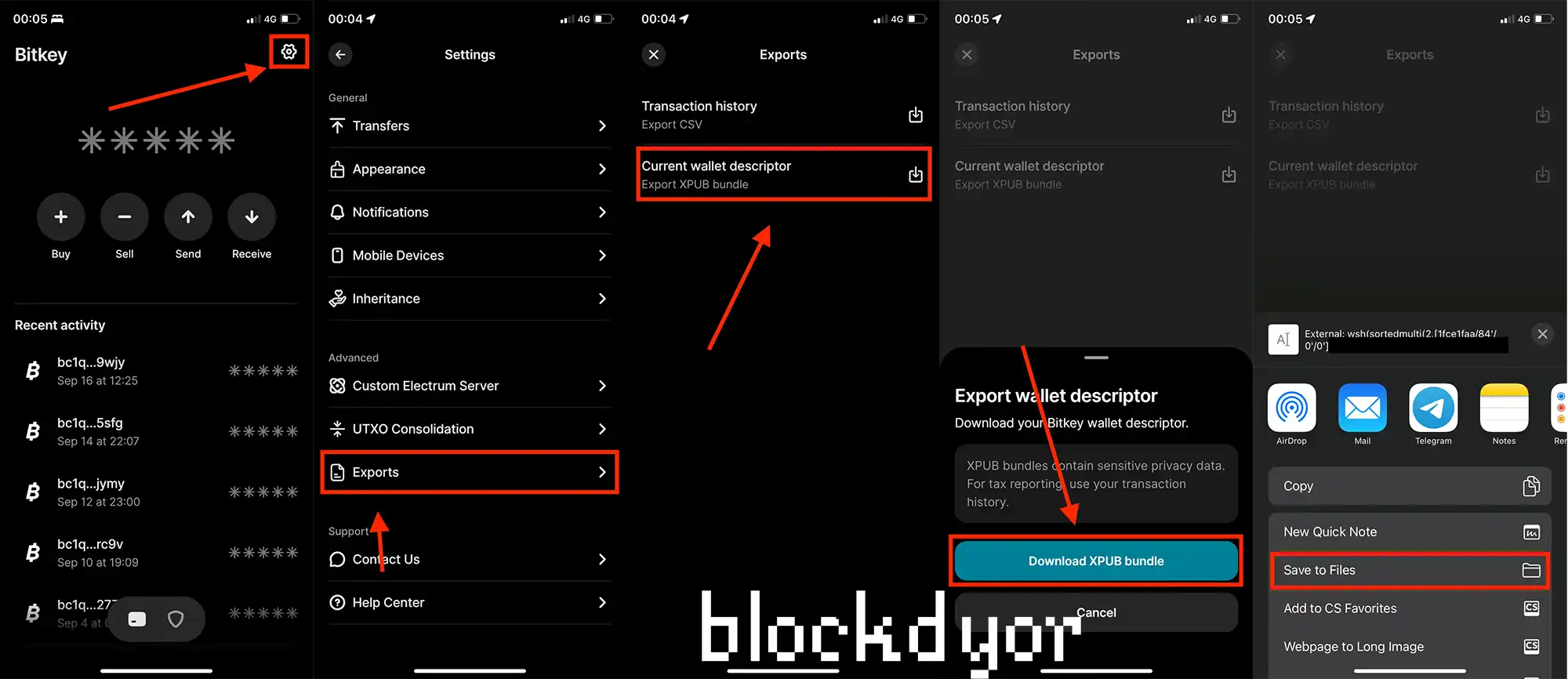
- Open the Bitkey app and go to the Home screen.
- Tap the settings icon.
- Under Advanced, select Exports.
- Choose the type of export:
- Transaction history (CSV format)
- Current wallet descriptor (XPUB bundle)
- Confirm your choice using your Bitkey hardware device.
- Select how you want to receive your export.
Importing the XPUB Descriptor into Sparrow Wallet
Bitkey uses a custom format for its XPUB descriptor. To use it in Sparrow Wallet, follow these steps:
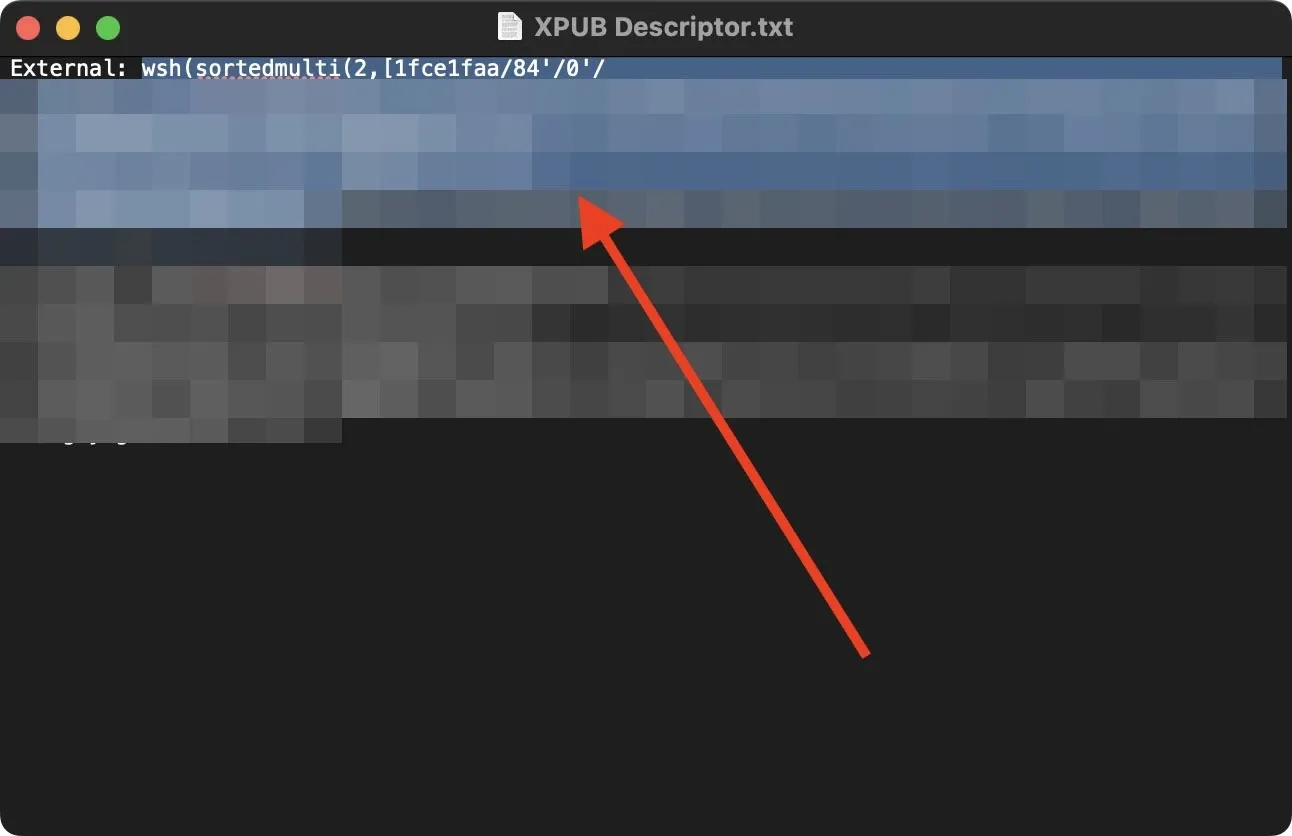
- Open the exported XPUB descriptor file from Bitkey in a text editor.
- Locate the text following either the External: or Internal: label—this is the part you’ll need.
- Open Sparrow Wallet. Go to File > New Wallet.
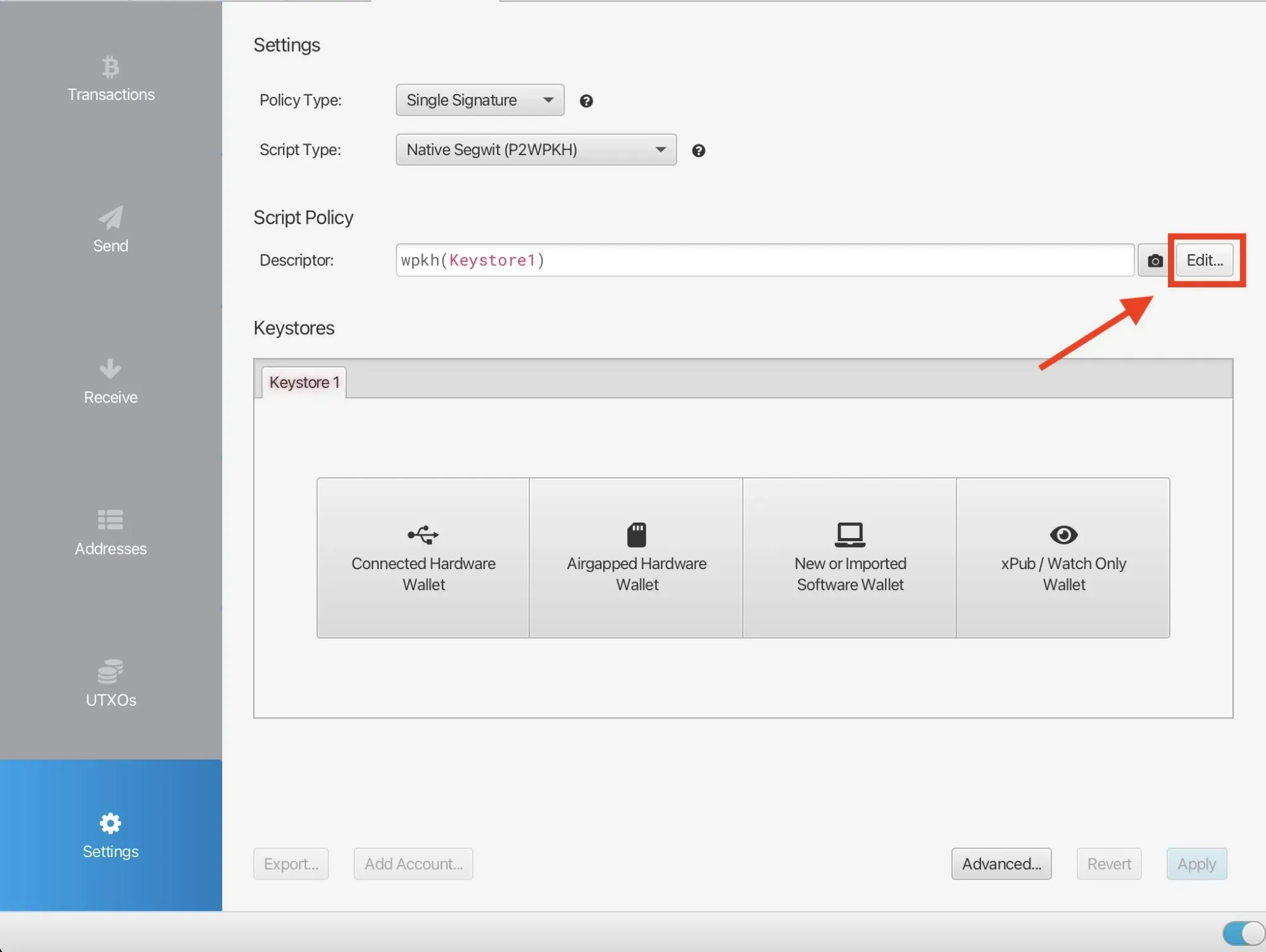
- In the Settings tab on the right, click Edit….
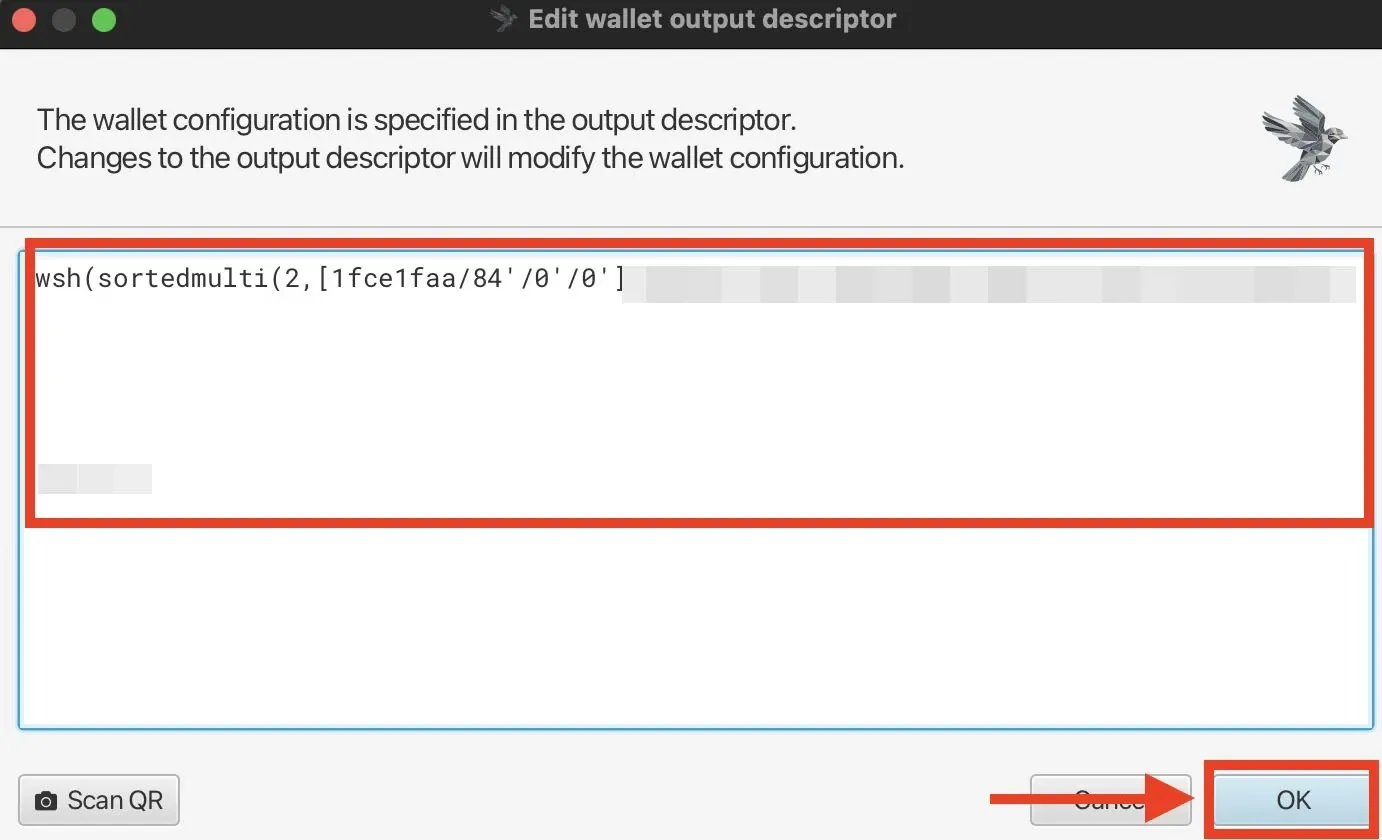
- Paste the copied text from the Bitkey export, replacing the default content.
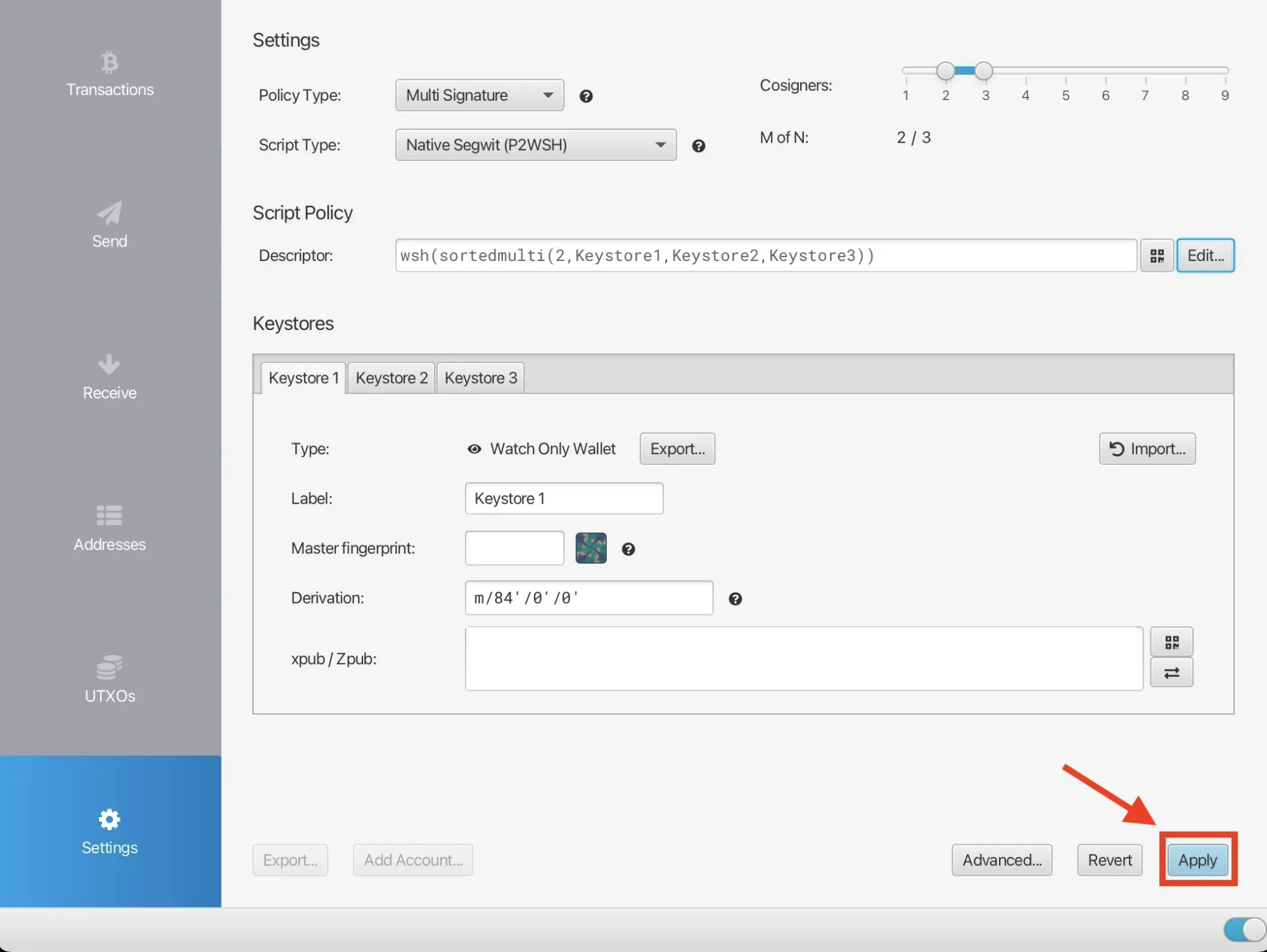
- Complete the wallet setup and click on Apply.
Now Sparrow will use your Bitkey wallet’s structure, allowing you to generate addresses and verify transactions without directly opening the Bitkey app.
The Advantages of using Bitkey on Sparrow Wallet
As I mentioned earlier, exporting the Xpub descriptor from Bitkey into Sparrow Wallet lets you reduce your day-to-day reliance on the Bitkey app. Here are the features I find most useful:
- Receive coins / Generate fresh addresses: This is the biggest advantage. You can receive coins on your Bitkey wallet without actually using the Bitkey app. I also noticed that when you generate new addresses in Bitkey, it keeps incrementing the receive path even if the addresses aren’t used. For example, clicking “receive” once generates an address at
m/84'/0'/0'/0/0, and the next time you create one, it moves tom/84'/0'/0'/0/1, even if the first address wasn’t used. Bitkey doesn’t let you see previously generated addresses, but with Sparrow, you can manage this properly and avoid creating unnecessary addresses. - Coin control: Bitkey doesn’t offer much coin control. With Sparrow, you can see UTXO sizes, add labels, and make informed decisions about consolidating coins, which Bitkey alone doesn’t allow.
- Verify your coins: By connecting Sparrow to your own node, you can fully verify your coins even without the SSL requirements that Bitkey needs. This gives you complete confidence that your coins are genuine, which is especially important as your stack grows.
Bottom Line
Bitkey is a top-tier hardware wallet with extremely high security standards, though it can be tricky to use directly due to SSL requirements for custom Electrum servers.
Fortunately, exporting your XPUB descriptor to a software wallet like Sparrow lets you manage your addresses, receive coins, and verify transactions without constantly opening the Bitkey app. This approach combines Bitkey’s security with Sparrow’s flexibility, giving you full control over your funds while avoiding potential connection hurdles.