

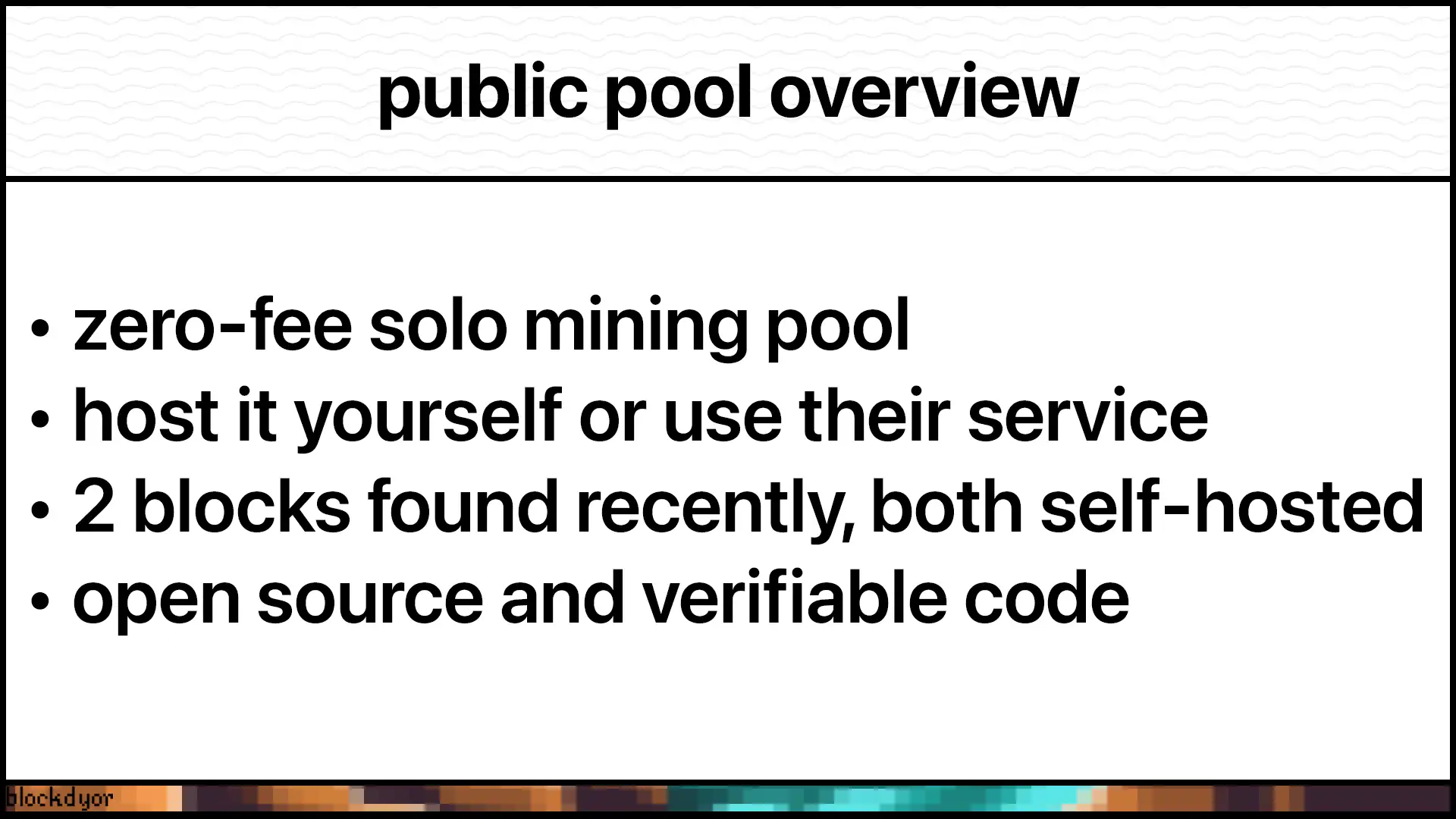
Public Pool is an all-in-one ecosystem for mining Bitcoin. You can use their hosted pool or run your own solo mining setup. Both options charge zero fees. It's fully open source and exists in two forms. Understanding both helps you figure out which approach fits your needs. That's exactly what we'll cover in this review.

👉 Click here to join Satsback and start earning bitcoin on every purchase.
| DESCRIPTION | DETAILS |
|---|---|
| 💻 Name | Public Pool |
| 🌐 Website | public-pool.io (hosted) / GitHub (self-hosted) |
| 🗓 Release year | 2023 |
| 💰 Algos Supported | SHA-256 (Bitcoin-only) |
| 💸 Pool Fees | 0% (both hosted and self-hosted) |
| 🔒 Security Features | Open source, Self-hosted option available, Non-custodial payouts |
| 💻 Compatibility | Supports all major mining hardware (ASICs, Bitaxes, Avalon Nano 3s, etc.) |
| 🔄 Connectivity | Stratum protocol, Direct node connection (self-hosted) |
| 📜 Software License | Open Source |
| 📜 Warranty | No Warranty |
The Hosted Option: Public-Pool.io
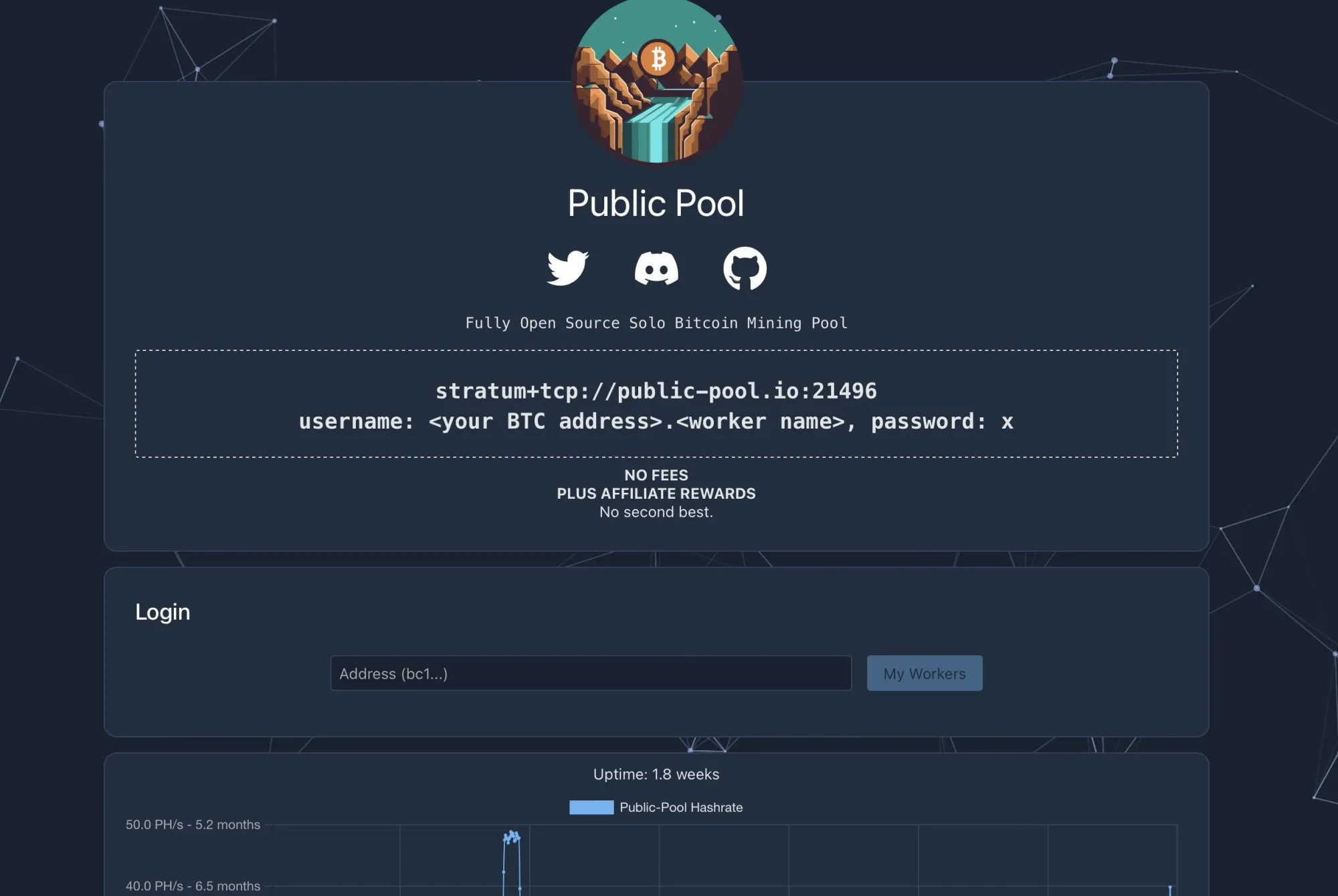
First up is the hosted version at web.public-pool.io. This is the version managed by Ben, the creator of Public Pool and a long time member of OSMU (Open Source Miners United). He runs the backend on hardware he physically controls. And the GUI (what you see on the website https://web.public-pool.io/#/) sits on cloud infrastructure.
Everything is open source, but one of the most appealing is this: zero fees. When you find a block, you keep everything. The full block reward plus all transaction fees. No 1-3% getting shaved off the top like traditional pools do.
The setup is dead simple. Point your miners at their Stratum address (at the moment of writing is: stratum+tcp://public-pool.io:21496). Use your Bitcoin address as the username. Add a worker name after a dot if you want to stay organized. That's it. No account creation.
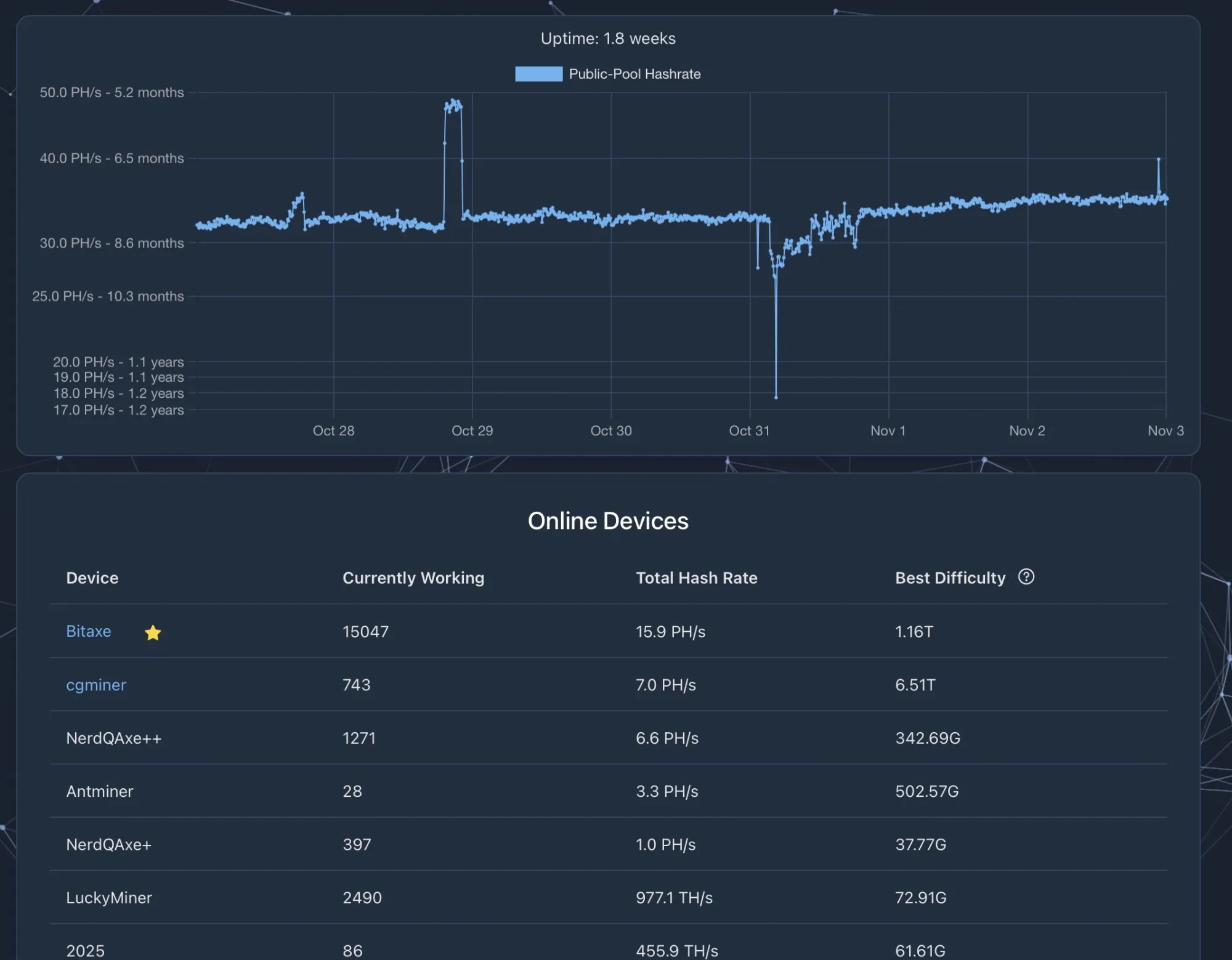
The platform shows you the total hash rate of connected miners. Usually sits between 1.5 and 2 petahash. You can see connected devices, check worker status, monitor your hash rate. They even mark fully open-source mining hardware with stars and link to GitHub repos. It's a small detail, but it shows they care about transparency.
How does a zero-fee pool stay running? Affiliate partnerships with mining hardware vendors. When you buy equipment using the code "SOLO," half the affiliate earnings keep the lights on. The other half goes to miners who hit the highest difficulty shares each month. You get discounts. Vendors get customers. Public Pool stays operational. Everyone wins.
The Self-Hosted Option: Running Your Own Pool
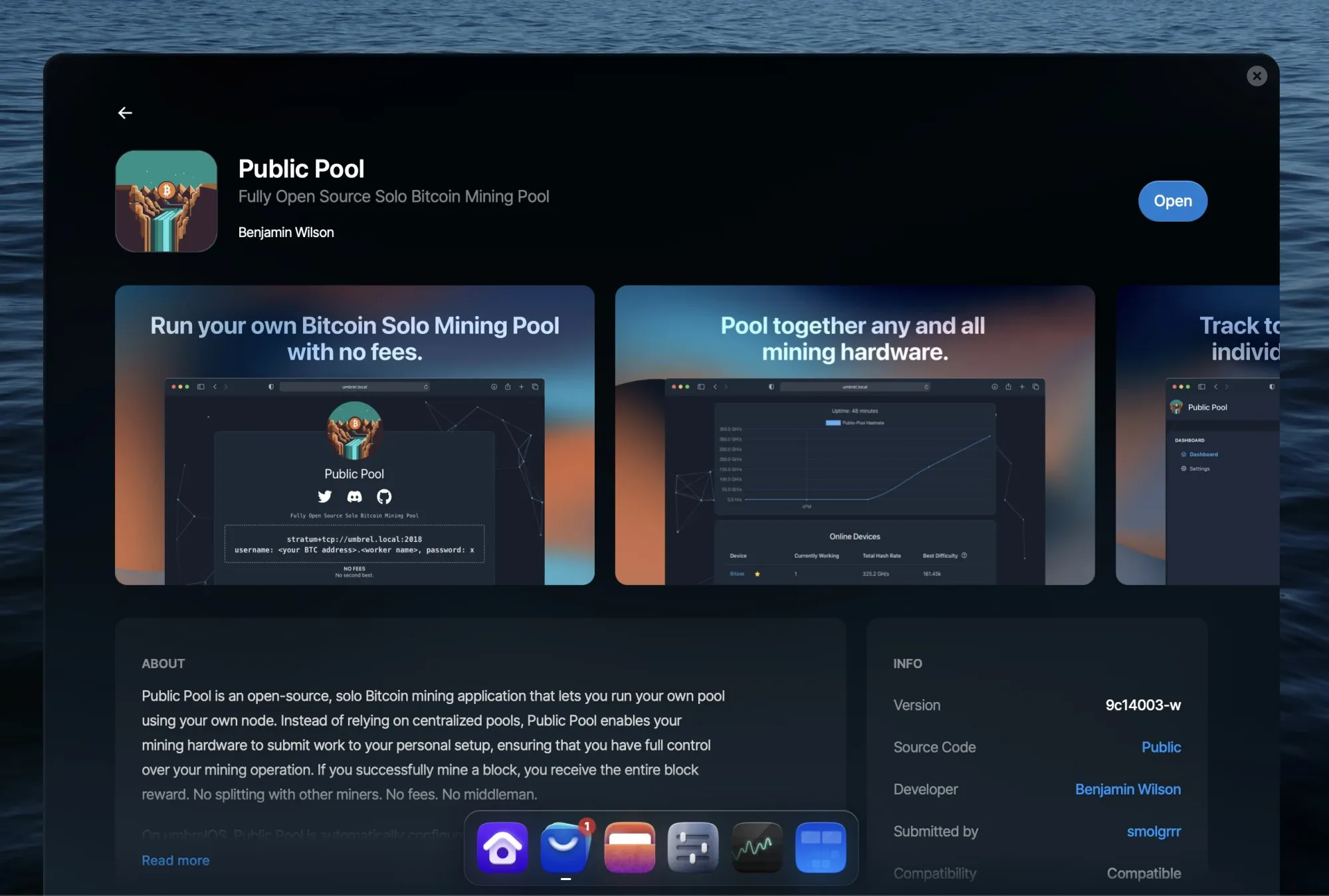
This is where things get interesting for home miners. Public Pool isn't just a service you use. It's also software you can download and run yourself.
The entire codebase lives on GitHub. You can verify it. Even modify it (if you have the skills). Contribute to it. This addresses a legitimate concern miners have about traditional pools: what's actually happening behind the scenes?
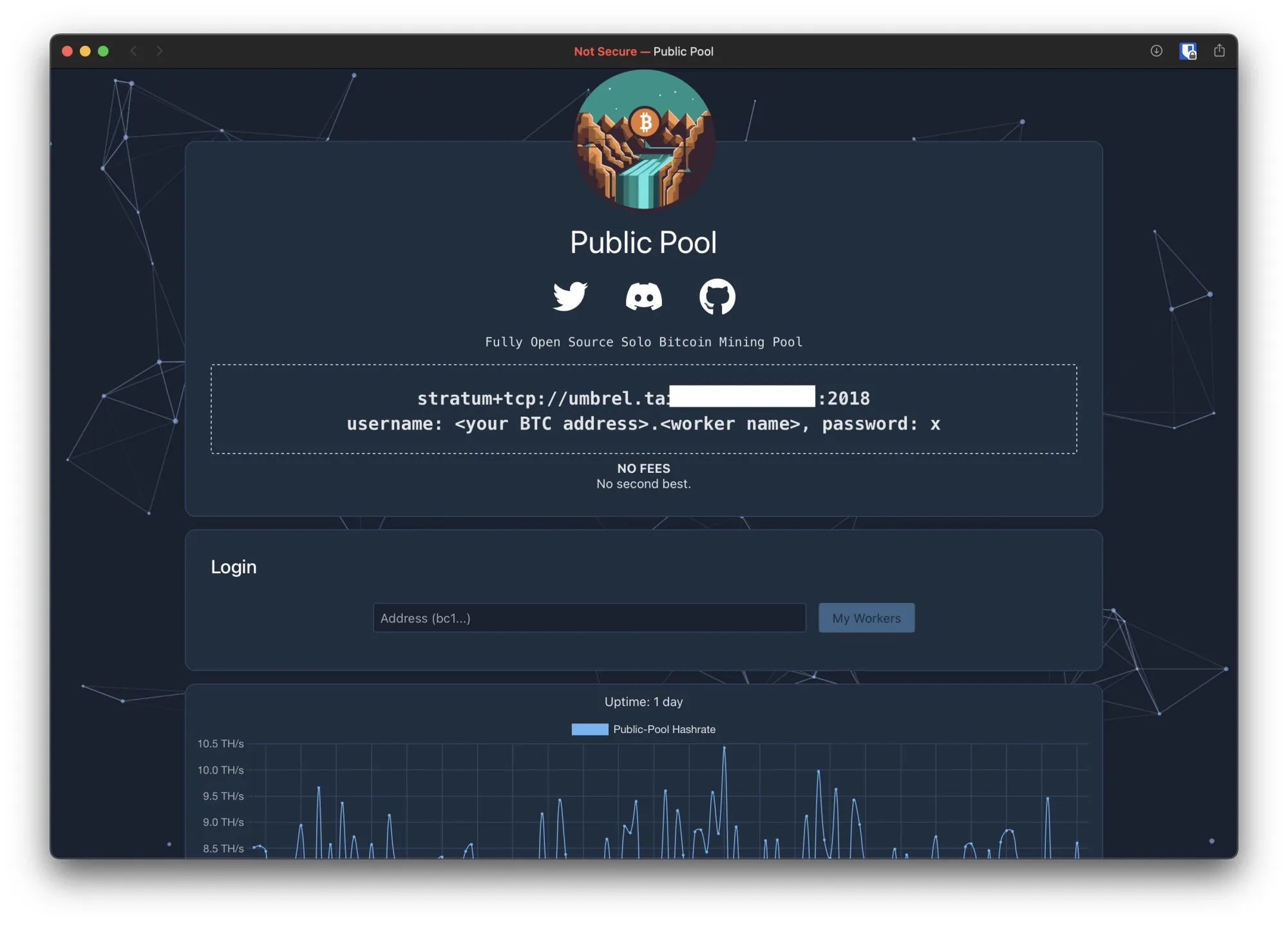
Running your own instance gives you complete control. You're not trusting Benjamin or anyone else. You're running the show. This is the highest level of decentralization you can achieve in mining. No third party. No dependencies. Just you and the Bitcoin network.
What You'll Need
Solo mining requires two essential components working together.
The Node
First, you need a Bitcoin node. Pruned or full doesn't matter, as long as it functions properly. This constructs the blocks you'll mine and processes your reward if you solve one.
A mini PC or Raspberry Pi 5 handles this well. Storage-wise, aim for at least one terabyte of NVMe, though two is better. Planning to run a pruned node? 512GB works fine for mining. Just ensure you have adequate RAM. Nothing outrageous.
Why NVMe specifically? Fast read/write speeds matter for blockchain sync and transaction processing. A slow drive becomes a headache fast.
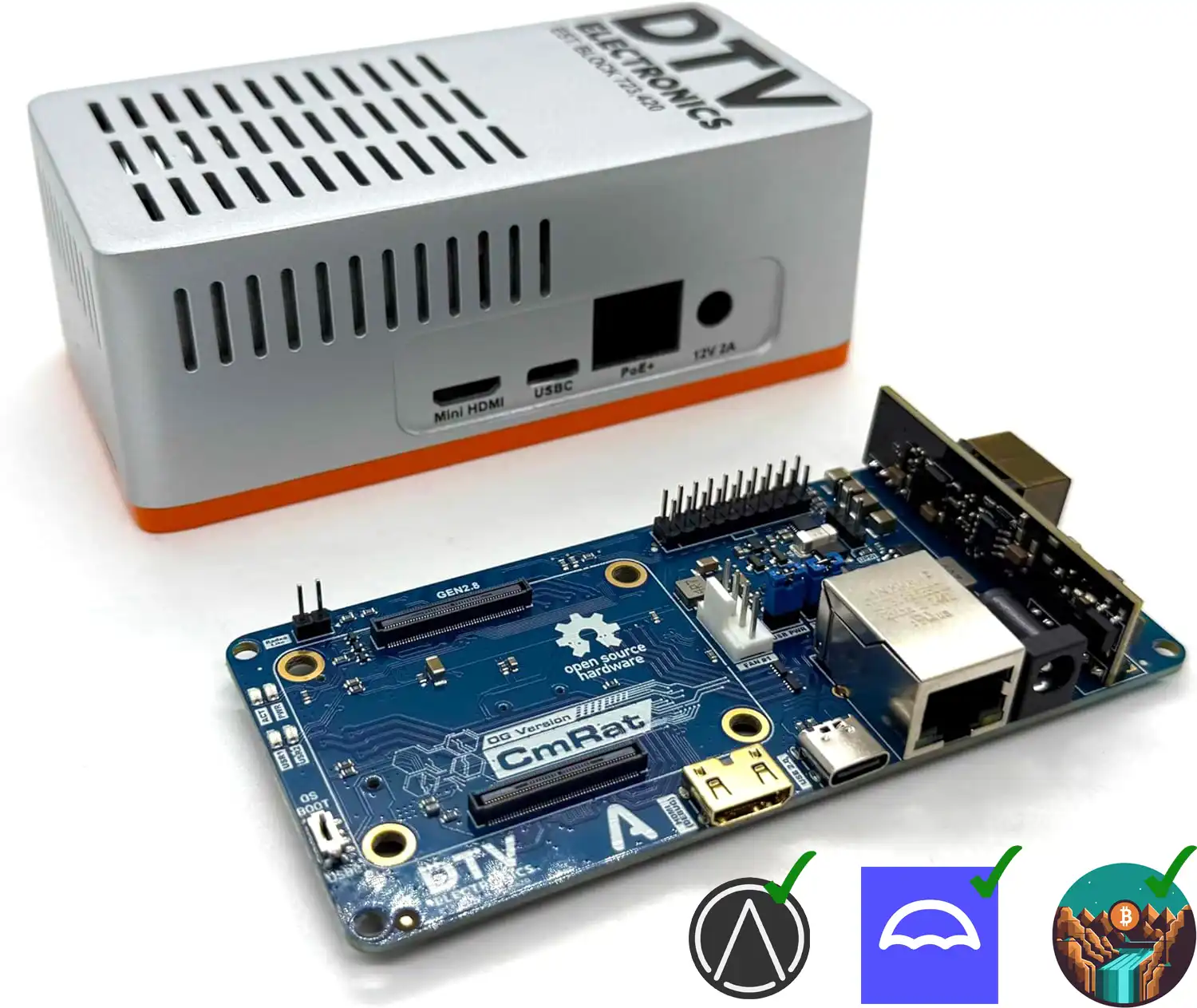
The CmRat by DTV Electronics deserves a look. It uses an 8 or 16 GB CM5 compute module, supports PoE, accepts any NVMe drive, and sits in a clean aluminum enclosure. The key advantage? It runs UmbrelOS natively, which includes Public Pool for self hosting. Check the link below for details.
The Miner/s
Second, you need ASIC miners that you'll point at the node. Starting small? A Bitaxe gets you going without breaking the bank. DTV Electronics stocks those too if you want to grab everything in one order.
The Software Stack
You'll run Linux as your base. On top of that, something like Umbrel makes everything easier. Umbrel creates a web interface for managing your Bitcoin node. It handles Bitcoin Core installation and sync. It maintains everything through a simple dashboard.
The app store model is brilliant. Search for "public pool" in the Umbrel store. Click install. Wait for setup to finish. The software automatically connects to your Bitcoin node. No manual configuration of networking parameters. No diving into config files unless you want to.
Once installed, the pool interface is accessible on your local network. You get real-time monitoring. Management tools. Everything you need to see what's happening.
Optimizing The Node Configuration
This step isn't mandatory, but it helps. You want your node fast and stable when constructing block templates. Otherwise you'll hit RPC timeouts, especially if you're running an older computer, a Raspberry Pi 5, or worse, a Pi 4 or 3.
Three things matter: fast storage, capable CPU with multiple cores, and 8 to 16 GB of RAM (more is better).
Limited resources? Adjust your block construction settings. Accept fewer transactions in your templates. Dial things back appropriately.
Here's what I'd configure the bitcoin configuration file bitcoin.conf for a Raspberry Pi:
# General
softwareexpiry=0

# Mining
rpcworkqueue=16
maxmempool=300
blockreconstructionextratxn=5000
rpcthreads=4

# Additional settings
maxconnections=40
par=2
These settings keep your node responsive without overloading limited hardware. Adjust based on what you're running.
Connecting Your Miners
Change your miner's pool settings to your local IP address and port number. Instead of pointing at an external pool, you're pointing at your own infrastructure. Your hash rate. Your control. Your potential rewards.
Network setup is straightforward on a local network. Some routers provide local DNS services that create friendly names. Others require direct IP access. If you want to access your pool from outside your home network, you'll need port forwarding. That introduces security considerations, though. Weigh the risks carefully.
Public Pool Hosted vs Self Hosted: Which One Is Better?
The hosted version at Public-Pool.io works if you want simplicity. Point and mine. No maintenance. No hardware costs beyond your miners.
Self-hosting makes sense if you're serious about decentralization. If you want to learn how pools work. If you like tinkering. If you have the hardware already or don't mind investing in it.
Public Pool's open-source nature makes it an ideal learning platform. You can start with the hosted version to understand solo mining. Then graduate to running your own pool when you're ready. The documentation covers multiple operating systems. Installation guides walk you through everything.
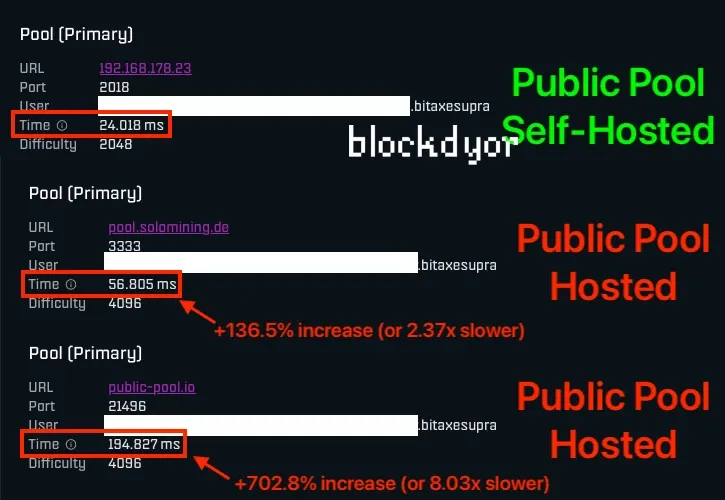
If you're looking for better performance and improved odds of finding a block, you should check out this comparison we made between my self-hosted public pool (first result) and two other public pool instances: pool.solomining.de and the official public-pool.io.
As you might expect, the further you are from the pool's server, the higher your latency will be. The latency of your pool is the time it takes for the pool to respond to a submitted share of your miner.
Higher latency means you're more likely to submit stale shares. When your miner finds a valid share but the network has already moved on to the next block template, that share gets rejected. Lower latency reduces this window, so your valid work has a better chance of being accepted before it becomes outdated. This directly impacts your effective hashrate and potential rewards.
A self-hosted pool will be significantly faster. In the previous example, hosted pool 1 takes more than twice as long, and hosted pool 2 is extremely slow at nearly 8 times the latency of your self-hosted option.
In absolute terms, you're looking at an extra 33ms with Pool 2 and an extra 169ms with Pool 3 compared to self-hosting.
Does Anybody Has Ever Found a Block Using Public Pool?
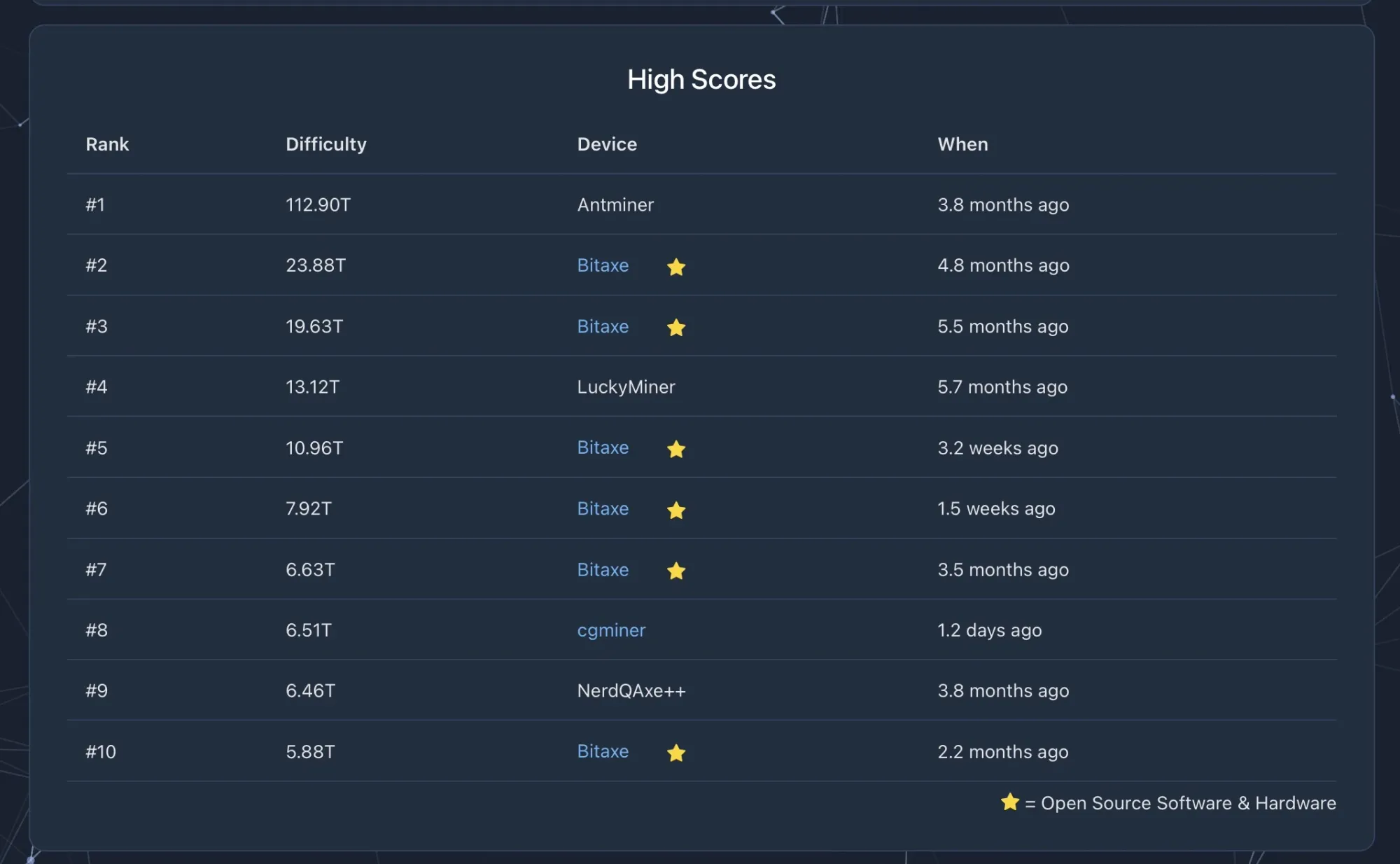
At the moment of writing, there is only two occurrence of somebody finding a block while solo mining on Public Pool and both happened with the self hosted version.
The latest occurrence is from the end of October 2025, when a home miner running a NerdQaxe++ Revision 6 reportedly found Bitcoin block 920440 while pointing at a self-hosted Public Pool instance on Umbrel. Reddit and X posts spread quickly as proof that open-source desktop mining can get massive wins.
The block's scriptsig reads "Public Pool on Umbrel," confirming it came through a self-hosted setup. Key OSMU developers like Skot, Pmax, WantClue, and Public-Pool confirmed the miner used a NerdQaxe++ Revision 6 with around 120-130 TH total hashrate. He only needed 146T (teradifficulty) of difficulty to solve the block, but the user got 13x that with a staggering best share near 2.08P (petadifficulty).
The Reddit post from user EightOfSpace:
Hey guys, it’s me again. I recently posted about a pc build i made with 6 nerdqaxe++. I recently got a Avalon Q as well and my total has is 120-130 TH.
I manage to do it. I f*cking manage to do the g*d damn impossible. I got a mother f*cking block. Everyone says it’s hard. You're wasting money. You’ll never find one. You have to get at least a few PT to have any chance. Well f*ck those guys. I did it and we got proof now. A tiny NerdQaxe found a block against all odds, against the world.
And I solo mined. It was $342,564.17. Tax will eat up $158,000 leaving me with 200k-ish. I am so damn psyched and hyped.
The max difficulty i hit was 2.08 P. I had 212 G. You guys can do it. We all can do it. These small miners are so damn amazing. Also, I will delete all private DM. Don’t even bother scammers. And I also already “verified” and “sync” my wallet ok.
This means I have a chance?
Let's be realistic. EightOfSpace was mining with a medium/high hash rate. Not everyone's in that position. Lower hash rate means lower odds of finding a block.
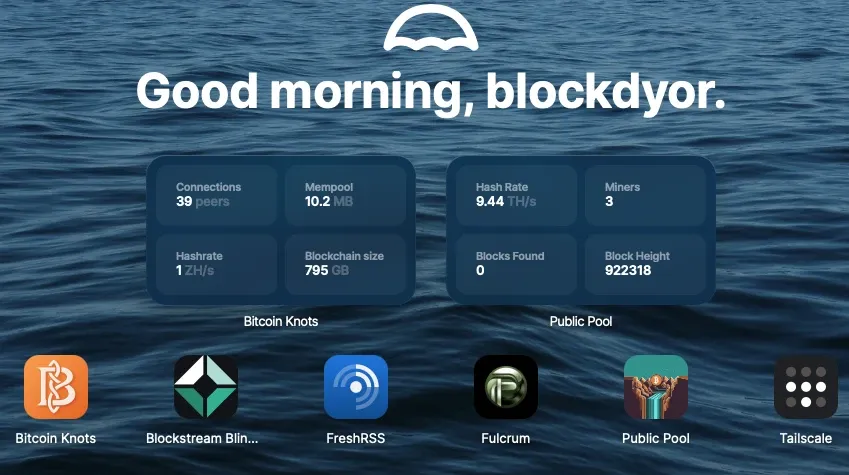
Take me, for example. I'm solo mining on self-hosted Public Pool with around 7.5 to 9.5 TH/s. At the time of writing, that's a Bitaxe Gamma, Bitaxe Supra, and Canaan Avalon Nano 3S all pointed at Public Pool.
According to SoloChance (a website that calculates block-finding odds based on your hashrate), here's what my 8.5 TH/s looks like:
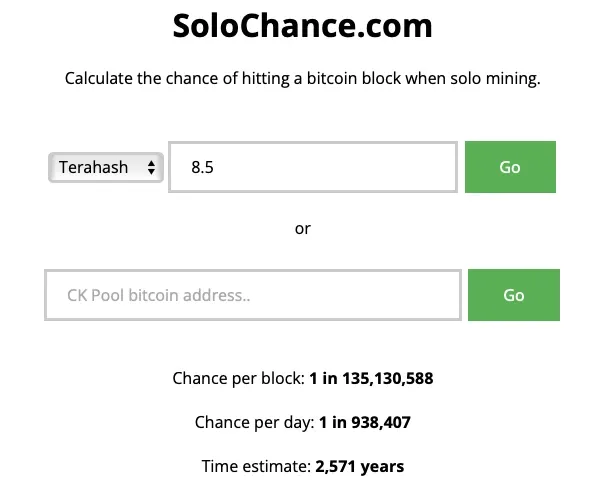
Yeah. Those are lottery odds. But here's the thing: my yearly odds (1 in 2,571) are actually better than winning the Powerball jackpot (1 in 292 million). Way better. And unlike the lottery, I'm constantly generating new chances every 10 minutes, every hour, every day.
Public Pool Alternatives
Public Pool isn't the only option for solo and decentralized mining. Two other solid choices exist: CK Pool for pure solo mining, and OCEAN for pooled mining with decentralization built in.
CK Pool: The Solo Mining Pioneer
CK Pool has been around since 2014. It's older, more established, and has helped miners find several hundreds of solo blocks.
The hosted version at solo.ckpool.org works like Public Pool's hosted option. Point your miners at their Stratum address. Use your Bitcoin address as the username. Done. The key difference? CK Pool charges a 1-2% fee. Recent wins include multiple blocks found throughout 2024 and 2025, with rewards worth $250,000 to $373,000.
If you have enough skills, you can also self-host CK Pool. The ckpool-solo software is open source and designed for solo Bitcoin mining. Running your own instance gives you zero fees, complete privacy, and full control. Requirements are similar to self-hosted Public Pool: Bitcoin node, decent storage, RAM, and your miners. CK Pool has been around longer, so there's more documentation and community support.
OCEAN: Pooled Mining with Decentralization
OCEAN takes a different approach. It's pooled mining with a decentralization twist.
Launched in November 2023 by Bitcoin Core developer Luke Dashjr (backed by Jack Dorsey's $6.2 million seed round), OCEAN lets you earn regular payouts while supporting decentralization. Point miners at mine.ocean.xyz:3334. No account needed. The pool uses TIDES for transparent, non-custodial rewards paid directly from the Bitcoin network.
The real innovation is DATUM (Decentralized Alternative Templates for Universal Mining). This protocol lets you run your own Bitcoin node and construct your own block templates while still earning pooled rewards. You get variance reduction of pool mining with sovereignty of solo mining. DATUM miners get a 50% fee discount.
DATUM is available on Umbrel and connects automatically to your Bitcoin node. You can use it for pooled mining through OCEAN or configure it for true solo mining by removing the pool connection. Zero fees. Complete independence.
All three options serve the same goal: keeping Bitcoin mining accessible to individuals.
Public Pool: Hosted vs Self-Hosted Comparison
| Feature | Hosted (public-pool.io) | Self-Hosted |
|---|---|---|
| ⚙️ Setup Difficulty | Dead simple. Point miners at stratum address and go | Requires technical knowledge. Need to install software, configure node |
| 🖥️ Hardware Required | Just your ASIC miners | Mini PC/Raspberry Pi 5, 512GB-2TB NVMe storage, 8-16GB RAM, plus your miners |
| 💰 Fees | Zero | Zero |
| 🔒 Trust Model | Trust Benjamin Wilson's hosted service | Completely trustless. You control everything |
| 🌐 Decentralization | Low. Relies on third-party infrastructure | Maximum. You run your own node and pool software |
| 🔧 Maintenance | None. Backend managed for you | You handle updates, monitoring, troubleshooting |
| ⚡ Latency | Higher (varies by location). Can be 2-8x slower | Very low (often under 10ms on local network) |
| ⏱️ Stale Share Risk | Higher due to increased latency | Lower. Fast local connection reduces stale shares |
| 👤 Account Creation | None needed | None needed |
| 📊 Monitoring Dashboard | Yes, via web.public-pool.io | Yes, via local network interface |
| 📦 Block Template Control | Pool constructs templates for you | You construct your own templates |
| 🔌 Network Connection | Pool handles connectivity | Your node connects directly to Bitcoin network |
| 💵 Initial Cost | $0 (beyond miners) | $200-500 for node hardware |
| 🕐 Uptime Responsibility | Benjamin's problem | Your problem |
| 📚 Learning Opportunity | Basic pool mining concepts | Deep dive into mining infrastructure |
| 🔓 Open Source | Yes, but you're using someone else's instance | Yes, and you verify/run the code yourself |
| 🎯 Success Rate | 0 confirmed blocks found | 2 confirmed blocks found (including the October 2024 NerdQaxe++ win) |
| 🎓 Best For | Beginners, simple setups, testing solo mining | Home miners serious about decentralization, tinkerers, learners |
| 🌍 Port Forwarding Needed | No | Only if accessing from outside home network |
| ✏️ Can Modify Code | No | Yes, if you have the skills |
Bottom line
Public Pool represents something important in Bitcoin home mining. It's a middle ground between massive commercial pools and complete DIY operations. It gives individual miners a fighting chance at maintaining some independence.
Benjamin Wilson built this from scratch with specific goals: easy installation, verifiability, modern interface, maintainability, low complexity. He succeeded. The software does what it promises without unnecessary bloat.
Is solo mining practical for most home miners? Probably not if you're expecting regular payouts. But it supports network decentralization. It gives you a shot at a full block reward. It teaches you how mining infrastructure actually works.
And honestly? Sometimes that's enough. Not everything needs to be about maximum efficiency or guaranteed returns. Sometimes it's about principle. About learning. About maintaining the decentralized spirit that Bitcoin was built on.