
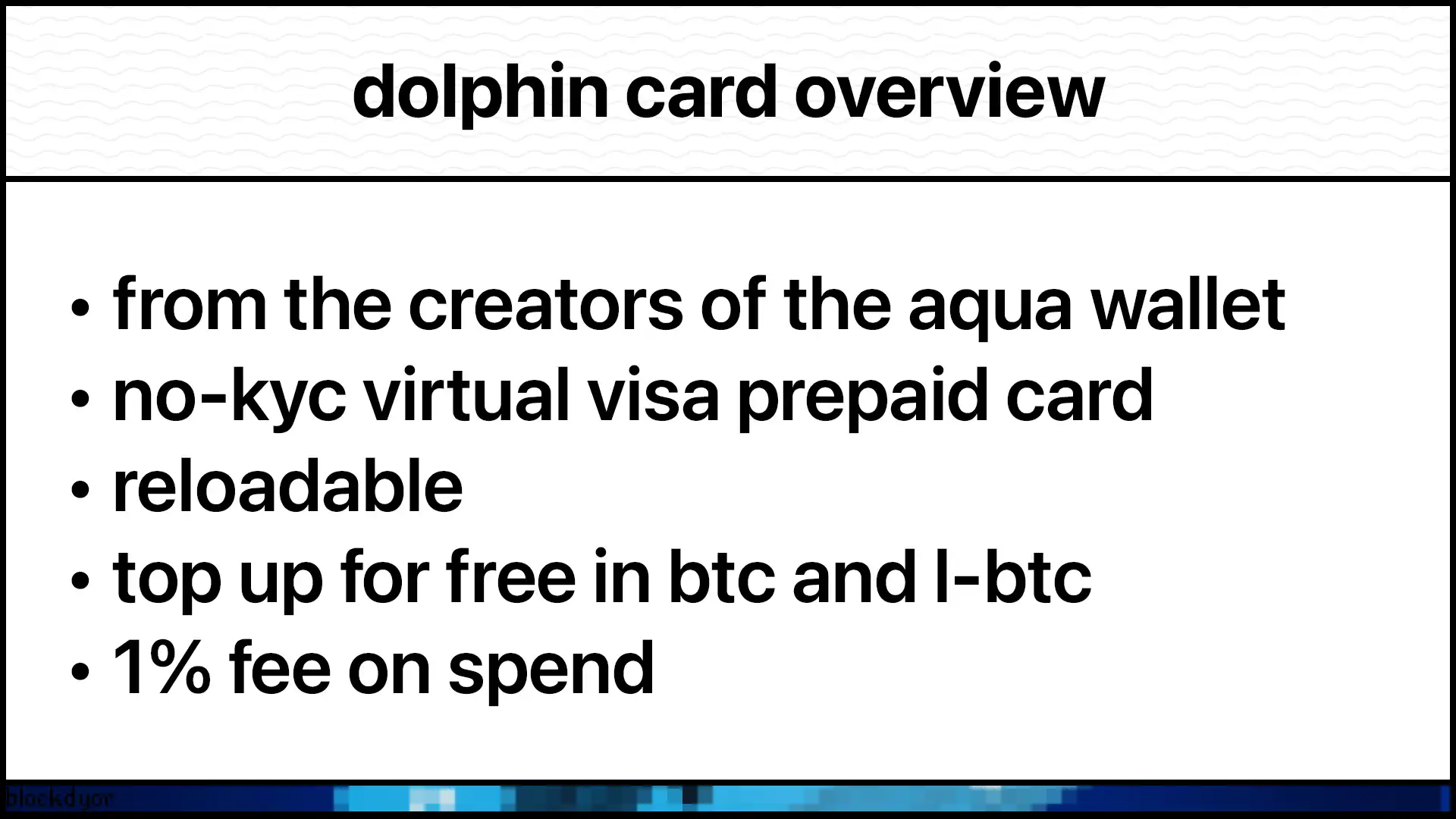
In this review we have a look at the Dolphin Card: a virtual Visa card that lets you spend BTC online. A card perfect for users looking to use their sats in everyday online shopping.
But what does it actually do, and why should you care? With plenty of bitcoin cards already on the market, what makes the Dolphin Card so different?
In this review, we'll dig into what makes Dolphin Card special. This virtual payment solution distinguishes itself through its simple integration with Bitcoin and Liquid Bitcoin, letting you spend your BTC using traditional payment rails without needing a bank account, or even without needing to KYC.
| DESCRIPTION | DETAILS |
|---|---|
| 💻 Name | Dolphin Card |
| 🌐 Website | aquawallet.io |
| 🗓 Release year | 2025 |
| 💰 Coins Supported | Bitcoin (BTC), Liquid Bitcoin (L-BTC), Liquid USDt |
| 💸 Price | Free (beta) |
| 🔒 Security Features | JAN3 account with email verification |
| 💻 Compatibility | AQUA Wallet (Android, iOS) |
| 🔄 Card Type | Virtual Debit Visa |
| 📜 License | Beta version, terms apply |
What Is Dolphin Card
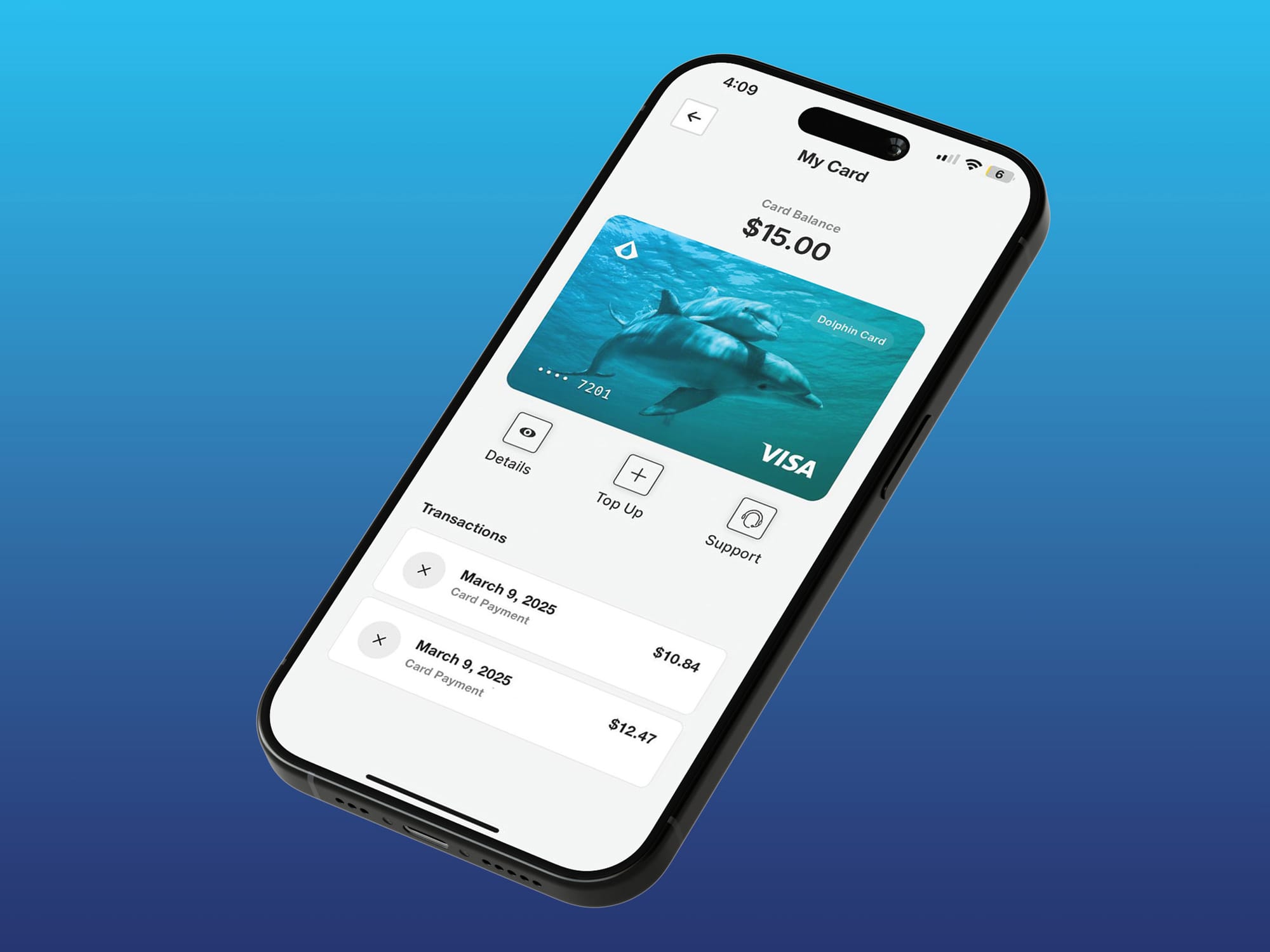
The Dolphin Card is the newest addition to the AQUA wallet ecosystem. It's not just another crypto card. It's a virtual Visa card that lives inside your AQUA wallet, letting you spend Bitcoin as easily as you'd swipe a traditional credit card.
The card was introduced with AQUA 0.3.0 as a beta feature. JAN3, the company behind AQUA Wallet, is pushing for what they call the "Bitcoin Superapp." Their vision? Give billions of unbanked people access not just to Bitcoin, but to the entire traditional financial system without ever touching a bank.
Think about someone in Argentina or another country where banking access is limited. They can download AQUA, load it with Bitcoin, and suddenly they can buy web hosting, pay for online services, or shop at any merchant that accepts Visa. No bank account. No credit score. No hassle.
But even if you don't live in the global south and you want to use Bitcoin as money, it's quite good to have such an alternative to services like Bitrefill, that let's you spend your BTC directly from a card.
Dolphin Card uses the Bitcoin and Liquid networks to fund your card. Once loaded, your bitcoin converts to USD, and you can spend it anywhere Visa is accepted online. It's that simple.
Main Features
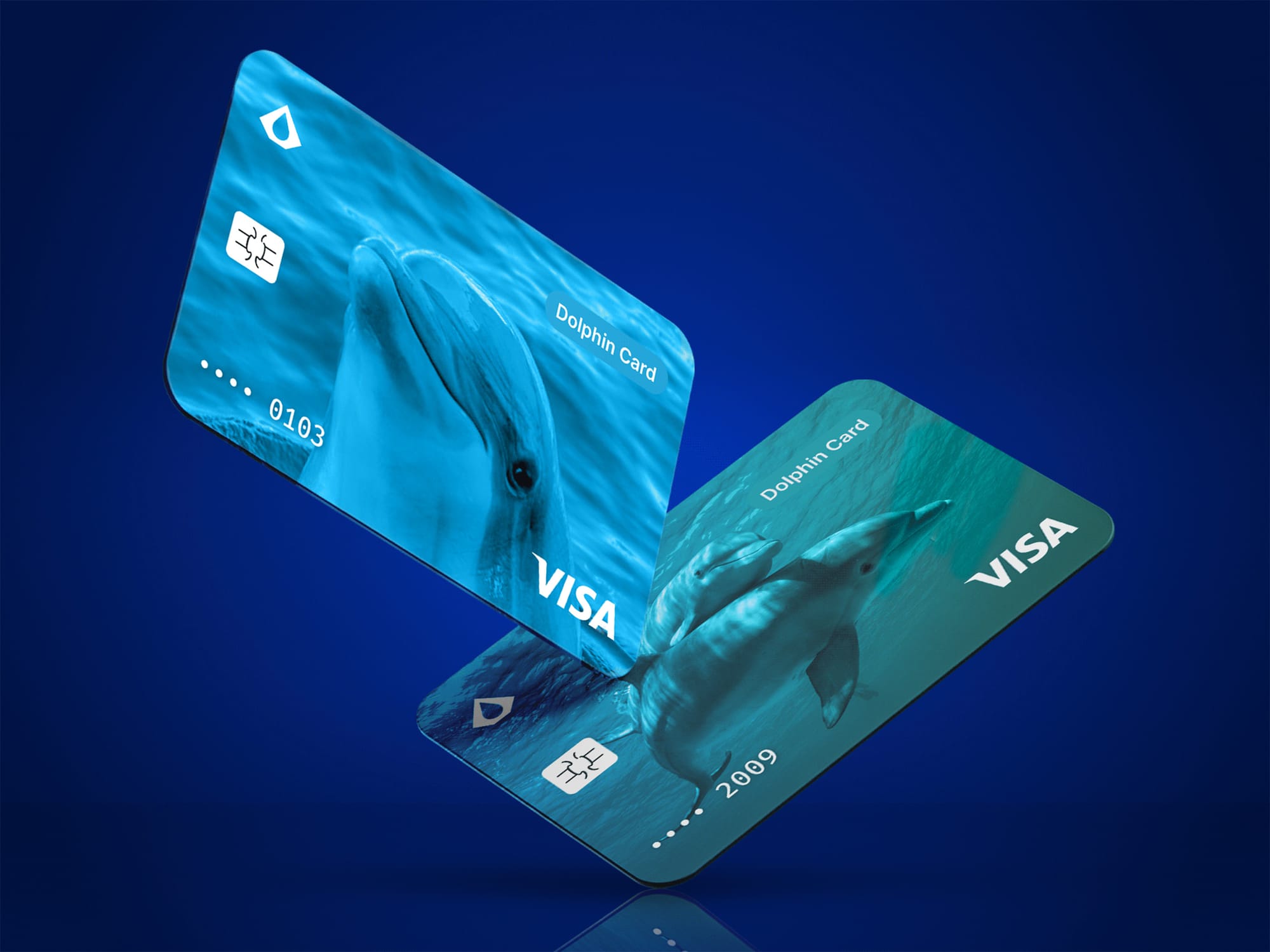
The Dolphin Card might look straightforward, but there's more going on beneath the surface. Let's break down what makes this card worth your attention.
Virtual Visa Card with Real Utility
The Dolphin Card is accepted at most online merchants that support Visa transactions. You're not limited to bitcoin-friendly stores. Any website that takes Visa will likely accept your Dolphin Card.
The card has a monthly spending limit of $4,000 USD. That's plenty for most daily needs. The currency is USD, so you don't have to worry about exchange rate confusion at checkout.
Multiple Funding Options
You can load your Dolphin Card using:
- Bitcoin (BTC)
- Liquid Bitcoin (L-BTC) (Liquid Network)
- Liquid USDt (Liquid Network)
This flexibility means you can choose whichever asset you prefer or whichever has the best fee structure at the moment. The card reloads easily when you need to top it up.
No Bank Account Needed
This is huge. Traditional payment cards require a bank account and credit history. The Dolphin Card doesn't. If you can hold Bitcoin, you can use this card. That opens doors for millions of people worldwide who are locked out of traditional banking.
Apple Pay and Google Pay Support Coming Soon
Right now, Dolphin Card works for online purchases. But JAN3 is adding Apple Pay and Google Pay integration in the coming months. When that drops, you'll be able to tap and pay in physical stores too.
Beta Access Available Now
The card is currently in beta for users outside the US and Canada. JAN3 is working on expanding availability to those regions soon. If you're in a supported region, you can start testing the card today.
Card Design Options
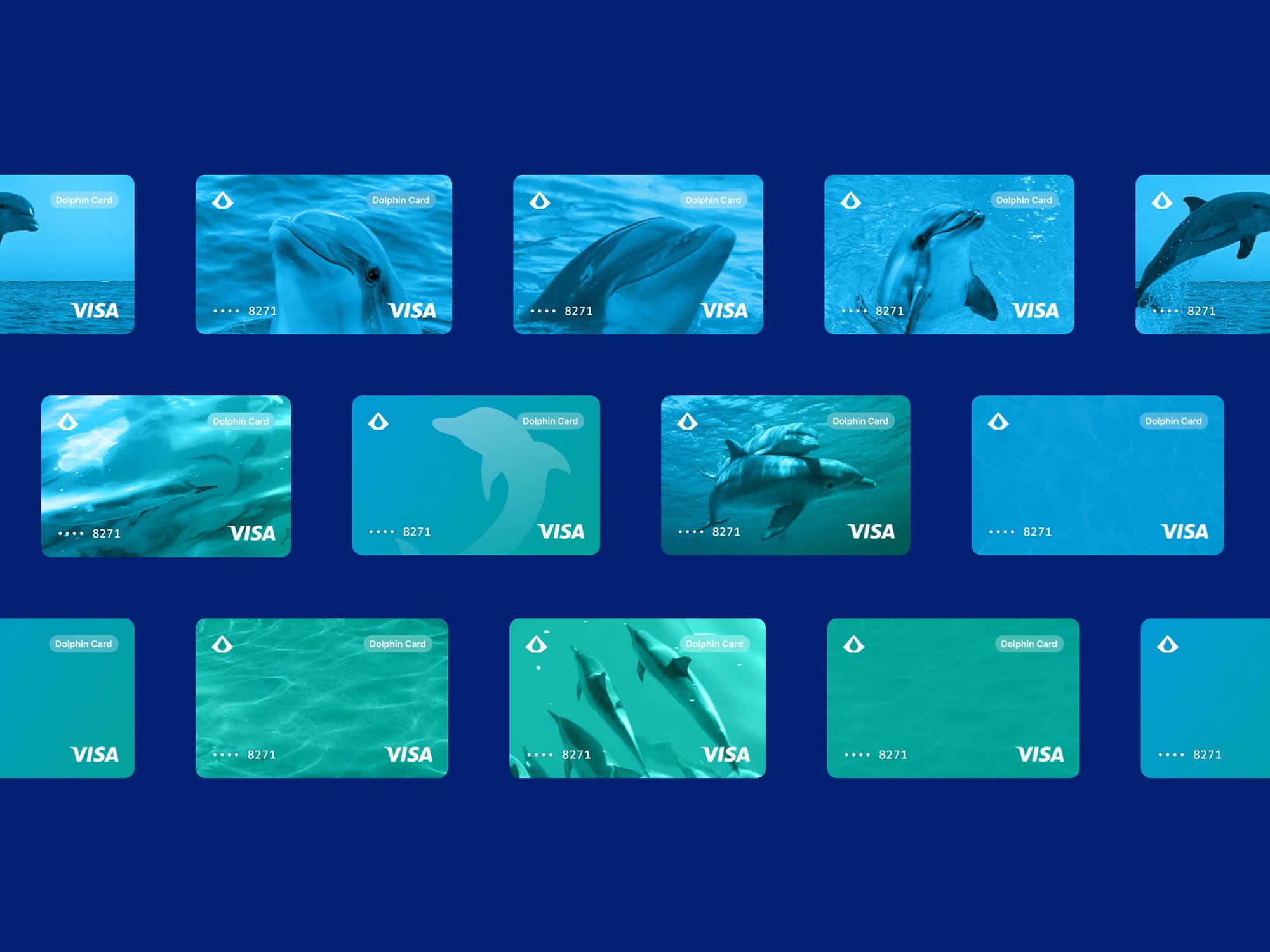
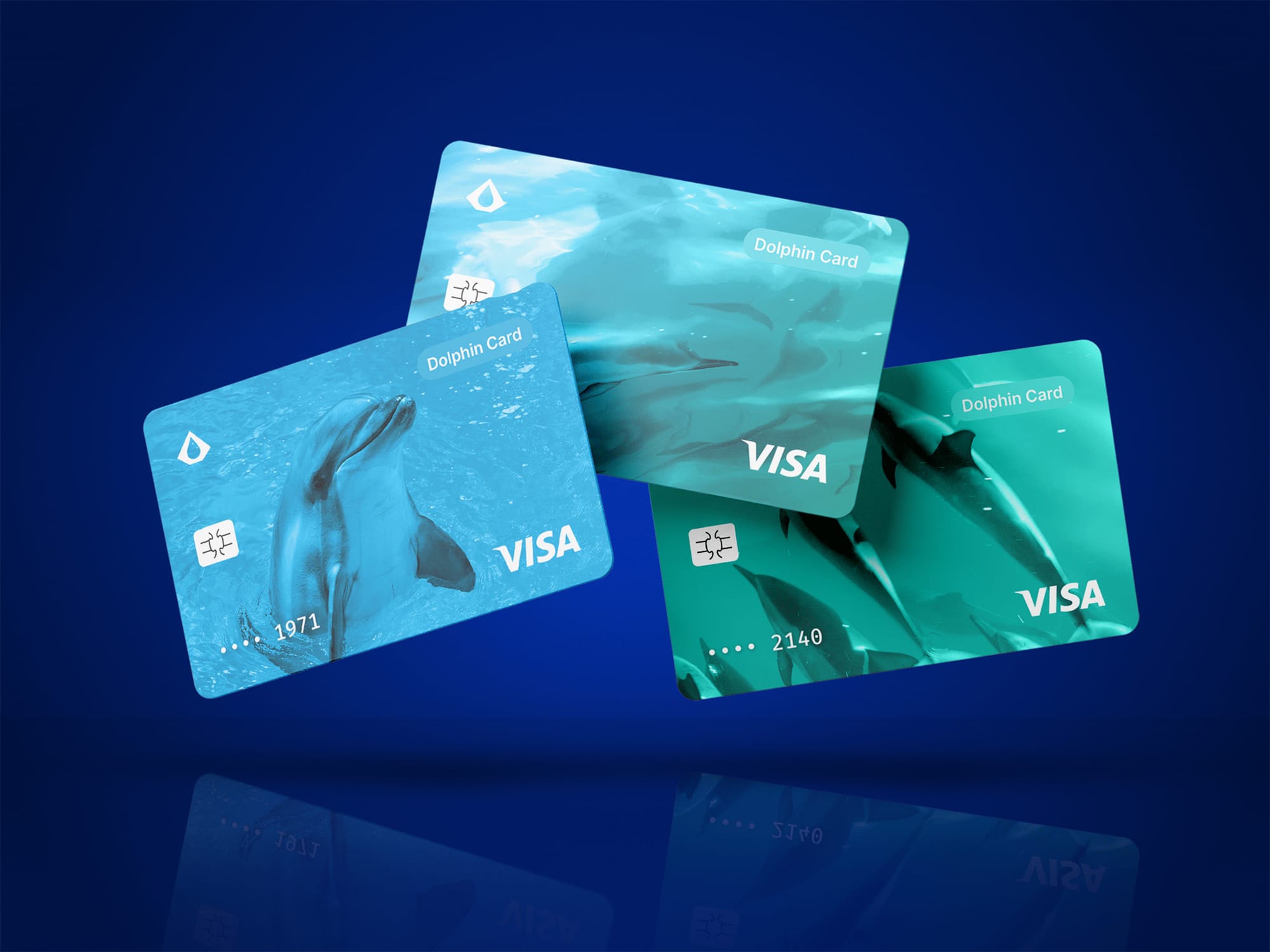
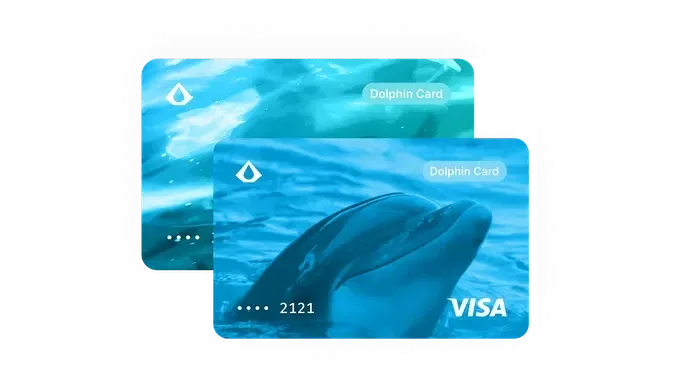
You get to pick your card design when you set up. Small detail, but it's nice to have some personalization.
How Does Dolphin Card Work?
The Dolphin Card operates through a clever integration between Bitcoin networks and traditional payment rails. Here's what's happening behind the scenes.
When you load your Dolphin Card with BTC, L-BTC, or Liquid USDt, those funds convert to USD. The card stores your balance in dollars. This keeps things simple at checkout since merchants see a standard USD transaction.
The Liquid Network plays a key role here. Because Liquid has faster block times and lower fees than Bitcoin's main chain, it makes small, frequent transactions practical. You're not paying massive fees just to load $50 onto your card.
When you make a purchase, it works exactly like any other Visa card. The merchant processes it as a normal card transaction. They don't know or care that your funds originated from Bitcoin. That's the beauty of it.
Your card details, including the card number and security code, live in the Card Management page within AQUA. You access everything through the app. No physical card exists, which means there's nothing to lose or have stolen.
The system relies on your JAN3 account, which you create with your email when you first set up the card. A verification code gets sent to your email to confirm your identity. That's the only verification step. No lengthy KYC process, no waiting for approval.
How To Set Up The Dolphin Card
Setting up your Dolphin Card takes just a few minutes. Here's the process step by step.
First, make sure you have the AQUA Wallet app installed. The Dolphin Card feature is built into AQUA 0.3.0 and later versions. You can download AQUA from the App Store, Google Play, or F-Droid if you prefer open-source options.
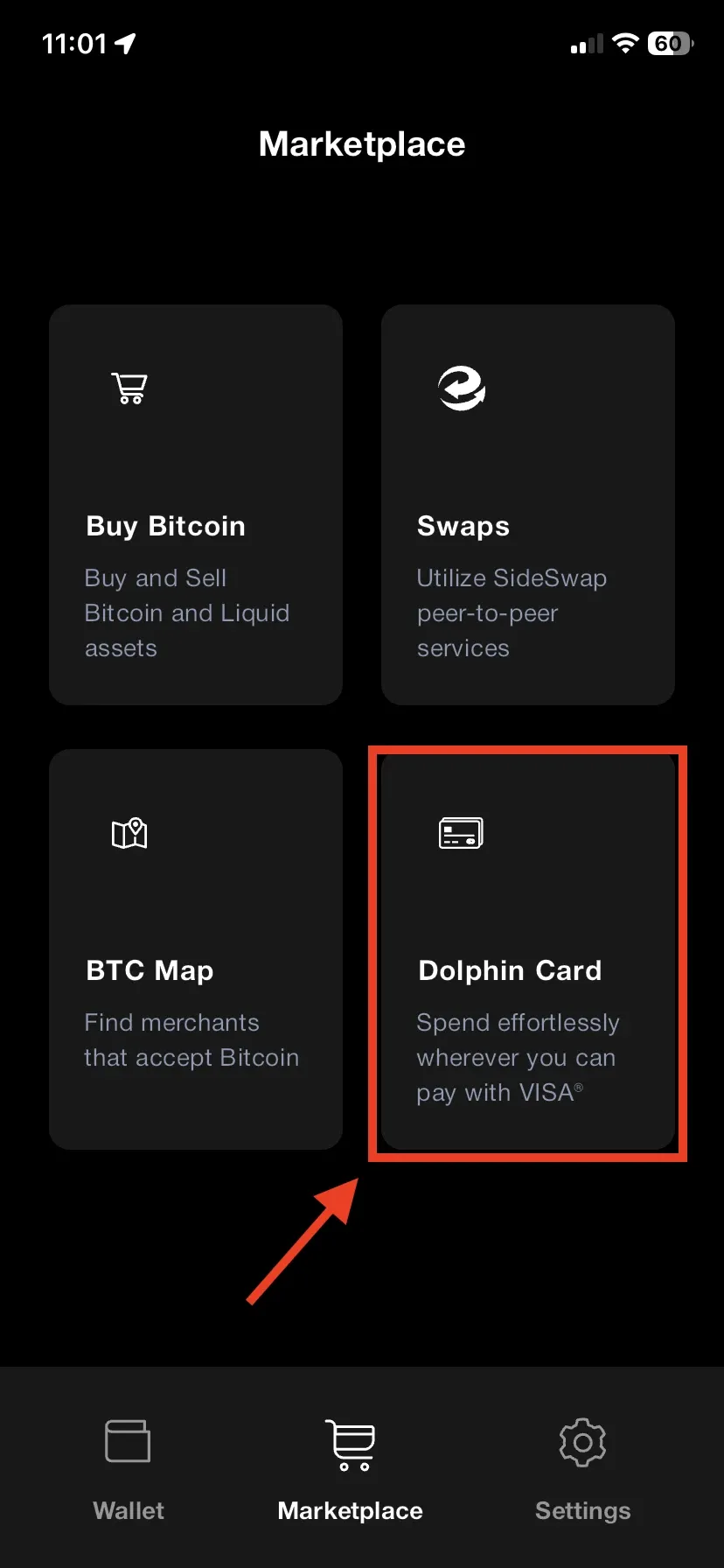
Open AQUA and go to the Marketplace page. You'll see the Dolphin Card option there. Select it.
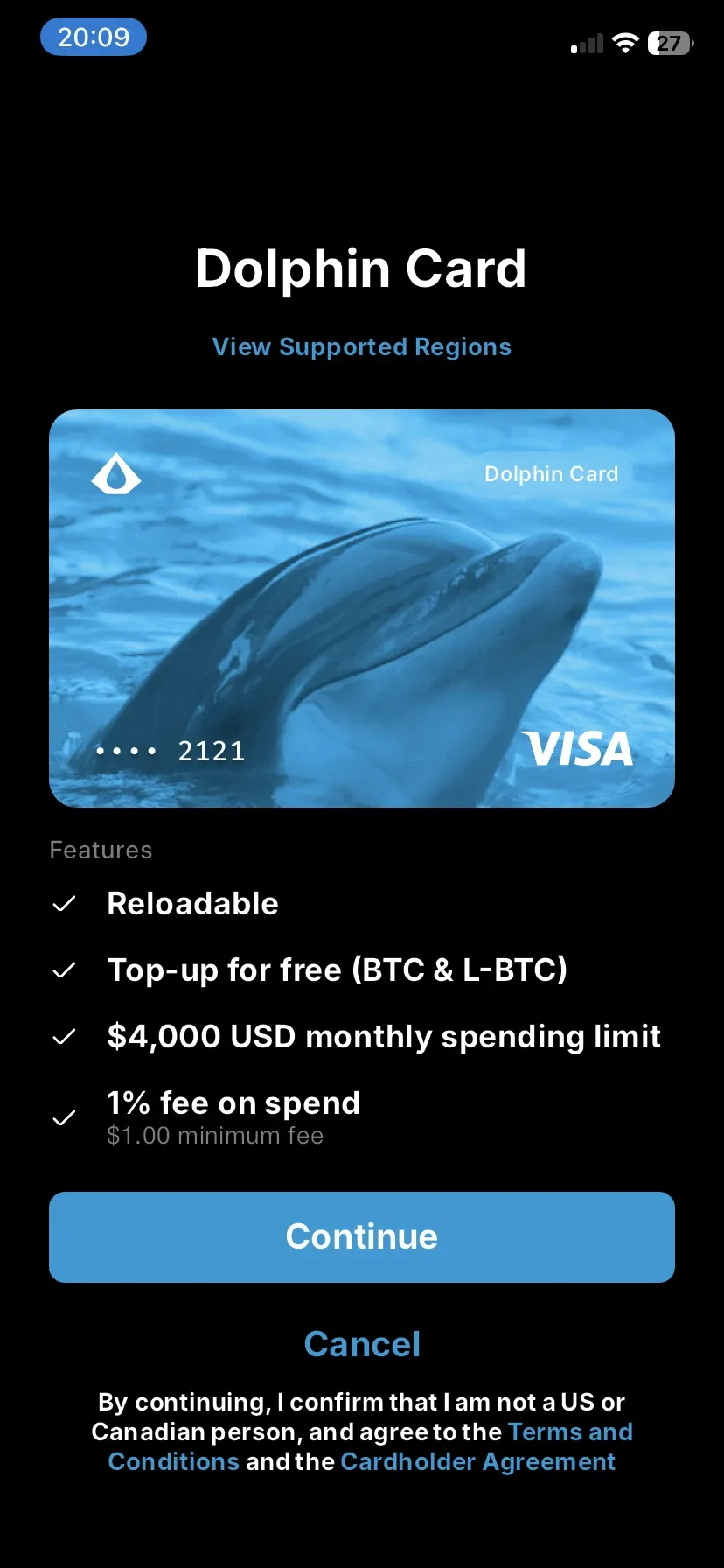
The app will prompt you to create a JAN3 account. Enter your email address. JAN3 will send you a verification code. Check your email, grab that code, and enter it in the app.
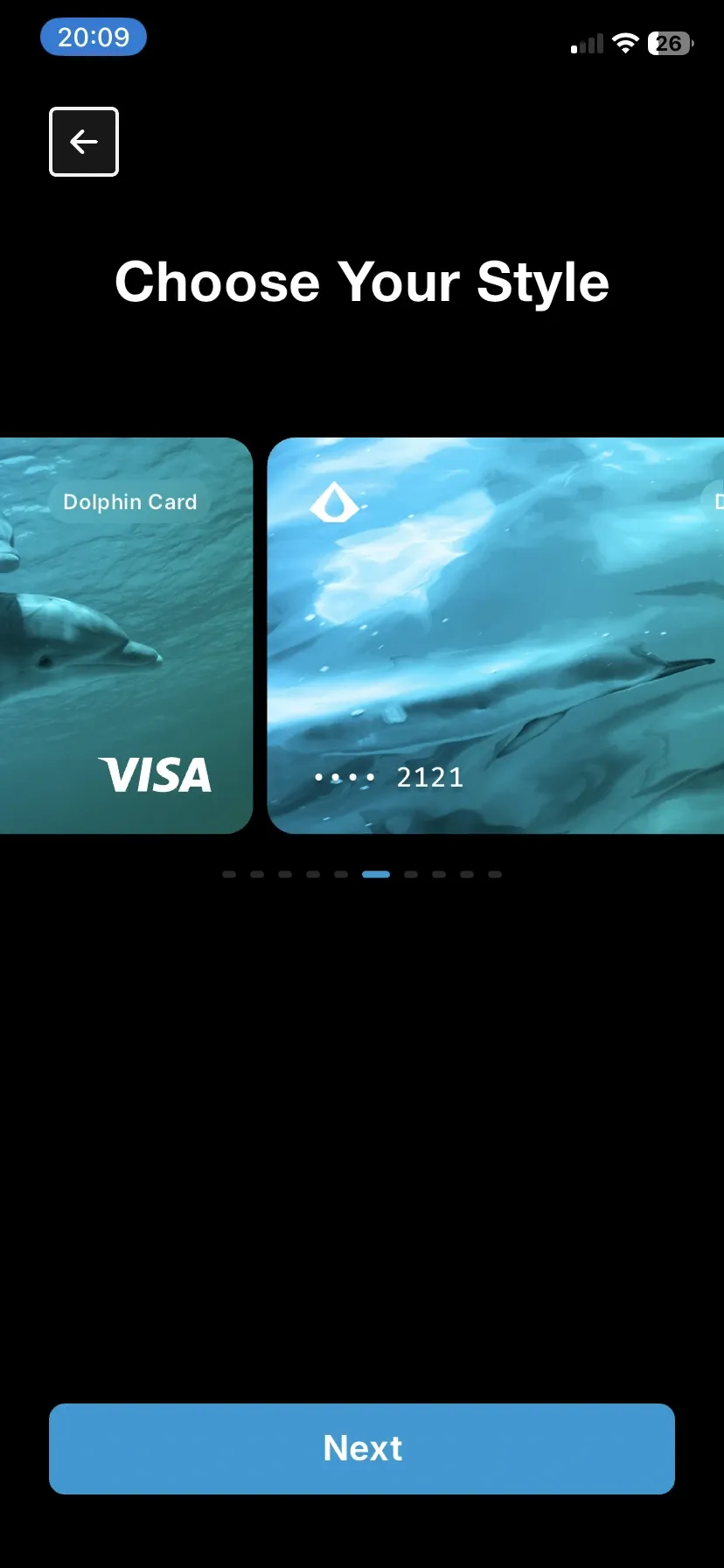
Once verified, you'll get to choose your card design. Pick whichever one you like. This is your card, after all.
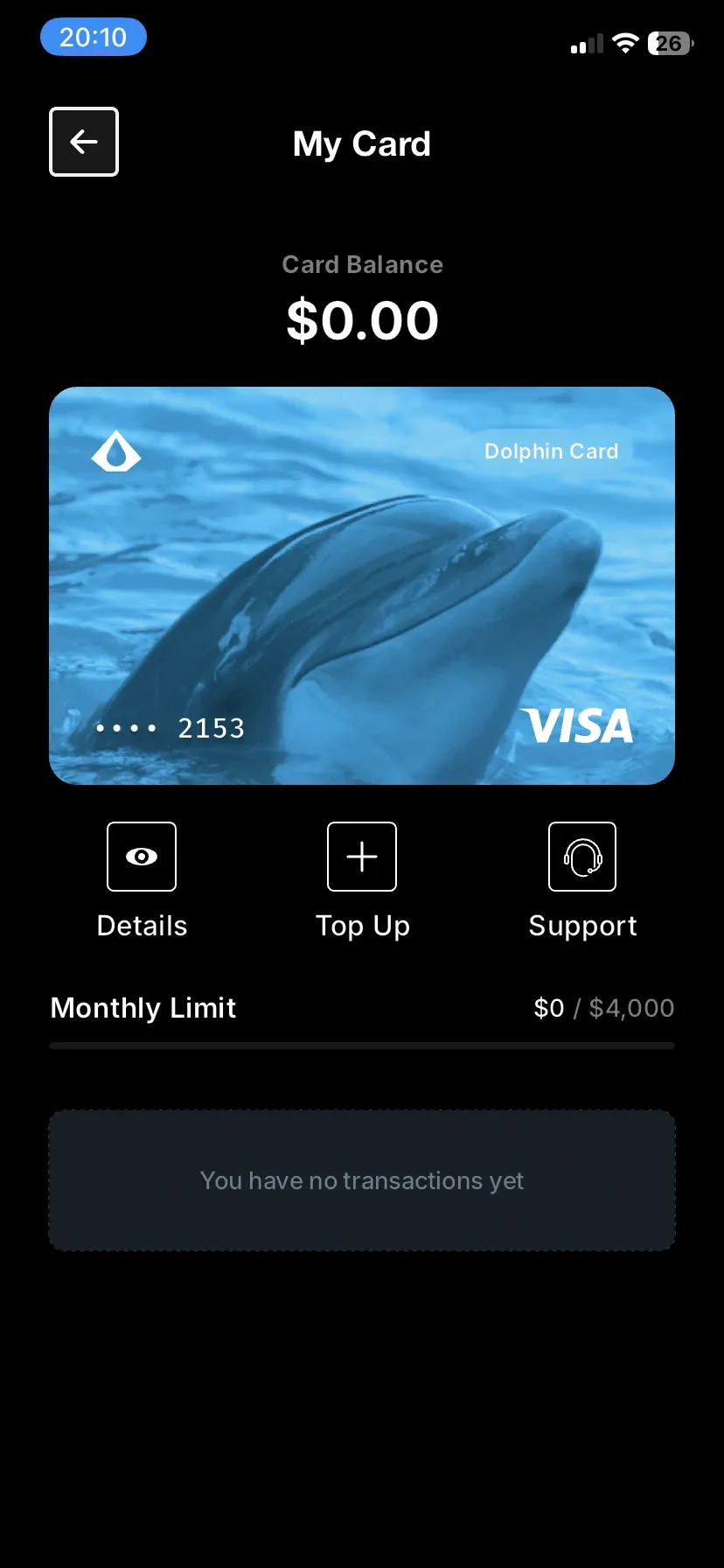
After selecting your design, AQUA takes you to your Card Management page. This is your home base for everything related to your Dolphin Card. You can view your card number, expiration date, security code, and current balance here.
Now you need to load some funds. You have three options:
- Top up with BTC from your Bitcoin wallet
- Top up with L-BTC from your Liquid Bitcoin wallet
- Top up with Liquid USDt
Start small. JAN3 recommends testing with a small amount first to make sure everything works smoothly. Try loading $10 or $20 worth of Bitcoin and watch how the process flows.
Once you submit the transaction, your card balance will update. It might take a moment for the balance to appear, especially if you're using BTC from the main chain. Liquid transactions typically show up faster.
That's it. Your Dolphin Card is ready to use. Copy your card details from the Card Management page and paste them into any online checkout that accepts Visa.
Using Your Dolphin Card
Using your Dolphin Card is as simple as using any other payment card online. Go to any website that accepts Visa. Add your items to cart. Proceed to checkout. Enter your Dolphin Card details just like you would with a regular credit card.
The card number, expiration date, and security code are all visible in your AQUA app's Card Management page. You can copy them directly or type them manually.
Most major online retailers accept Visa, so your options are virtually unlimited. Amazon, hosting providers, software subscriptions, digital services, whatever you need to buy online.
There are some geographic restrictions. Certain countries have merchants classified as unsupported. You'll need to check the terms of service to see which regions might have limitations. But for the most part, if a merchant accepts Visa, you're good to go.
Your monthly spending limit is $4,000 USD. That resets each month. If you need more, you'll have to wait for the next billing cycle or explore other payment options.
When your balance runs low, just go back to the Card Management page in AQUA and reload. The process is the same as your initial load. Pick your funding source, enter the amount, confirm the transaction, and wait for your balance to update.
One thing to remember: this is currently a virtual card only. You can't use it at physical stores yet. Once Apple Pay and Google Pay support launches, that changes. But for now, stick to online purchases.
Dolphin Card Fees
Let's talk costs. Fee structures can make or break a payment card's usefulness.
Dolphin Card itself doesn't charge card maintenance fees or monthly subscription costs. The card is free to use.
However, you'll encounter network fees when loading your card. These depend on which network you use:
Bitcoin (BTC) Network Fees
If you load with BTC from the main chain, you pay standard Bitcoin transaction fees. These vary based on network congestion. When the mempool is busy, fees go up. When it's quiet, fees drop. That's just how Bitcoin works.
Liquid Bitcoin (L-BTC) Network Fees
Liquid has much lower fees than Bitcoin's main chain. Transactions start around 0.1 satoshi per vbyte. This is your most economical option for loading the card, especially for smaller amounts.
Liquid USDt
Liquid USDt follows the same fee structure as L-BTC. Fees are paid in L-BTC, so you'll need some in your wallet to cover transaction costs. But again, we're talking pennies, not dollars.
Conversion Considerations
When you load crypto onto your card, it converts to USD. There may be some conversion spread built into that process, though JAN3 hasn't published exact percentages.
Fees on Spend
When you spend, a 1% commission will be applied ($1 minimum).
Overall, the fee structure is reasonable. If you load strategically using Liquid assets during low-traffic times, your costs stay minimal.
Design & User Experience
Dolphin Card's interface is clean and integrated smoothly into AQUA Wallet. Everything lives in one place. No separate apps to manage, no complicated navigation.
The Card Management page shows you everything you need at a glance. Your card details are clearly displayed. Your current balance is prominent. Loading options are straightforward.
The card designs themselves look modern. You get a few color options to choose from. Nothing groundbreaking, but they're visually appealing enough.
What really stands out is how uncomplicated the whole process feels. From setup to first purchase, there's no confusion. The steps are logical. The interface doesn't try to do too much.
For beta software, it's impressively polished. I haven't encountered any major bugs or confusing workflows. JAN3 clearly spent time refining the user experience before rolling this out.
Security & Privacy
Dolphin Card requires a JAN3 account, which means providing your email address. That's your main identifier. There's no extensive KYC process, which is refreshing compared to traditional financial products.
Your card details are stored within AQUA Wallet on your device. The wallet itself is non-custodial, meaning you control your Bitcoin. But the card functionality does involve JAN3 as an intermediary to connect your crypto to the Visa network.
Standard payment card security applies. Your card number, expiration date, and security code should be kept private. Don't share them publicly or with untrusted parties.
The beta terms of service outline that funds are held in USD once loaded onto the card. You're trusting JAN3 and their payment processing partners with those dollars. This is different from the non-custodial nature of your Bitcoin holdings in AQUA's regular wallet features.
Email verification is the authentication layer. Make sure you use a secure email address and enable two-factor authentication on that email account if possible.
There's always some privacy trade-off when interfacing with traditional payment networks. Visa transactions aren't anonymous. Your purchases create a data trail like any credit card transaction would. If you need maximum privacy, spending Bitcoin directly via Lightning or Liquid is better. But if you need access to traditional merchants, this trade-off might be worth it.
Dolphin Card Alternatives
Dolphin Card isn't the only crypto payment card out there. Here are some alternatives you might consider:
- Bitrefill Card: A Visa debit card that lets you spend crypto anywhere Visa is accepted. Available as both virtual and physical cards for EU residents only. Supports Bitcoin, Ethereum, USDC, USDT, BNB and other cryptocurrencies. You can use Google Pay for contactless payments, with Apple Pay coming soon.
- Wirex Card: Available in multiple regions. Supports numerous cryptocurrencies. Offers rewards program.
The main difference? Most alternatives require extensive KYC, come with their own ecosystem requirements, or exist as separate services from your wallet. Dolphin Card integrates directly into AQUA, requires minimal verification, and focuses specifically on Bitcoin users.
Pros & Cons of Dolphin Card
Let's break down the strengths and weaknesses.
| Pros | Cons |
|---|---|
| ✅ Minimal verification required | ❌ Virtual card only (for now) |
| ✅ Integrated into AQUA Wallet | ❌ Not available in US/Canada yet |
| ✅ No bank account needed | ❌ $4,000 monthly spending limit |
| ✅ Multiple crypto funding options | ❌ Geographic merchant restrictions |
| ✅ Free card (no monthly fees) | ❌ Beta status (potential issues) |
| ✅ Works at most Visa merchants | ❌ Requires trust in JAN3 for loaded funds |
Is Dolphin Card Right For You?
Dolphin Card makes sense for specific use cases.
If you're outside the US and Canada and want a simple way to spend Bitcoin at traditional online merchants, this is perfect. You don't want to deal with bank accounts. You prefer keeping things in the Bitcoin ecosystem. You need to pay for services that only accept credit cards.
It's particularly compelling for the unbanked. If traditional financial institutions have shut you out, Dolphin Card offers a way in. You can participate in the global economy without jumping through the usual hoops.
It's also good for Bitcoin holders who want spending flexibility without constantly converting to fiat through exchanges. Keep your wealth in Bitcoin, load your card when needed, and spend.
On the flip side, if you're in the US or Canada, you'll have to wait. If you need to spend more than $4,000 per month on a card, this won't cut it. If you require a physical card for in-person purchases right now, hold off until Apple Pay and Google Pay integration arrives.
And if you're uncomfortable with the beta status or the trust required when loading funds onto the card, you might want to wait for the product to mature.
Bottom Line
The Dolphin Card represents a meaningful step toward making Bitcoin practical for everyday spending. It solves a real problem: how do you use Bitcoin at merchants who only accept traditional payment methods?
The integration into AQUA Wallet is smooth. The setup process is quick. The barrier to entry is low. No bank account, no credit check, minimal verification.
Is it perfect? Not yet. It's in beta. Geographic limitations exist. You can't tap to pay in stores yet. But the foundation is solid.
What excites me most is the vision behind it. JAN3 isn't just building another bitcoin card. They're building infrastructure for financial inclusion. That matters.
For beta software, Dolphin Card is surprisingly functional and user-friendly. If you're in a supported region and want to experiment with spending Bitcoin more freely, it's worth trying.
The card earns its place as a practical tool in the Bitcoin user's arsenal. Not for everything, but for what it does, it does well.
Dolphin Card Evaluation
Based on its current features and functionality, here's how Dolphin Card stacks up:
Usability: Dolphin Card is dead simple to use. If you can copy and paste, you can use this card. The integration with AQUA means everything happens in one app. No separate platforms to manage. Setup takes minutes.
Accessibility: This is where Dolphin Card really shines. No bank account required. Minimal verification. Available to users in most countries outside North America. It genuinely lowers barriers to entry.
Functionality: As a virtual card for online purchases, it works exactly as expected. The monthly limit is reasonable for most users. Multiple funding options provide flexibility. Once Apple Pay and Google Pay arrive, functionality will improve significantly.
Cost: No card fees or monthly charges. Network fees for loading depend on which crypto you use, but Liquid options keep costs low. Overall, it's an economical solution.
Trust: This is the main consideration. Beta status means potential issues. You're trusting JAN3 with your funds once loaded onto the card. The service is new, so long-term reliability isn't proven yet. But early signs are positive.
Dolphin Card earns a solid 4 out of 5 stars for its current beta state. It delivers on its core promise, has clear potential, and solves real problems. As it matures and expands features, it could easily move to 4.5 or 5 stars.